📖 Book Spine Width Calculator
Calculate the exact spine width for your book using page count, paper type, and binding style
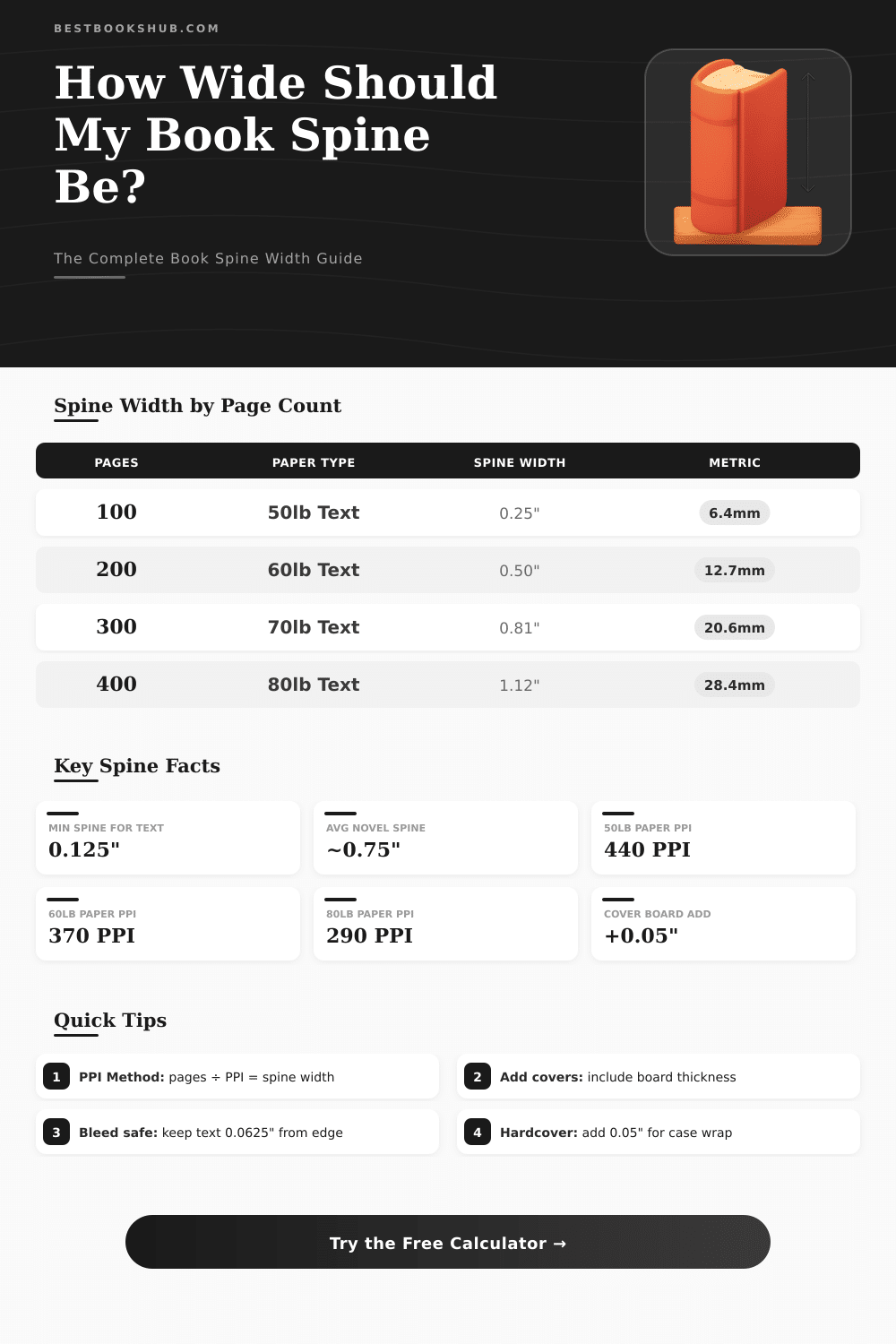
| Page Count | Spine Width (in) | Spine Width (mm) | Suitable For |
|---|---|---|---|
| 50 | 0.135" | 3.4mm | Pamphlet / Chapbook |
| 100 | 0.270" | 6.9mm | Short story / Essay |
| 150 | 0.405" | 10.3mm | Children’s book |
| 200 | 0.541" | 13.7mm | Novella |
| 250 | 0.676" | 17.2mm | Short novel |
| 300 | 0.811" | 20.6mm | Standard novel |
| 400 | 1.081" | 27.5mm | Long novel |
| 500 | 1.351" | 34.3mm | Thick novel / Textbook |
| 600 | 1.622" | 41.2mm | Reference / Manual |
| 800 | 2.162" | 54.9mm | Encyclopedia / Bible |
| Binding Type | Cover Add (in) | Cover Add (mm) | Notes |
|---|---|---|---|
| Paperback | +0.000" | +0.0mm | No board, just text block |
| Perfect Bound Softcover | +0.002" | +0.05mm | Thin cover wrap |
| Hardcover Casewrap | +0.050" | +1.27mm | Includes 2pt binder board |
| Hardcover + Dust Jacket | +0.060" | +1.52mm | Add extra wrap allowance |
| Spiral / Wire-O | +0.150" | +3.81mm | Depends on wire gauge |
| Saddle Stitch | +0.000" | +0.0mm | Thin booklets only (max 80pg) |
| Font Size | Min Spine (in) | Min Spine (mm) | Recommended Min Pages (60lb) |
|---|---|---|---|
| 6pt (very small) | 0.375" | 9.5mm | ~138 pages |
| 8pt (small) | 0.500" | 12.7mm | ~185 pages |
| 10pt (standard) | 0.625" | 15.9mm | ~231 pages |
| 12pt (comfortable) | 0.750" | 19.1mm | ~278 pages |
| 14pt (large) | 1.000" | 25.4mm | ~370 pages |
The Book Spine Width is one of those topics that seems easy, but actually depends on several different things. The thickness of the book at the spine results from a mix of the number of pages, the type of paper and the choice of cover. Everything about that affects how the book will ultimately look and how one must arrange the design of the cover.
DISCLOSURE: This post may contain affiliate links, meaning when you click the links and make a purchase, I receive a commission. As an Amazon Associate I earn from qualifying purchases.
It helps to start with knowing the total number of pages. One can not count the Book Spine Width until the book is fully set up and one has a precise count of pages. The layout, the size of the font and the format of the book all affect how many pages it will be.
How to Measure Book Spine Width
When the book is already ready as a PDF file, then one can set the Book Spine Width by using a template for the cover.
Online there are calculators for Book Spine Width, that are handy for publishers and cover designers. Those programs allow you to enter details like the format of the book, the number of pages and the thickness of paper, to get a fast estimate. Some of them also give sizes for a complete template of the artwork, including the cover, the bleeds and the spine.
The results usually appear in millimeters. Even so, different websites with calculators can produce slightly diferent values, which can be annoying when one tries to reach a precise Book Spine Width for the cover of a book.
The formula for the total Book Spine Width works like this: the basic thickness plus the extra pages divided by two, then everything is multiplied by the thickness of paper. For books with hard cover the basic thickness is 6 mm, while for those with soft cover it is 3 mm.
In the binding of books with hard cover, the part of the spine usually matches the width of the text block plus one board of cover, not both. So, if the text block has 20 mm of thickness and the board of book 2 mm, the spine should have around 22 mm of width. If one uses stiffening for the spine like board, the width of that stiffening should match the Book Spine Width of the text block plus one and a half times the thickness of board.
The best way is first to bind the text block, then measure the spine itself.
When the spine has 4 mm, one can add blocking tape to it. Almost all books with hard cover end with that width. For books with flat back, the distance between the boards should be the Book Spine Width plus an eighth of an inch on every side four the hinge.
The text on the spine, like the title and the name of the author, should have a size in points that is half or less than the Book Spine Width. Also there should be at least 1/16 of an inch of space between the text and the edge of the spine. This helps to keep the text in the center and stop it from sliding to the front or back cover.
The maker of books can also help set the finalBook Spine Width before printing, because they buy paper regularly from suppliers and the thicknesses can vary.