📚 BibTeX Citation Converter
Convert BibTeX entries to APA, MLA, Chicago, Harvard & more citation formats instantly
⚡ Quick Presets
🔧 Citation Input & Options
DISCLOSURE: This post may contain affiliate links, meaning when you click the links and make a purchase, I receive a commission. As an Amazon Associate I earn from qualifying purchases.
✅ Converted Citation
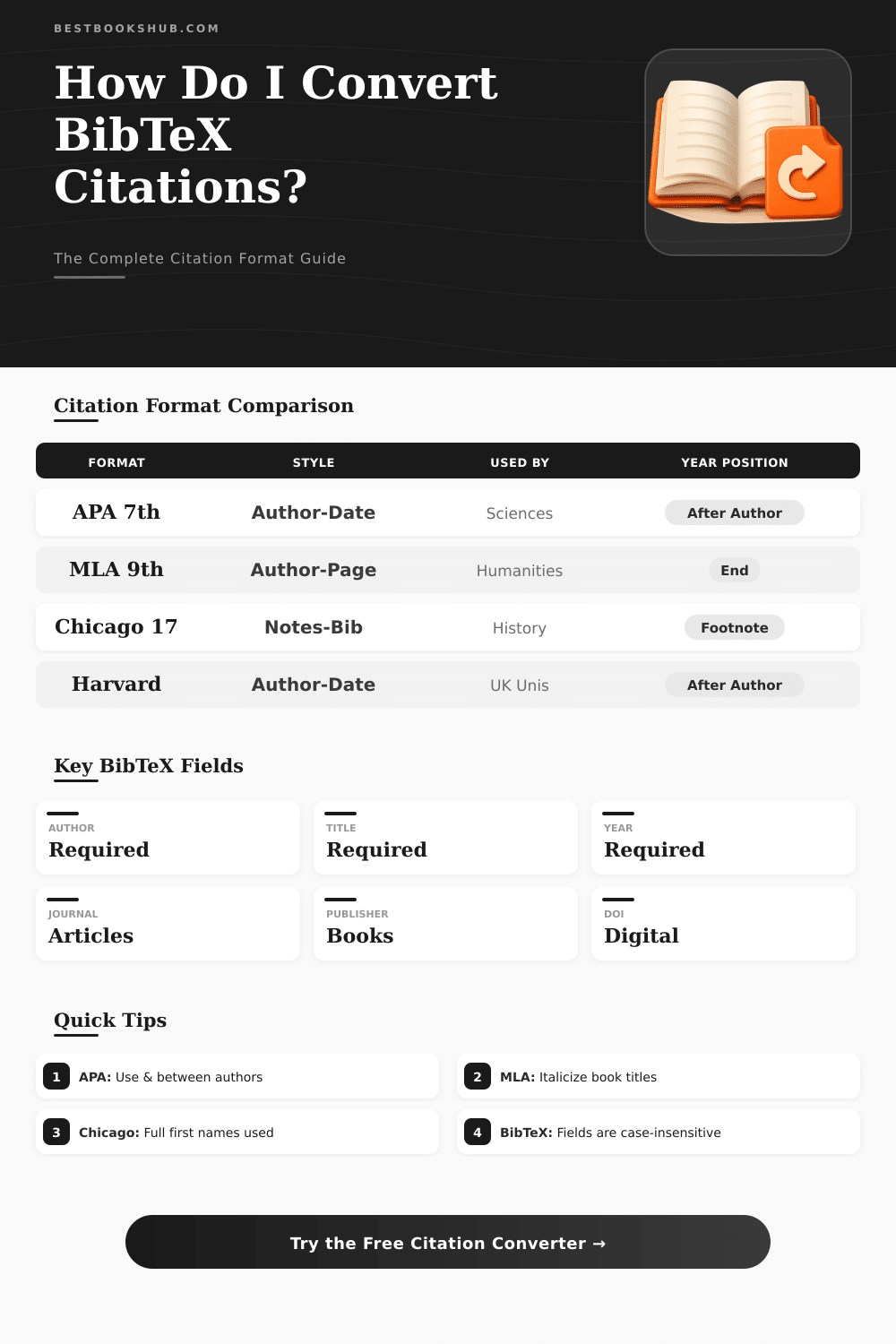
📊 Citation Format Comparison
📋 Citation Format Structure Guide
| Format | Author Style | Year Position | Title Case | Journal Style | Typical Field |
|---|---|---|---|---|---|
| APA 7th | Last, F. I. | After authors | Sentence case | Italicized | Psychology, Sciences |
| MLA 9th | Last, First | End of entry | Title Case | Italicized | Literature, Humanities |
| Chicago 17 AD | Last, First | After authors | Title Case | Italicized | History, Social Sci. |
| Chicago 17 NB | First Last | Footnote/endnote | Title Case | Italicized | Humanities, Publishing |
| Harvard | Last, F. | After authors | Sentence case | Italicized | UK / Australia |
| Vancouver | Last FI | Numbered ref list | Sentence case | Abbreviated | Medicine, Biology |
| IEEE | F. Last | Numbered brackets | Title Case | Italicized | Engineering, CS |
| AMA | Last FI | Numbered superscript | Title Case | Abbreviated | Medical Journals |
🔍 BibTeX Field Reference by Entry Type
| BibTeX Field | @article | @book | @inproceedings | @phdthesis | @misc |
|---|---|---|---|---|---|
| author | Required | Required | Required | Required | Optional |
| title | Required | Required | Required | Required | Optional |
| year | Required | Required | Required | Required | Optional |
| journal | Required | — | — | — | — |
| booktitle | — | — | Required | — | — |
| publisher | — | Required | Optional | — | — |
| school | — | — | — | Required | — |
| volume | Optional | Optional | Optional | — | — |
| pages | Optional | — | Optional | — | — |
| doi | Recommended | Optional | Optional | Optional | Optional |
| url | Optional | Optional | Optional | Optional | Recommended |
📐 BibTeX Entry Types Quick Reference
| Entry Type | Use For | Key Required Fields | Example Source |
|---|---|---|---|
@article | Journal/magazine papers | author, title, journal, year | Nature, JAMA, PLOS ONE |
@book | Standalone books | author, title, publisher, year | Textbook, monograph |
@inproceedings | Conference papers | author, title, booktitle, year | NeurIPS, CVPR, ACL |
@phdthesis | Doctoral dissertations | author, title, school, year | University thesis |
@mastersthesis | Master's theses | author, title, school, year | MSc dissertation |
@incollection | Book chapter in edited book | author, title, booktitle, publisher, year | Handbook chapter |
@techreport | Technical/research reports | author, title, institution, year | NASA, NIST reports |
@misc | Websites, software, other | title, year (flexible) | GitHub, dataset, URL |
@unpublished | Unpublished manuscripts | author, title, note | Preprint, working paper |
{{NASA}}. For 3+ authors, APA uses "et al." after the first author in in-text citations (6+ for reference lists in APA 6, always for 21+ in APA 7).https://doi.org/10.xxxx/xxxxx. In Vancouver and AMA styles, DOIs appear at the end. IEEE and Chicago also support DOI as the final field.bibtex citation tools are programs that ease the change of references to BibTeX-format or the conversion of BibTeX-entries to different styles. Such programs help save lot of time during working on scientific articles or research papers.
Common uses are made up of to convert BibTeX-bibliographies to simple text freely. Backed output formats usually include APA, MLA, Chicago, Harvard and Vancouver. Some tools go even more far, because they can right away change BibTeX-entries to HTML, PDF, Word-files, XML, full text, bibitem, quotations or RIS-files.
Easy BibTeX Citation Tools
For styles one can choose between APA, Harvard, IEEE, Springer, Elsevier, ACM, MLA and ACS.
The process mostly is very easy. One can upload or stick and lay BibTeX-file, or simply copy the content in a box. Later one chooses the wanted output format, for instance APA.
One tap converts and allows to download the fresh quotations. Here in short words, how it works.
The conversion in the other sense works just as well. There are tools that create bibtex citation entries in moments. Books, pages on the net, newspapers and other sources one can handle by means of BibTeX-generator of quotations.
For instance BibMe quickly prepares BibTeX-quotations and bibliographies, and it is reliable and free.
DOI is another good edge for start. Online tool for DOI to BibTeX searches the entry, compares it with data and reshapes it to the chosen style. Simple creation of BibTeX-quotations from encrypted identifiers of objects really saves time.
One can also enter a URL and right away generate BibTeX-quotation form it.
There are tools for sharing between kinds of reference files. Easy online apps for convert RIS to BibTeX can handle EndNote-files. Simple text of references one can reshape to BibTeX-files, although the result sometimes needs a bit of hand-fixing after the first step.
One way to get references in BibTeX is to export quotations as RefMan RIS-files from databases of research, import them in a program for quotations like Mendeley and later export again to.bib-file.
BibTeX works closely with LaTeX. LaTeX is a program for typesetting, that takes a file with simple text and orders and makes from it a fine arranged document. BibTeX together with files of data, called.bib-files, are very helpful for care about quotations and references in many papers and degrees.
The approach of biblatex is a bit different and it gets more popular, but it also needs a.bib-file.
Even a tool for Goodreads to BibTeX exists as an open source draft at GitHub. And for folks with old bibliographies, copying and pasting of quotations in a tool based on artificial intelligence, with a request to it to reshape them to BibTeX-code, is another option. That code later can enterreference managers like Zotero directly from the clipboard.