📚 Page layout lab
Paragraphs per page calculator
Estimate page density from paper size, margins, font, spacing, and paragraph length so draft pages feel more predictable.
| Page format | Usable area | Words/page | Paras/page |
|---|---|---|---|
| Letter | 6.5 x 9 in | 300-360 | 3-5 |
| A4 | 160 x 247 mm | 290-350 | 3-4 |
| Legal | 6.5 x 12 in | 390-470 | 4-6 |
| Trade paperback | 4.5 x 7.5 in | 180-260 | 2-4 |
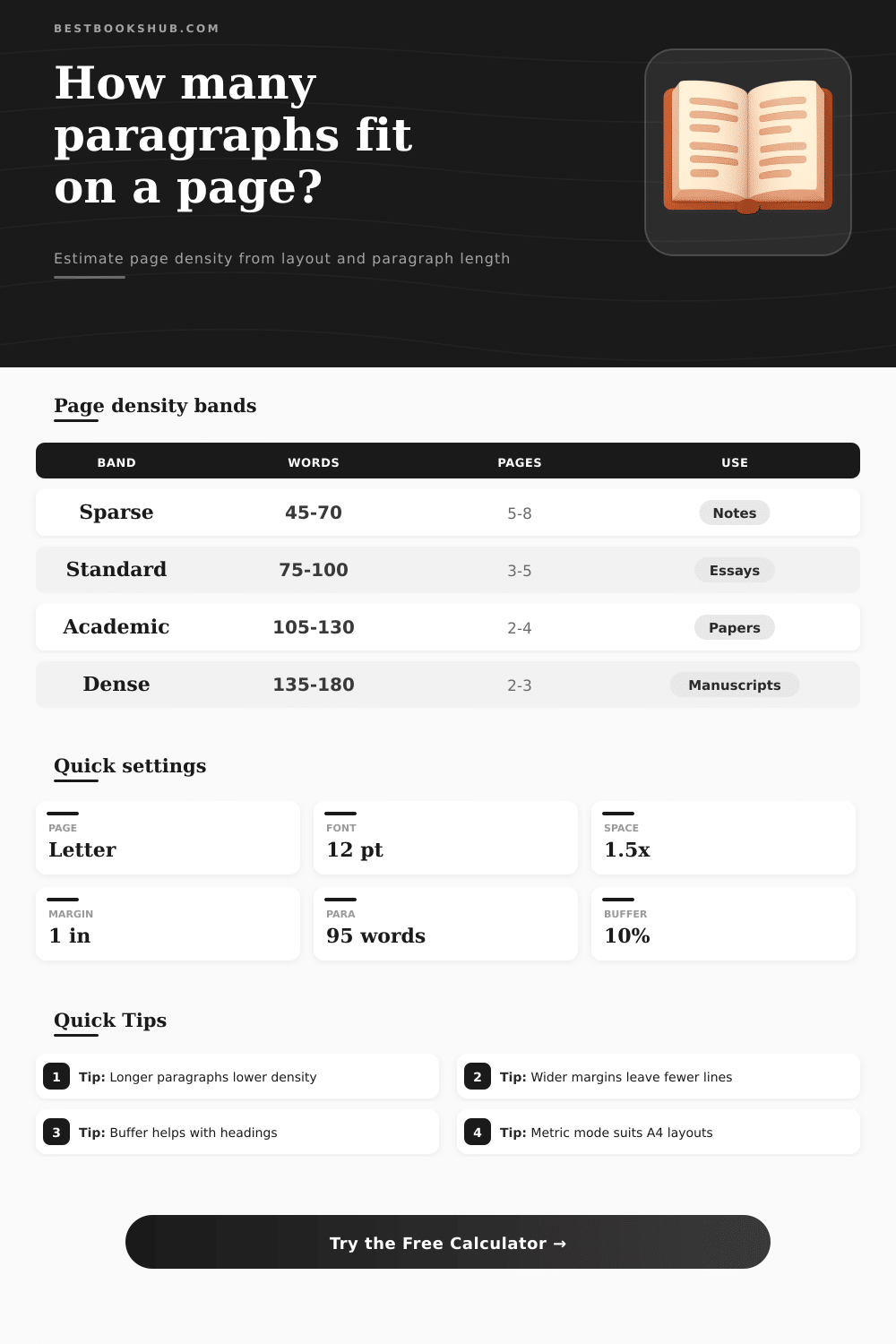
| Density band | Words/para | Paras/page | Best fit |
|---|---|---|---|
| Sparse | 45-70 | 5-8 | Notes |
| Standard | 75-100 | 3-5 | Essays |
| Academic | 105-130 | 2-4 | Papers |
| Dense | 135-180 | 2-3 | Manuscripts |
| Spacing | Line height | Density | Use |
|---|---|---|---|
| Single | 1.0x | High | Draft notes |
| 1.15 | 1.15x | Balanced | Articles |
| 1.5 | 1.5x | Common | Essays |
| Double | 2.0x | Low | Review copies |
| Profile | Words/para | Chars/word | Note |
|---|---|---|---|
| Standard essay | 95 | 5.2 | General writing |
| Academic paper | 120 | 5.1 | Research tone |
| Dialogue page | 55 | 5.4 | Short bursts |
| Dense manuscript | 145 | 5.0 | Compact prose |
DISCLOSURE: This post may contain affiliate links, meaning when you click the links and make a purchase, I receive a commission. As an Amazon Associate I earn from qualifying purchases.
When one is creating a document, it may be helpful to know how many paragraph will fit on a single page. The number of paragraphs that will fit on a sheet of paper isnt a fixed number for documents; a variety of factors impact the numbers of paragraphs that can be included on a sheet of paper. For instance, the margins for a sheet of paper will impact how much of the sheet are available for the paragraphs; smaller margins will allow more paragraphs to be printed on a sheet of paper than greater margins.
Additionally, line spacing will impact the number of paragraphs on a sheet of paper; greater line spacing will allow more paragraphs to exist on a sheet of paper than small line spacing. Finally, the font size will impact the number of paragraphs on a page; smaller fonts will allow for more paragraphs to fit on a sheet of paper than more larger fonts. To calculate the number of paragraphs that will be printed on a sheet of paper, a variety of different variables must be entered into the calculator.
How Many Paragraphs Fit on a Page
The users must enter the page dimensions, margin sizes, font size, average number of words for a paragraph, average number of characters for a word, and the paragraph gap. The page dimensions will determine the size of the sheet of paper that will be printed. The margin sizes will determine the size of the printable area of that sheet of paper.
The average number of words for a paragraph and average number of characters for a word will allow the calculator to determine the numbers of lines that each paragraph will use up. Finally, the paragraph gap account for the lines that is created between paragraphs. In order to provide an accurate number of paragraphs per sheet of paper, the paragraphs per page calculator will use a safety buffer.
A safety buffer accounts for elements of the document that take up lines of the page but are not paragraphs; elements such as headings, block quotes, illustrations, and other content that takes up the lines of a page. If a document includes many headings or illustrations, it is important to use a safety buffer to avoid having an overestimater number of paragraphs per page. The calculator will output the number of paragraphs per page that will be printed on a page, the number of words per page, the number of lines per page, and the number of pages that ten paragraphs will occupy.
Each of these measurements will allow a creator of a document to understand how long the document is, and whether it may be too long or too short. For instance, if a creator notices that there are very few words per page, the creator may wish to change the font size or margin. The calculator is able to account for different sizes of paper; both US and international sizes, as well as inches or millimeters.
For example, trade paperback sizes are smaller in their widths than letter sizes; therefore, there will be fewer lines per page for trade paperbacks. Additionally, legal sizes have more height than letter sizes; therefore, legal pages will allow more paragraphs to be printed than pages of letter size. Additionally, users can select inches and millimeters for page size; using the metric system will allow sheets of paper like A4 pages to be accounted for.
The length of the paragraphs will have an impact upon the number of paragraphs per page. Paragraphs that are short will create more breaks in the page than paragraphs that are long. Additionally, paragraphs that are long will contain more words than short paragraphs.
Therefore, because there are more words in a long paragraph, long paragraphs will impact the total number of paragraphs that can fill a page. Changes to a document will have an impact upon the number of paragraphs per page. For instance, changing the font size will impact the amount of text that can be printed per page; increasing the font size will decrease the number of paragraphs per page.
Additionally, changing the margins will also impact the number of paragraphs per page; increasing the margins will also decrease the number of paragraphs per page. The goal of utilizing this calculating tool is to provide the author with an informed expectation of the layout of the document. If the author is aware of the number of paragraphs per page that the document will create, the author can make adjustments to the length of paragraphs or margins to achieve the desired outcome.
Additionally, being informed of the length of the document prior to completing the document will prevent the author from being surprised by the length of the document after it has been formatted. Thus, the variables of the document can be transformed into an estimate of the length of the document; giving the author the ability to make certain that the length of the document is appropriate for the document itself.