📖 BestBooksHub production math
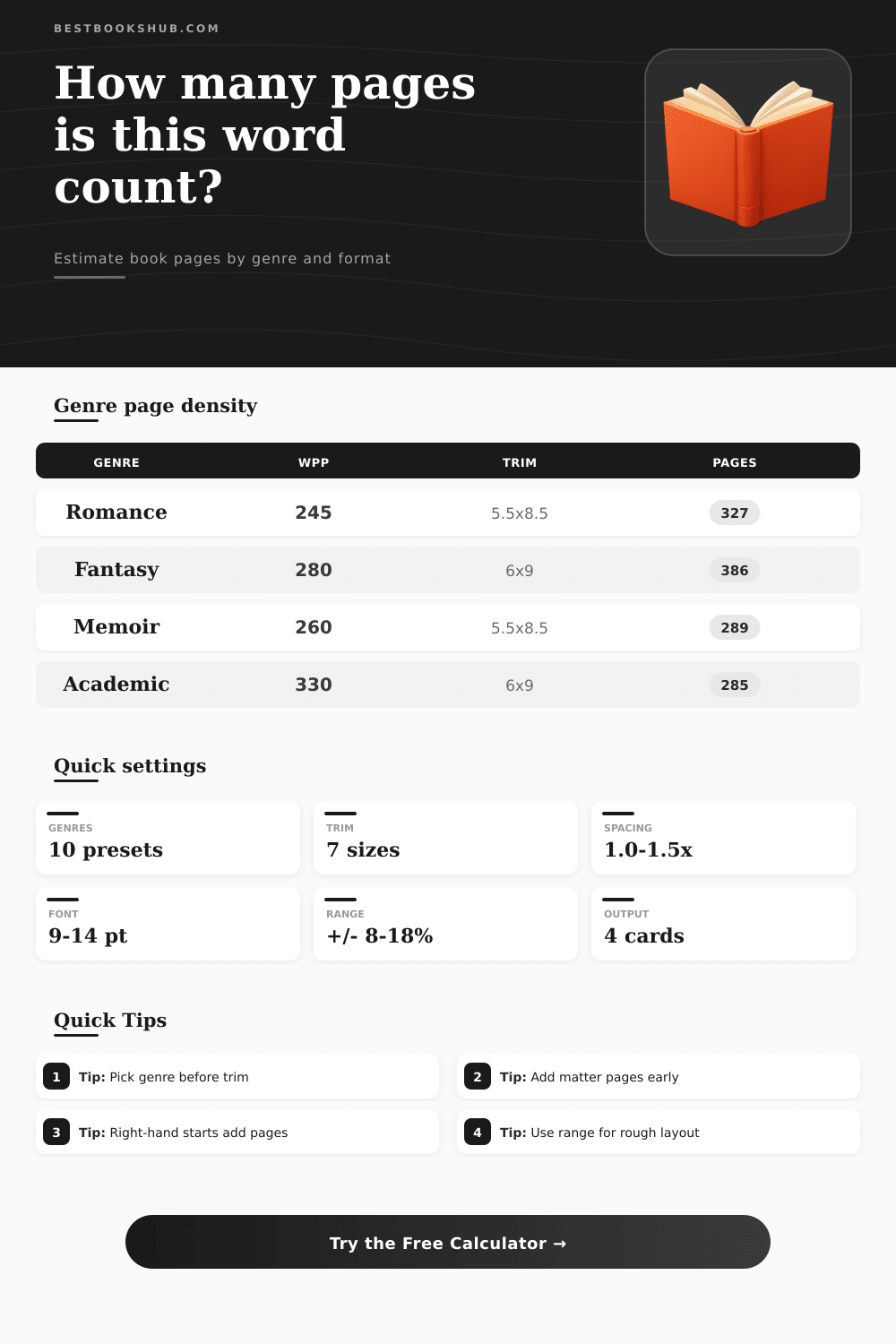
Word count to page estimate by genre calculator
Estimate manuscript pages from word count, genre density, trim size, font size, line spacing, chapter starts, and front or back matter.
Use the likely result for planning, then use the range when the interior design is not final. Typography, trim size, and chapter starts can move a book by dozens of pages.
DISCLOSURE: This post may contain affiliate links, meaning when you click the links and make a purchase, I receive a commission. As an Amazon Associate I earn from qualifying purchases.
These ranges are planning references. Final page count depends on actual font metrics, images, scene breaks, heading styles, and production rules.
| Genre preset | Typical words | Density factor | Page behavior |
|---|---|---|---|
| Cozy mystery | 70k-85k | 0.96x | Dialogue and chapter breaks add air. |
| Romance | 65k-90k | 0.94x | Scene flow is open and quick. |
| Thriller | 75k-100k | 0.92x | Short chapters raise front-edge waste. |
| Epic fantasy | 110k-160k | 1.05x | Dense prose offsets longer books. |
| Academic | 80k-110k | 1.18x | Smaller type and dense pages fit more. |
| Trim format | Size inches | Best fit | Page effect |
|---|---|---|---|
| Mass market | 4.25 x 6.87 | Genre fiction | Highest page count |
| Digest | 5.5 x 8.25 | YA, memoir | Slightly compact |
| Trade | 5.5 x 8.5 | Fiction, memoir | Balanced baseline |
| Standard | 6 x 9 | Nonfiction | Lower page count |
| Workbook | 8 x 10 | Exercises | Low text-page count |
| Typography setting | Common value | Words/page effect | Use case |
|---|---|---|---|
| Body font | 10.5-11.5 pt | Normal density | Most trade books |
| Large print | 13-14 pt | Much lower density | Accessibility formats |
| Line spacing | 1.1-1.25x | Balanced lines | Finished interiors |
| Draft spacing | 1.5x | Lower density | Review copies |
| Extra page source | Typical add | Why it matters | Calculator input |
|---|---|---|---|
| Front matter | 4-12 pages | Title, copyright, contents | Front matter pages |
| Back matter | 2-20 pages | Acknowledgments, notes | Back matter pages |
| New-page chapters | 0.45 per chapter | Partial start pages | Chapter start rule |
| Right-hand starts | 0.95 per chapter | Blank versos appear | Chapter start rule |
Converting a manuscript word count into a final page count is a complex proces. Converting a manuscript word count into a final page count isnt as simple as dividing the word counts by a number to get the final page count. The final page count for a manuscript is dependent upon the density of the text that is included on each page.
The density of the text can change with changes to the trim size of the book, the typeface and spacing of the text on each page, and even the structure of the chapters within the book. For instance, a thriller novel and an academic monograph can contain the same number of words, yet may contain between twenty and thirty pages of text due to differences in each of these variable. The number of words that a single page can contain will change according to the design and formatting of the book.
How to turn your manuscript word count into a page count
For instance, the genre of the novel will impact the number of word per page. Cozy mystery novels contain many instances of dialogue and chapter breaks that even out to many more words per page than a more general genre of novel. Additionally, novels that contain poems will have more pages than a novel that dont use line breaks and white space within the story to design the novel.
The trim size of the novel will also impact the number of words per page. For instance, a mass-market paperback can contain more words on each page than a six by nine trade paperback. Additionally, a six-by-nine trade paperback can contain more words on each page than a large-print edition of the same novel.
Thus, changing the trim size of the book can change the number of words on the page, changing the page count of the novel by as many as forty pages. Other factors that impact the number of words per page include the margins of the pages and the line spacing of the text on each page. Another factor that may impact the number of words on each page is the structure of the chapters within the novel.
For instance, if each chapter begins on a new page, there will be partial page created within each chapter that can add to the page count. Additionally, if each chapter begins on a right-hand page, the author will create additional blank pages that can also add to the page count. Thus, each of these small changes to the page count can significantly increase the number of pages within a novel that contain many chapters.
The inclusion of front matter and back matter for the novel can also impact the number of pages that a novel contains. For instance, novels typically contain title pages and copyright information within the front matter, and books can contain tables of contents, acknowledgments, and indexes within the back matter. Each of these pages will impact the total number of pages that are contained within the book, even if they contain few words.
You can plan for each of these factors by using a calculator to determine the number of pages that the novel will contain with different design choices for the book. For instance, the user must enter the word count for the novel into the calculator, as must the trim size, typography, and chapter rule for the novel. The calculator will provide an estimate for the number of pages that the novel will contain, as well as a planning range for that page count.
Small design choices can impact the page count of the novel. For instance, switching from new-page chapter starts to same-page chapter starts can save several pages in a novel that contains a significant number of chapters. Additionally, changing the margins for a nonfiction book will impact the total page count for the book, as well as allow that book to fit within a specific signature count for the book.
These adjustments could of been considered within a planning stage for the novel using a page count calculator. You can also use the page count calculator to compare different trim sizes and formats for different audiences for the book. For instance, a young-adult novel may have a digest trim size, while an academic book may use a six-by-nine trim size.
Each of these can be entered into the calculator to compare the number of pages created by each trim size, which can make possible design decisions based off the page count for the novel. While the number of pages that a novel will contain does not need to be precisely calculate, it is important to understand the range of the page count. Furthermore, understanding the range of the page count allows authors and publishers to make decisions regarding the trim size, spacing, and structure of the chapters.
Thus, understanding the range of the page count for a novel will allow for a better understanding of the cost to print the novel, the experience that the readers will have with the novel, and, overall, to ensure that the page count is an author and publisher’s planning tool for the novel.