📚 Text numbering desk
Add Line Numbers Tool
Paste any text and add clean numbered prefixes for poems, code samples, manuscripts, notes, transcripts, and classroom handouts with custom starts, steps, padding, blank-line rules, and separators.
Load a common editing format, then adjust start number, increment, blank-line handling, padding, or separator style before copying the result.
Prefix numbering
DISCLOSURE: This post may contain affiliate links, meaning when you click the links and make a purchase, I receive a commission. As an Amazon Associate I earn from qualifying purchases.
Best when readers need fast line references before poem, code, or manuscript text.
Suffix numbering
Useful when text alignment matters and the reference number should stay out of the left margin.
Padded numbers
Use two or three digits when output has many rows and columns should stay visually even.
Incremented labels
Use steps of 5 or 10 when reviewers may insert new numbered lines later.
| Style | Example | Best use | Copy note |
|---|---|---|---|
| Dot | 01. Line text | Manuscripts, notes | Readable in plain text |
| Colon | 01: Line text | Transcripts, citations | Clear after speaker labels |
| Pipe | 01 | Line text | Code reviews | Creates a margin feel |
| Bracket | [01] Line text | Academic excerpts | Hard to confuse with content |
| Hash | #01 Line text | Issue notes | Works well in task lists |
| Mode | Typical start | Typical step | Blank-line rule |
|---|---|---|---|
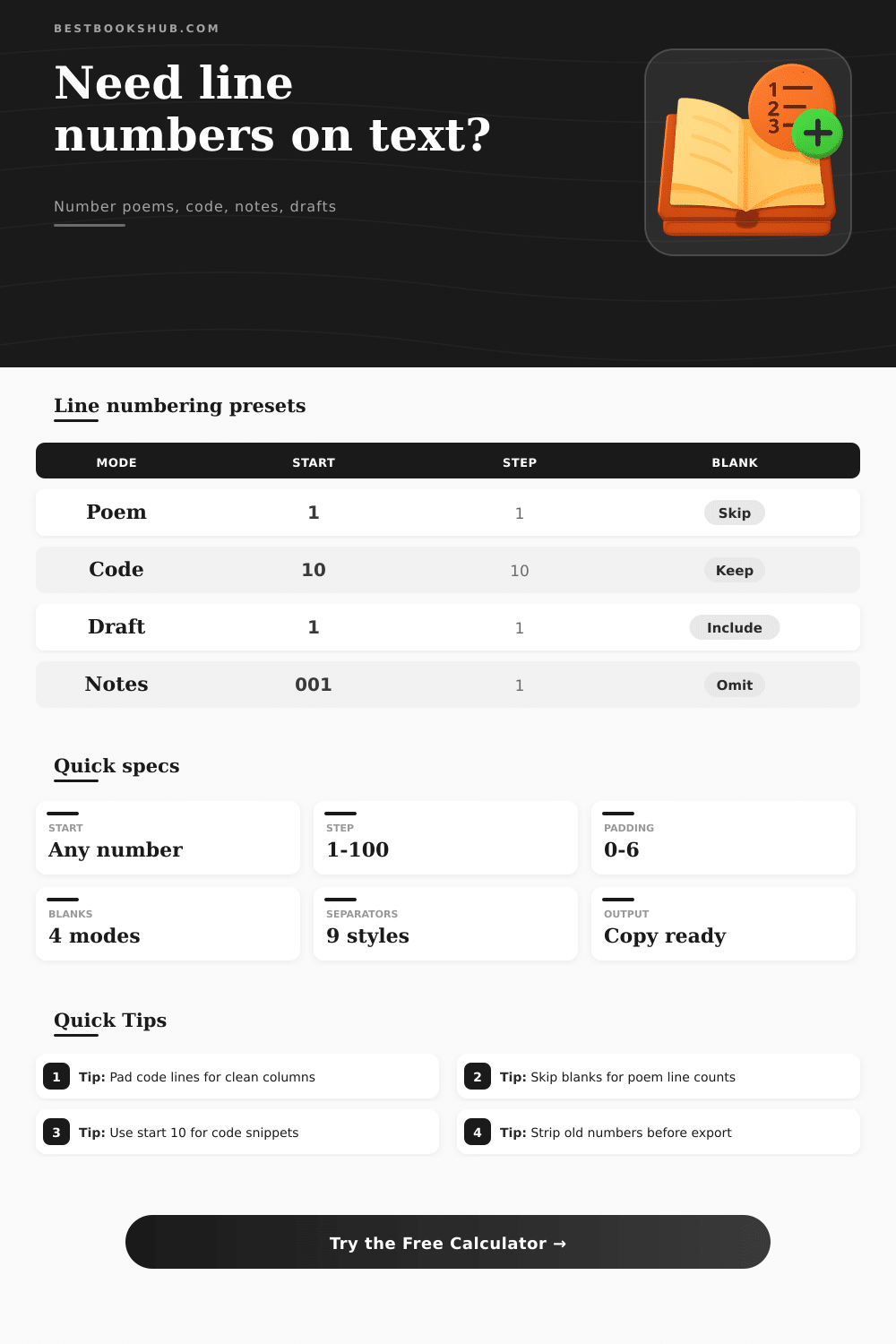
| Poem mode | 1 | 1 | Keep blanks unnumbered |
| Code mode | 10 | 10 | Keep blanks unnumbered |
| Manuscript mode | 1 | 1 | Include and number blanks |
| Notes mode | 1 | 1 | Omit blank rows |
| Option | Numbers blanks? | Advances count? | Best for |
|---|---|---|---|
| Keep blanks unnumbered | No | No | Poems with stanza breaks |
| Include and number blanks | Yes | Yes | Page layout proofing |
| Count blanks without prefix | No | Yes | Source row references |
| Omit blank rows | No | No | Compact lists and notes |
| Use case | Start | Pad | Separator |
|---|---|---|---|
| Poetry workshop handout | 1 | 2 | Dot |
| Code excerpt in article | 10 | 3 | Pipe |
| Manuscript proof page | 1 | 2 | Colon |
| Reading notes packet | 1 | 3 | Bracket |
| Transcript reference sheet | 100 | 3 | Colon |
Line numbers is used to provide specific reader with a means of easily referencing the text that doesnt require them to manually count the lines of text from the top of the page. Many people uses line numbers for a variety of different reason. For instance, poets, programmers, editors, and students all use line numbers to improve the efficiency of the communication between themselves and other.
When using line numbers within a piece of code or text, for instance, it is possible to point to a specific line number. Using line numbers in this way save time when discussing a piece of text, as it is often much more efficient to refer to a specific line number then to describe the text that are to be discussed. The calculator allow for the selection of the way that line numbers will appear within the text.
Using Line Numbers in Text
You can customize the formatting of the line numbers. The lines can be set to start with any given value, the distance between line numbers can be changed, whether lines that contain blank text will receive line numbers can be selected, and the separator for the line numbers can be changed to a period, a colon, or a bracket. Each of these line number attribute can have an impact upon how the reader of a text interpret that text.
The setting for lines that contain blank lines can have an impact upon the meaning of the line numbers of a text. If the lines within a text are left unnumbered, the line numbers will correspond to the lines of text that exists within the text. However, if each row of text within a text file is to be given a line number, then the line numbers will correspond to the total number of rows of text that exist within that text file.
For editors, the line numbers may need to correspond to the lines of text of the page, in which case the decision to number or not number lines that contains blank lines will impact the purpose of adding the line numbers to the text. The padding of the line numbers may be used to add leading zeros to the line numbers. This can be used to ensure that the line numbers remains aligned within a column of text for lines that has single digits, double digits, and even triple digits of line numbers.
Such alignment can be visually useful for reader who wish to quickly scan the line numbers of a text, especially if the line numbers are to be printed in a narrow column of text. Two-digit padding can be used for short texts, but three digit padding may be more appropriate for texts that contains more than one hundred lines of text. The separator of line numbers can impact the way that line numbers are visually arranged within the text.
Colons work well for texts that are transcript of speeches or conversations. Pipes can be used to separate the line numbers from the indented code within a text. The use of brackets for line numbers ensure that the line numbers appear separate from the text itself.
Each of these setting can be changed at any time. After utilizing the line number calculator to add line numbers to a text, you can copy the results of that text, after which you can use the line number calculator again to change the settings of the line numbers. If a text contains old line numbers for each line of text, those old line numbers may become potentially confusing when the new line numbers is also appearing within the text.
By stripping the old line number prefix from the text, those old line numbers will not be confusing to the reader when the new line numbers are also visible within the same text. There is, however, also an option to leave the existing line numbers in place within the text. It is also necesary to make a decision as to whether the added line numbers will help the reader or if they will appear to be visual noise within the text.
For instance, a short list of revision notes will not require line numbers, but a long interview transcript or manuscript will require line numbers. This line number calculator will make the task of adding line numbers to a text so that a person can focus upon making the decision of whether line numbers should of be included within that text. Once the line numbers are added to the text, those line numbers will become a stable reference for the text.
Readers will be able to cite that line number within an email or within a meeting with others who are to read that same text. By providing a reference for the text, everyone involved will be looking at the same lines of text within that text file. This is the main purpose for which line numbers are to be utilize.