🔤 Alternating text rhythm studio
Alternating case converter
Convert text into alternating case by character, word, or line while choosing the starting case, skipping spaces or punctuation, preserving acronyms, resetting per line, and previewing rhythm stats.
Load a realistic text pattern, then tune how the alternating rhythm advances across letters, words, punctuation, acronyms, and line breaks.
DISCLOSURE: This post may contain affiliate links, meaning when you click the links and make a purchase, I receive a commission. As an Amazon Associate I earn from qualifying purchases.
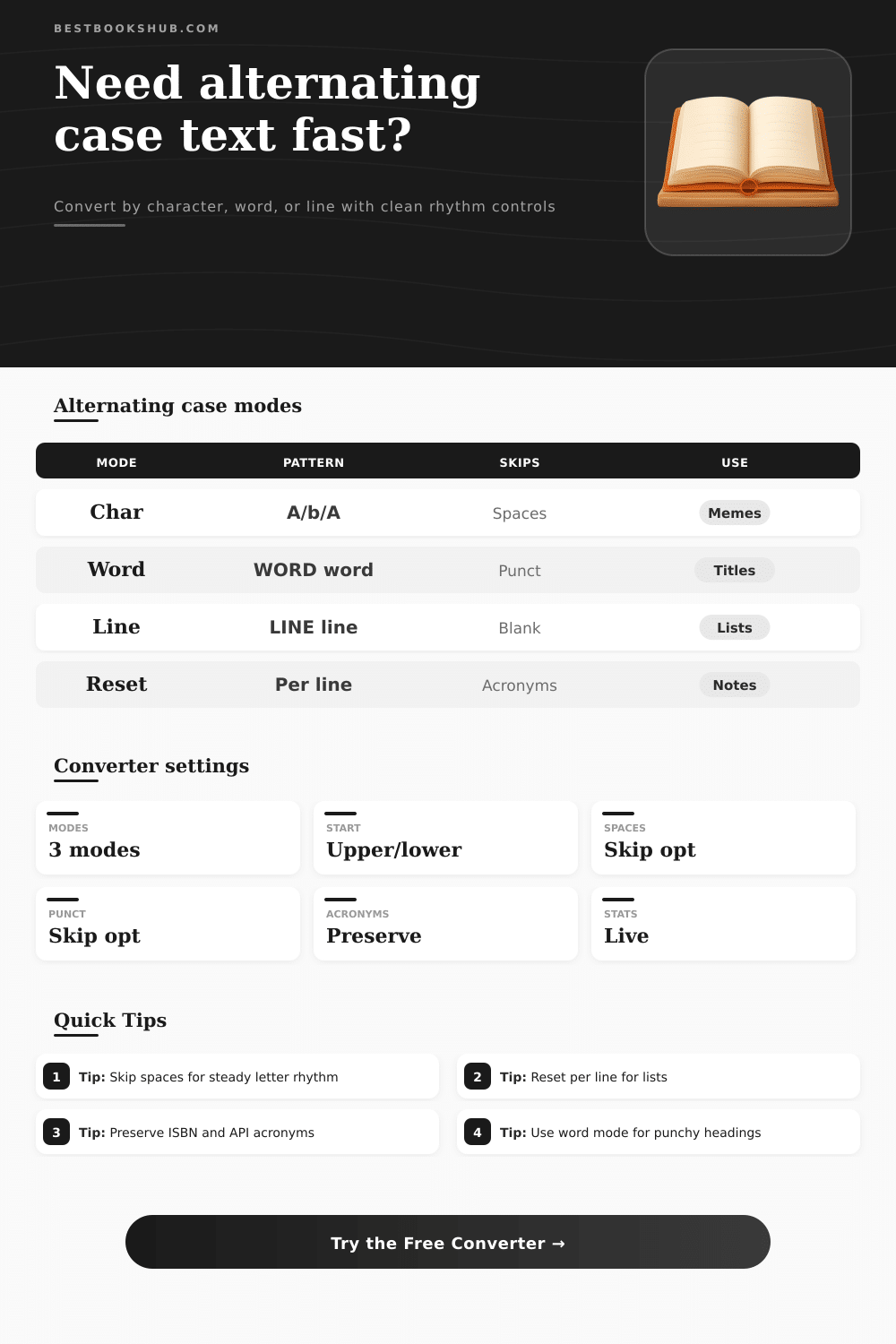
Character mode creates the classic alternating letter look. Word and line modes are easier to read for headings, lists, blurbs, and quote cards.
Each pattern uses the same source phrase, but the beat advances at a different grain. Use this grid to pick the least noisy style before copying.
Use these references to decide how the rhythm should treat spaces, punctuation, line breaks, acronyms, and readable editorial text.
| Alternation mode | What changes | Best source | Watch for |
|---|---|---|---|
| By character | Each eligible letter flips between upper and lower case. | Short captions, playful notes, and meme text. | Long paragraphs can become visually noisy. |
| By word | Whole words alternate uppercase and lowercase. | Titles, social teasers, and short blurbs. | All-lower words may feel too quiet. |
| By line | Whole lines alternate uppercase and lowercase. | Stanzas, bullet lists, labels, and quote cards. | Blank lines can interrupt the expected beat. |
| Reset per line | Each line restarts from the chosen first beat. | Lists, metadata blocks, and copied outlines. | Disable it for one continuous rhythm. |
| Skip setting | When on | When off | Use case |
|---|---|---|---|
| Skip spaces | Spaces do not consume a rhythm beat. | Spaces can advance the beat if selected. | Turn on for classic alternating letters. |
| Skip punctuation | Commas, quotes, and dashes stay neutral. | Punctuation can push the next beat forward. | Turn on for cleaner copied prose. |
| Separator advances | Skipped separators still change the next beat. | Skipped separators leave the beat untouched. | Turn on to mimic older internet text styles. |
| Trim line breaks | Line edges are cleaned before conversion. | Original spacing remains visible. | Turn on for pasted notes with extra spaces. |
| Acronym rule | Example | Output intent | Best for |
|---|---|---|---|
| Preserve all | ISBN, PDF, NASA | All-caps tokens stay exactly as typed. | Publishing metadata and technical notes. |
| Custom only | ePub, API, DOI | Only listed terms are protected. | Style guides with narrow exceptions. |
| Convert acronyms | ISBN becomes iSbN | Acronyms follow the same alternating rhythm. | Pure visual effects where clarity matters less. |
| Mixed-case terms | ePub, iBooks | Known camel words keep their source shape. | Book apps, formats, and platform labels. |
| Text source | Suggested unit | Start case | Recommended controls |
|---|---|---|---|
| Meme caption | Character | Uppercase | Skip spaces and punctuation, preserve acronyms. |
| Book title joke | Word | Uppercase | Keep punctuation neutral, protect proper acronyms. |
| Poem or stanza | Line | Uppercase | Keep line breaks and skip blank line rhythm. |
| Metadata labels | Word | Lowercase | Use custom acronym list for ISBN and DOI. |
Alternating case are a method of styling text in which the case of the letter or words in the text alternates in some way. Alternating case can be used to make text look rhythmic, and alternating case can be used to make text more easier to scan. The way to apply alternating case to text will depend upon the type of text that are to be styled.
For instance, you may wish to style the text of a caption, the title of a book or article, or a block of metadata. The first decision that you must make when applying alternating case to text is the unit of alternation that will be applied to the text. Alternating case can be applied to individual letter within the text (character mode), to entire word in the text (word mode), or to lines of text (line mode).
How to Use Alternating Case
Character mode is best applied to short phrase. Word mode allow the reader to maintain the rhythm of the text. Line mode is useful in applications like poems, lists, or quote cards.
After deciding the unit of alternation for the text, the next decision is the starting case for the alternating case styling. Alternating case can start with uppercase letters or it can start with lowercase letters. Starting with uppercase letters can make the text appear more energetic.
Starting with lowercase letters can make the text appear soft. Neither choice for the starting case are inherently better then the other. Another decision is the space and punctuation in the text.
When applying alternating case to text, spaces and punctuation can be either skipped or not skipped. If spaces and punctuation is to be skipped, the alternating case will only be applied to the letters or words to be alternated, and the rhythm of long sentence can be maintained. If spaces and punctuation are not to be skipped, the alternating pattern will advance with every separator of word in the text.
Many people will want to test both method when applying alternating case to the same sentence of text. Another important function of the alternating case calculator and tool is acronym protection. Acronyms such as ISBN and DOI will lose their meaning if they is subjected to the process of alternating case.
By protecting these acronym, the text will remain functional while the alternating case is applied to the remainder of the text. Additionally, mixed-case word such as ePub and iBooks can also be protected for the same reason. Another last decision is line handling.
When applying alternating case to text that contains multiple line, the alternating case can either be reset on each new line or it can remain continuous across new lines of text. When resetting alternating case on each line, each line will be internally consistent. This setting is useful for lists or metadata that may contain multiple lines of text.
Leaving the alternating case continuous across new lines will result in the alternating case calculator create one long chain of text. The calculator will present to the user the converted text that results from the choice of unit of alternation, starting case, spaces and punctuation settings, and acronym settings. Additionally, the calculator will also show the user a visual meter of the resulting alternating case text.
Finally, a breakdown of the resulting alternating case text will show the user how many beat of alternating case were created, how many separators of the text was skipped, and how many tokens of the text were protected. Common mistake include applying the same alternating case settings to all type of text. For instance, the settings may be applied to a meme caption for one type of text, but it may not be appropriate for a book title.
Additionally, alternating case may work well within a poem that is divided into lines of text, but it may not work as well within a paragraph of text that does not contain line breaks. The reference table can be used to quickly determine the setting that should be applied to different type of text. These table are not exact rule that must be followed, but they will reduce the number of times that an individual will have to test each setting for alternating case.
With experience with this tool, an individual will be able to remember which setting go with which type of text. The best results can be obtained from alternating case when the tool is used in an intentional way. For example, alternating case should respect the meaning of the words in the text, but it can be used to add another dimension of meaning to the text.
Alternating case may be used for a variety of text and for many different purpose. If alternating case is applied appropriately to text, the text will be more easier to notice and read.