💬 Facebook feed preview
Facebook post length checker
Count Facebook post characters, preview the visible feed cutoff, compare mobile and desktop ranges, and check whether hashtags, links, emoji, and CTA placement help or hide the post.
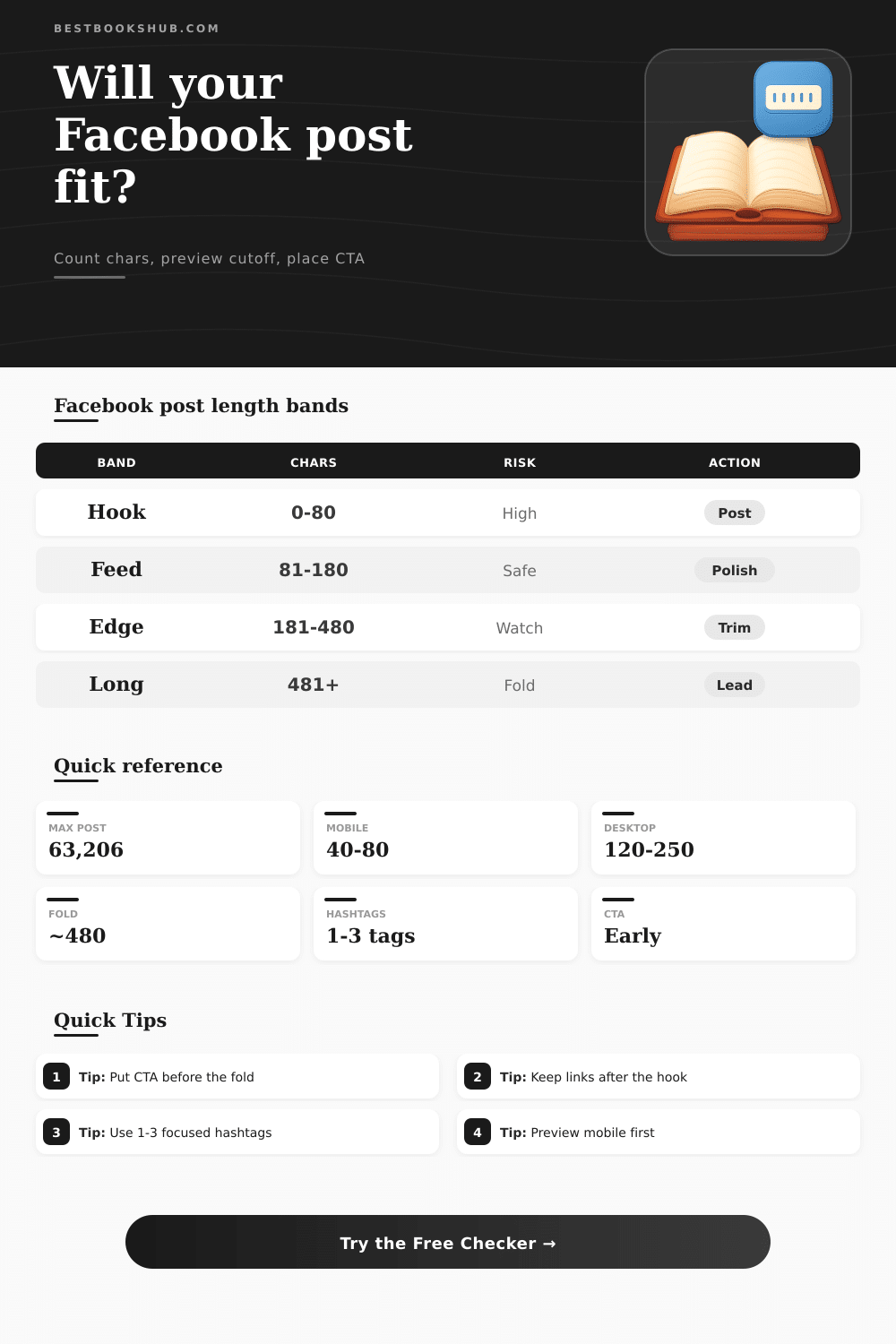
| Band | Characters | Feed signal | Best action |
|---|---|---|---|
| Hook | 0-80 | Fast scan | Post if clear |
| Feed ready | 81-180 | Strong mobile fit | Polish opening |
| Context | 181-480 | Desktop friendly | Move CTA up |
| Long form | 481+ | See More likely | Lead with payoff |
| Surface | Ideal range | Preview risk | CTA target |
|---|---|---|---|
| Mobile feed | 40-80 | High cutoff risk | First line |
| Desktop feed | 120-250 | More room | Top half |
| Group feed | 80-220 | Question driven | Before details |
| Page feed | 80-180 | Skim heavy | Before link |
| Element | Counts as | Watch point | Checker signal |
|---|---|---|---|
| Link | Characters | Can dominate preview | Link count |
| Hashtag | Characters | Stacks look noisy | Tag cap |
| Emoji | Visible cluster | Can distract hook | Emoji count |
| Line break | Spacing | Pushes CTA lower | Line count |
| Post type | Common target | Best structure | Risk if long |
|---|---|---|---|
| Status update | 40-120 | One clear thought | Weak opener |
| Page launch | 80-180 | Benefit, proof, CTA | Buried link |
| Group prompt | 80-220 | Context plus question | No replies |
| Story caption | 250-450 | Hook, story, ask | See More fold |
DISCLOSURE: This post may contain affiliate links, meaning when you click the links and make a purchase, I receive a commission. As an Amazon Associate I earn from qualifying purchases.
It’s a Facebook post length character counter that lets you know exactly how many characters will be shown in feed. It previews what your post will look like with cut-offs, shows call-to-action positioning, checks hashtags and links, and more before you post. This save you all the guesswork.
People respond to posts in their first several lines. On Facebook, it’s a teaser followed by “See More.” Get those first lines wrong, and your thoughts might dissapears from view. Know exactly where that See More button falls and what impact it has on your message. More than most people think, it’s about what they see in the preview.
How To Write Better Facebook Posts
On mobile devices, most reader just scroll up and down. You get only a brief time to show them whatever it is you want, and a couple extra lines, or an early burst of emoji; might hide your call to action from view. Lots of writers fail to consider this because they compose assuming everybody will read their entire post. Fact is, most won’t even click to make text expand.
Word count is also a tell. How long is a post? A post less than 80 characters are a quick hit. It gets noticed on someone’s feed. This is ideal for asking questions or sharing quick updates. Aim for somewhere in the low hundreds. This provide enough space to give extra context or proof, but you also start to dilute hook.
Beyond that, we move from conversation to content. Every word count band have its own set of expectations and rhythms. It gets more complicated with hashtags, links and emoji. That one well-placed link that show up too soon will take over the preview. Six hashtags begin to feel noisy, while three good ones gets your point across. Emoji bring personality and warmth, but too many up top can makes it difficult to read at a glance on smaller phones.
It’s all about the order. Hook first. Value next. Action above-the-fold. After the cut-off, detail and tags. It all depends on where your call to action falls. When readers clearly see what comes next while viewing full post, they will engage. When it gets buried below the fold, even great writing fail to engage as well. That’s why testing multiple versions is critical. Something that sounds perfect in notes app can fall flat upon encountering actual feed.
The nature of that interaction varies by location on the platform. Being authentic and brief works best on your personal update. Benefit must be delivered quickly, then followed with a click request in a page announcement. The most effective group discussions makes you want to know more. Not necessarily answer questions. The amount of text that feels comfortabley varies by space.
After you paste your draft into the calculator, it crunches numbers for you. It highlights the exact point at which a cut-off occurs and tells you if your call-to-action falls within view. It even indicates if any emoji or hashtags will make Facebook post hard to read. To change this, tweak your visibility threshold based on desktop or mobile. Then, as you go back to edit, preview updates live. This sort of instant feedback eliminate the guessing game that would of taken hours of tweaks before.
There is no substitute for judgement: You may need to break out of these ranges when the story require it; and sometimes breaking the range is the best choice. The secret here is being able to articulate why you’re going long or short. Put the line that will make someone stop scrolling first. Then keep the payoff close enough that they feel rewarded (not tricked). Remember that we aren’t gaming the platform; we are trying to respect the person who is livig through it.
Facebook post length isn’t just about character count. It’s about respecting someone’s attention while on a site built to steal it. Get the part people see right, the rest has a fighting chance.