📖 Large print layout planner
Large print page increase calculator
Estimate how many pages a standard book becomes after large print formatting, including type size, line spacing, trim size, margins, images, chapter starts, and blank pages.
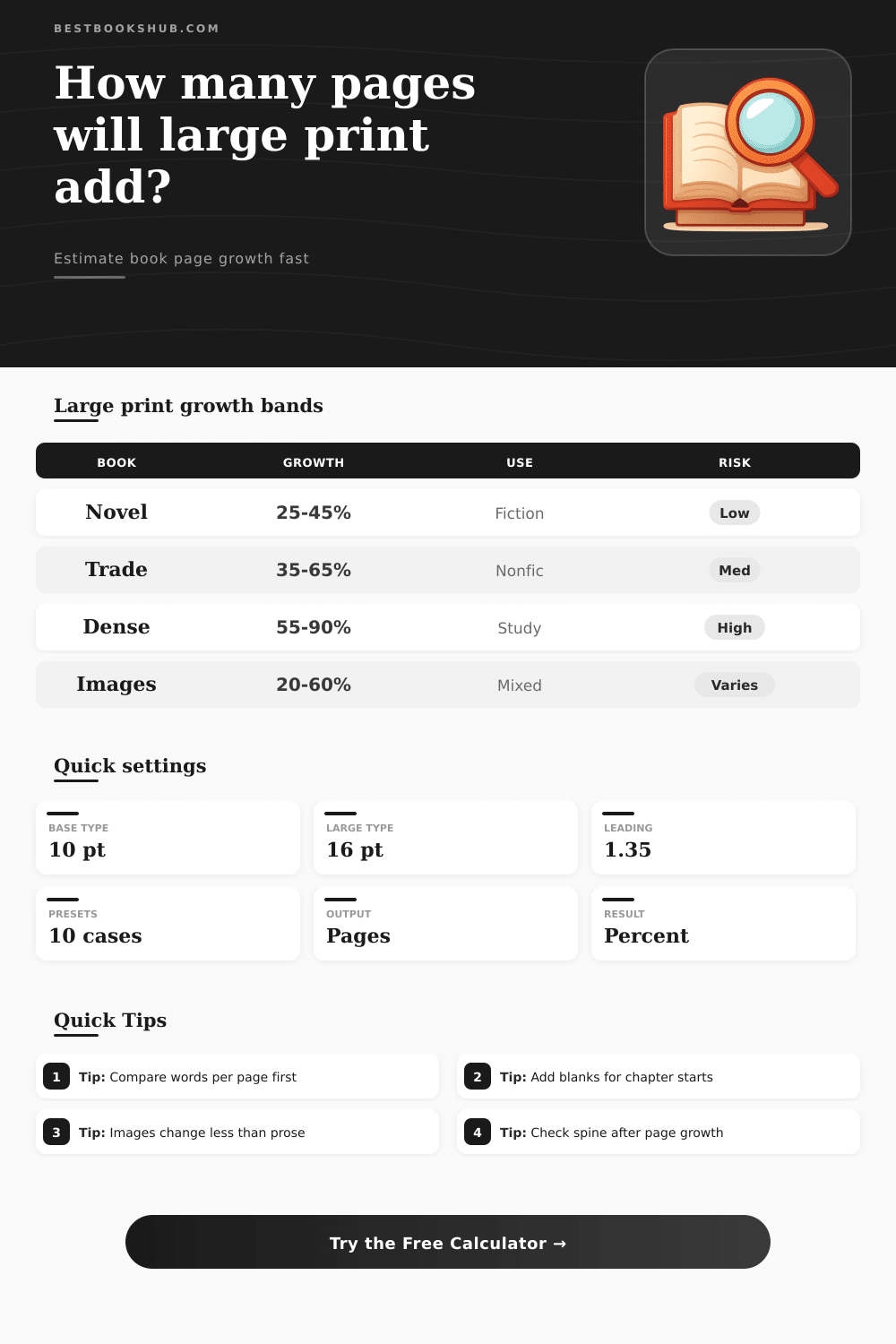
| Conversion type | Typical page increase | Best input to check | Layout signal |
|---|---|---|---|
| Fiction paperback to 16 pt | 25 to 50 percent | Words per page | Mostly flowing prose, little fixed content. |
| Nonfiction with headings | 35 to 70 percent | Section breaks | Headings and lists add more white space. |
| Academic or reference book | 55 to 95 percent | Tables and notes | Dense text loses more words per page. |
| Image-heavy book | 20 to 60 percent | Fixed content share | Images may scale less than paragraphs. |
| Already large edition | 5 to 25 percent | Current type size | Small increase when original type is already generous. |
| Trim size | Approx text area with margins | Large print use | Page effect |
|---|---|---|---|
| 5.5 x 8.5 in | 15 to 18 sq in | Compact large print novels | Higher page growth. |
| 6 x 9 in | 19 to 23 sq in | Common large print paperbacks | Balanced size and page count. |
| 7 x 10 in | 30 to 36 sq in | Easy read nonfiction | Controls growth with bigger pages. |
| 8 x 10 in | 36 to 44 sq in | Accessible manuals | Good for tables and figures. |
| 8.5 x 11 in | 45 to 55 sq in | Workbooks and handouts | Lowest page growth. |
| Body type size | Common line height | Planning note | Likely impact |
|---|---|---|---|
| 12 pt | 1.25 to 1.35 | Comfortable standard print. | Small increase from 10 pt. |
| 14 pt | 1.28 to 1.40 | Large-ish trade setting. | Moderate increase. |
| 16 pt | 1.30 to 1.45 | Common large print target. | Strong increase. |
| 18 pt | 1.35 to 1.50 | High-accessibility setting. | Very strong increase. |
| 20 pt | 1.40 to 1.60 | Special easy-read layouts. | May need larger trim. |
| Book profile | Standard pages | Large print pages | Practical check |
|---|---|---|---|
| 70,000 word novel | 260 to 320 | 360 to 500 | Confirm chapter opener blanks. |
| 90,000 word memoir | 320 to 390 | 460 to 650 | Watch photo insert handling. |
| 55,000 word guide | 230 to 300 | 350 to 520 | Lists and callouts add space. |
| Academic monograph | 280 to 420 | 480 to 780 | Tables and notes need review. |
| Workbook edition | 120 to 220 | 150 to 300 | Fixed pages grow less predictably. |
DISCLOSURE: This post may contain affiliate links, meaning when you click the links and make a purchase, I receive a commission. As an Amazon Associate I earn from qualifying purchases.
In any publishing project, there comes a time when you believe your manuscript is finished, and the physical book suddenly looks impossible. You’ve got it bound at standard size of eight and a half by five and a half inches. It slips into your jacket pocket easy. And then you realize that you want to create a large print edition that’s easy for everyone to read. The words haven’t changed, but now you need to add extra pages.
At this stage, the geometry begins, and the intuitions end: why does 16-point type result in so many additional pages? Does it depend on the way letters is shaped? On the margins? What about space between lines? The truth is, if you just guessed (and made a wrong guess) you’ll be paying for some very costly printing mistakes. Plug your desired font sizes into the calculator, enter your initial measurements, and let the calculator crunch numbers.
Why Large Print Books Get Bigger
This isn’t just about the font size. It’s also about leading. What’s that? It’s the vertical distance between lines. As the font size go up, so does the leading. You go from a ten point font with snug spacing to a sixteen point font with plenty of breathing room. Each line then take up twice as much space on the page. This means you go from thirty-five lines of text on a page down to maybe twenty. That’s a fifty percent reduction in the page density. A five hundred page novel may expands into seven or eight hundred pages.
That’s why the reference table shows how different kinds of content types behaves under this change. Image heavy books don’t scale linearly with the text size, while dense academic texts gets larger at a higher rate. Also take into account the trim size. Some publishers will stick to their traditional size (to make printing easier) which means all the growth has to fit into same number of pages. Other publishers will go up in trim size, using formats like six by nine or seven by ten inches so they don’t have quite as much to fit on each page. If your page was wider instead of longer, you could fit more words on a line which would mean fewer lines overall. With this tool, you can try both out side by side. For example, you might find that even with bigger text, switching from a five and a half inch trim to a six inch trim saves you fifty pages. The tradeoff is having a fatter book versus a wider one.
Blank pages are a surprising factor in the calculation. Books usually begin new chapters wherever there’s space on the page. In large print books, where finding your place can be challenging, it’s not uncommon for chapters to open only on right-hand pages. That means adding extra pages that don’t contain words but do add to thickness of the spine. There’s an option in the calculator for those blank-page structures. If they’re ignored, it means underestimating the finished bulk by as much as ten or even fifteen percent. It is a tiny detail, but it is important if you’re calculating shipping weight and paper cost.
The last restriction is spine width. There is a limit to what paper can do. Three-hundred page books becomes five-hundred page ones and change their nature. The spine becomes significantly wider, and this impacts what kind of binding they’ll accept. Very thick books might make perfect binding difficult; Smyth sewing works (though at an increased cost). Based off standard paper density, the output provides you with an estimated spine size for the book. That allows you to plan ahead for these kinds of production challenges before you ask the designer to open up the layout program. You don’t want to find out your manuscript won’t fit into the selected binding AFTER printing plates have been created.
Big Print isn’t just about making letters larger; it’s about rebuilding the layout of pages to accommodate those larger letters. You’re not just scaling them up; you’re changing the ink to white space ratio. That means accepting that the book will be physically different. Thicker? Wider? Both? Run the numbers early and you’ve made a possible budget surprise into a reasonable production decision. It’s no longer guesswork, it’s design-with-the-paper-in-mind. The resulting object holds together, both in how well it can be read and how well it fits together physically. The page count increase, yet the plan stands firm.