⌨ Markup punctuation tool
Angle bracket counter
Paste prose, HTML-like markup, template snippets, or editorial notes to count < and > marks, locate unmatched brackets, and measure bracket density.
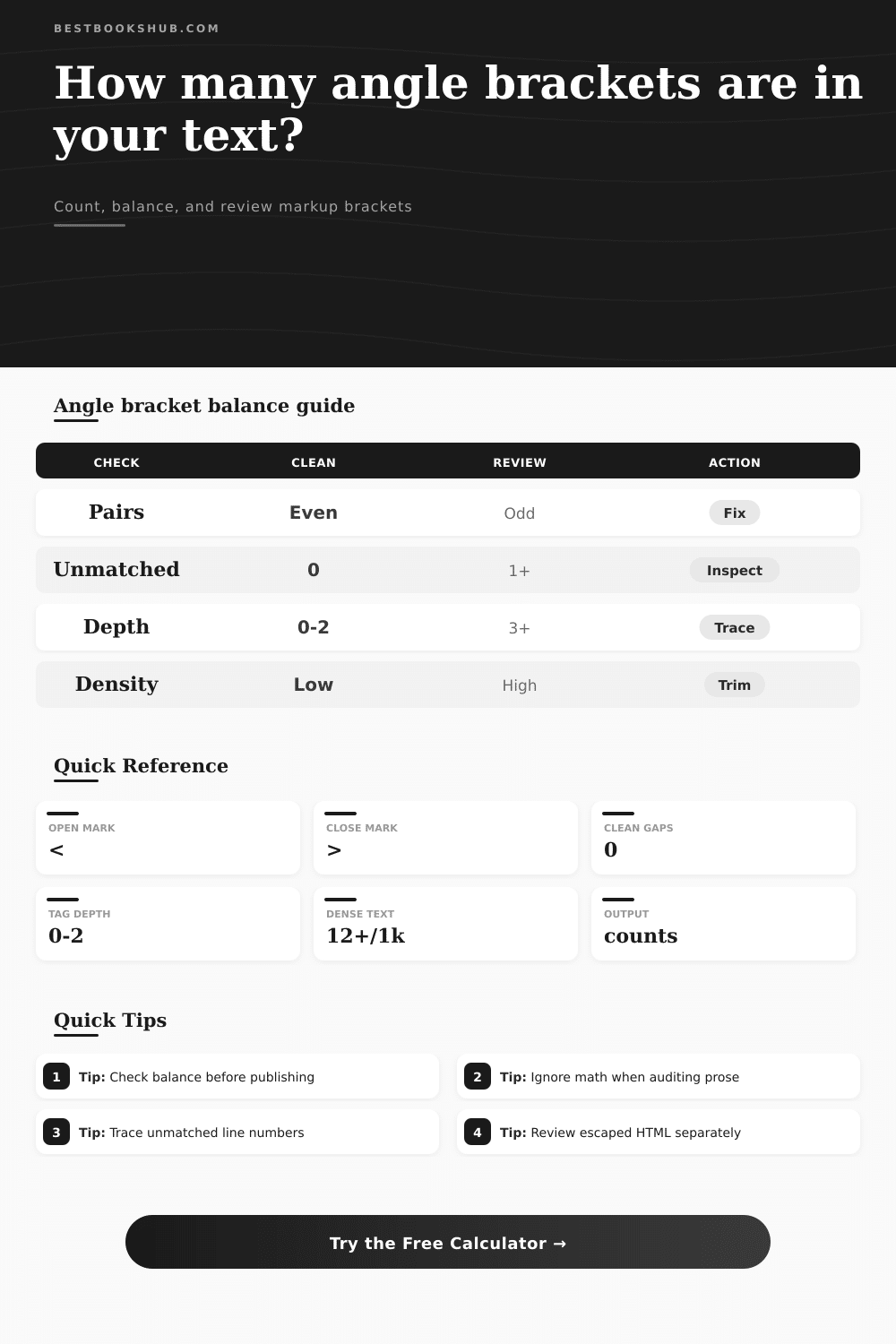
Use these tables to interpret bracket counts across prose, markup, templates, citations, and technical notes.
| Bracket use | Typical pattern | Balance expectation | Review note |
|---|---|---|---|
| HTML or XML tags | <name> content </name> | Usually paired and nested | Unmatched closers often break rendering. |
| Template placeholders | <<field>> or <slot:name> | Often paired by template rules | Clusters are normal, but missing sides are risky. |
| Citation or editorial notes | <insert source> | One opener and one closer | High counts may show unresolved notes. |
| Math comparisons | value < limit or score > target | Not always paired | Use math mode to avoid false balance warnings. |
| Density band | Marks per 1,000 chars | Common source | Editorial action |
|---|---|---|---|
| Plain prose | 0 to 3 | Book draft or article copy | Check only if brackets mark placeholders. |
| Light markup | 4 to 12 | Inline HTML, citations, metadata | Review unmatched marks and line spread. |
| Markup-heavy | 13 to 40 | Templates, excerpts, XML snippets | Check nesting depth and cluster runs. |
| Code-like block | 41 or more | Dense HTML, schemas, generated output | Use code-aware review before publishing. |
| Issue type | Signal | Likely cause | Best next check |
|---|---|---|---|
| Extra opener | More < than > | Unclosed tag or note | Inspect the first unmatched opener. |
| Extra closer | More > than < | Stray closing bracket | Check nearby escaped HTML or operators. |
| High depth | Stack exceeds target | Nested markup or template slots | Review parent-child structure. |
| Large cluster | Many marks close together | Generated tags or placeholders | Compare against the source template. |
The problem is you pasted some HTML into your content management system, and now everything look like crap. It’s a bunch of images that don’t work and text everywhere.
What happened? A bracket was missing. A bracket, a simple character, is one of those angle brackets that shows the structure of things on the internet. That’s what makes the document show up as something other than a bunch of text, but it’s also the main reason your web page doesn’t display correctly. Those brackets contain the structure of the document. If they’re not balanced, meaning there aren’t an equal number of opening and closing bracket, then the browser will try to guess how to fix the code. And its guess won’t be right (and likely won’t look anything different than your design).
How to Fix Broken HTML Code
You can use the calculator here which will run it for you. It reads the text and counts the opening and closing marks. Then it counts nesting depth of the marks as well. And it does so not just for a total but to give you a sense of how well markup is put together.
When you copy and paste a snip, it checks for matching pairs. Did you have more open tags than close? If yes, you got an unclosed tag. That tag probably bled out into following elements. Did you have more closed tags then open? In that case you had a stray closer. A stray closer may have closed something too early like a section or a style. The balance status lets you know instantly if structure is sound.
Does it need digging? Depth is also important. Tags don’t tend to nest beyond two or three levels in clean, simple HTML. When you notice counts that are over five, its a good bet there’s some kind of structural issue. Deep nesting usually signals a structural problem rather than a complex design. Code that’s deeply nested isn’t as easy to maintain. There’s a greater chance of having something go wrong. Just one missing bracket can mess up the entire document. The tool will call out those deeply nested elements for you so you can flatten things out before they become too much to manage.
Turns out your clever design may be a tangle of divs. Maybe a flatter and more meaningful approach would work better based off the code.
How dense is it? The number of angle brackets per thousand characters in your document is what matters here. If there are a lot, it could indicate overuse of unnecesary tags and/or inline styles. It slows down page load. It makes source code harder for fellow developers to read. That’s why this warning is good; it’ll help you notice if you’re crossing the mark between essential markup vs markup clutter. Useful check against overly-verbose output generated by templates. Make sure you’re not adding more code than what is actualy needed to show content properly.
Moddern editors and validation tools pick up syntax errors most of the time. However, there are times when context-specific issues slip through. For example, it may not know that a bracket represents an HTML tag versus being part of a mathematical comparison. That’s where manual checking shines.
To help with this, there is a specialized counter. Depending on the nature of your document (mixed-content or raw HTML), you have options to set how entities should be treated, or ignored to use code spans instead. With this level of flexibility, you can ensure you’re measuring what’s relevant to your workflow and thus important to your project.
There is a bracket problem. But not all brackets are equal. Some of them exist as structural parts of the skeleton. Some of them are just artifacts from copying and pasting from rich text editors. Some of them contain escaped entities such as > and <. The escaped entities cause false positives/negatives. You want to be able to distinguish between those escaped entities and treat them separately. This will give you a better idea of which actual characters appear in the document itself.
This matters most when dealing with content copied from legacy systems. It also matters if you are importing or exporting content from word processors that bring their own formatting baggage along. And what goes in comes out. Markup is no different. Careful treatment pays off.
Audit your code, not only for typos but for structural consistency. A clean, balanced document isn’t just a technical necessity. It’s an indication that the writer paid attention and is professional. If each opening bracket has a match, if each tag has its pair, then the document feels solid. The order doesn’t stop at the code. It informs the way the page behaves. And it makes updating the page in the future easier.
Next time you’re revising, take a minute to make sure your brackets are matched up. It’s a little thing, it keeps bigger headaches from coming later on. You should of checked this sooner.