✳ Symbol and Markdown analyzer
Asterisk counter
Paste manuscript notes, Markdown, catalog data, footnotes, or search strings to count asterisks, runs, escaped marks, emphasis pairs, and density.
The scan walks through each character, groups adjacent asterisks into runs, tracks Markdown-style open and close marks, and reports unmatched or noisy positions.
DISCLOSURE: This post may contain affiliate links, meaning when you click the links and make a purchase, I receive a commission. As an Amazon Associate I earn from qualifying purchases.
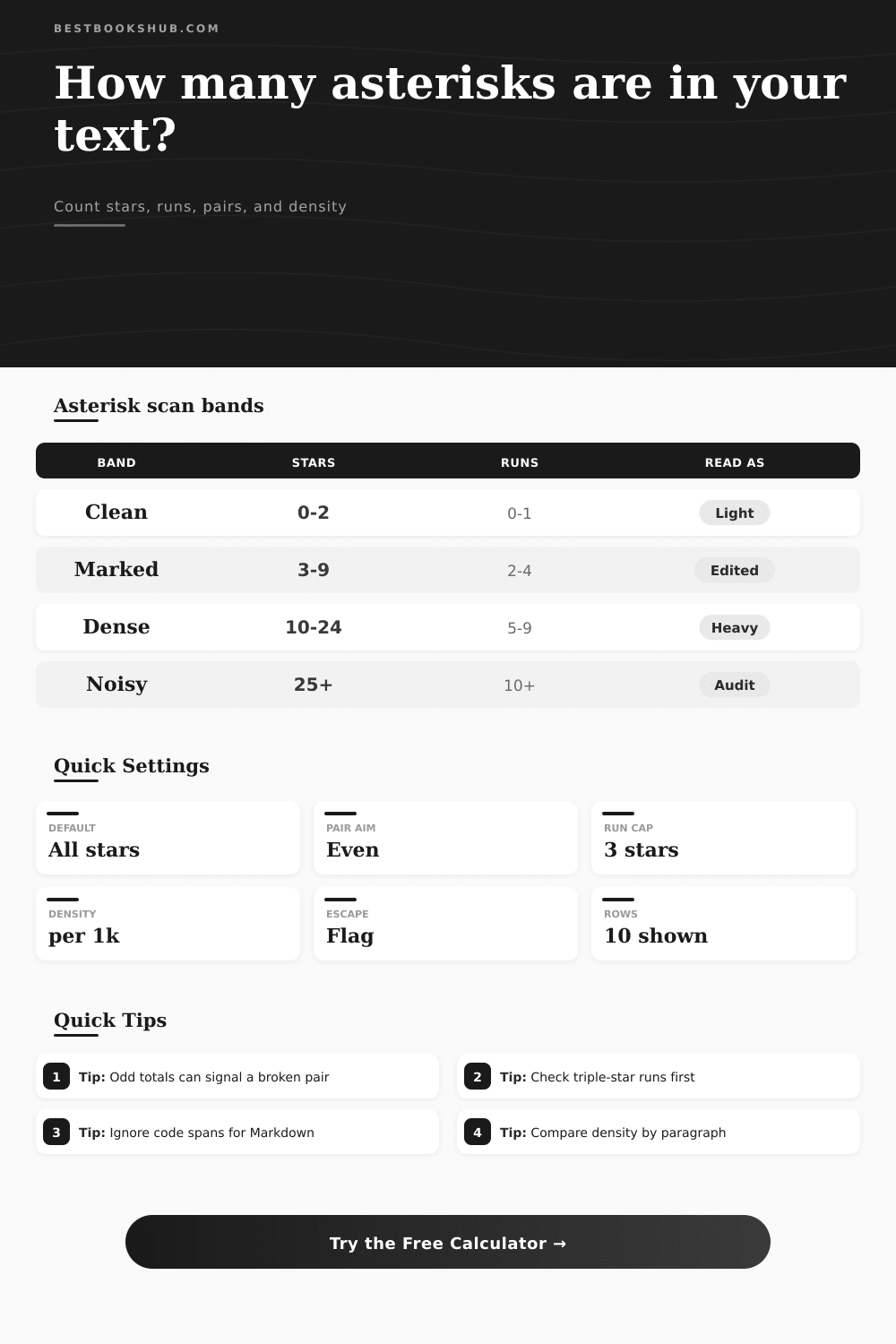
These tables describe common asterisk patterns so the calculator output can be read as markup, notes, wildcard syntax, or visual dividers.
| Pattern | Typical role | Stars used | Balance check |
|---|---|---|---|
| *word* | Italic emphasis | 2 | Even singles |
| **word** | Bold emphasis | 4 | Even doubles |
| ***word*** | Strong italic | 6 | Even triples |
| * * * | Scene divider | 3 | Run spacing |
| Density band | Per 1,000 chars | Common signal | Review level |
|---|---|---|---|
| Clean | 0 to 4 | Light markup | Low |
| Marked | 5 to 14 | Regular notes | Medium |
| Dense | 15 to 39 | Heavy markup | High |
| Noisy | 40+ | Possible clutter | Audit |
| Issue type | How detected | Why it matters | Next check |
|---|---|---|---|
| Odd pair total | Pair runs unmatched | Broken emphasis | Find opener |
| Long run | Run exceeds limit | Divider noise | Check spacing |
| Escaped star | Backslash before * | Literal mark | Confirm intent |
| Code star | Inside code span | Math or syntax | Pick mode |
| Preset | Main pattern | Best metric | Expected read |
|---|---|---|---|
| Markdown | * and ** | Pairs | Balanced |
| Footnotes | Single marks | Line spread | Referential |
| Wildcard | Search stars | Runs | Patterned |
| Scene break | * * * | Spacing | Divider |
In today’s text, asterisk serves many purposes: to denote emphasis, to divide up scenes, to point to footnotes, or to obscure search terms containing wildcards. That versatility is useful until you realize it is also a recipe for chaos. But that flexibility can be dangerous. One single left-open star will break your document when pasted into a publishing platform. A wrong pattern of stars will give no results from your search in a database. In large documents, nobody can see these characters well enough to keep them straight.
Before you count anything, first try to understand what you’re counting. After plugging in your text, the calculator up top runs math for you, no need to comb through each individual mark. It does more than just total everything up. It groups nearby stars into runs, finds any balanced pairs, and notes down any unmatched markers that frequent trip up Markdown parsers.
How to Use the Asterisk Tool
A lone star nestled within a code block is typically meant to do something different from a three-star chain. And when you lump ’em all together you’re going to overlook the document structure issue lurking beneath. You can also tweak how pairs are interpreted. Use double-stars for bold and triple-stars for emphasis, which lets the analysis match your personal writing style.
For example: what about technical vs. What is narrative writing? A book could use an asterisk to denote a scene break or a time jump. A readme file for software use it to make certain words bold. You can set the scan profiles of your calculator to fit given context.
When run in the footnote mode, it expects these to be stand-alone markers (not wrapped around other text). That way it doesn’t falsely flag intentional single stars as bugs. But if you’re dealing with search strings with wildcards, the whole scenario reverse. Un-paired stars are normal, not odd. Running a simple “check pairs” on a search query will return a noise score that is correct for its syntax, but it might look alarming. That’s why context matters: Is one unmatched star a bug or a feature?
Another consideration is density. If I have fifty stars but it’s all in a thousand page document, who cares? But an email of five hundred words and that same number feel like a typographical error. The analyzer will show you how many stars per paragraph and how many per thousand characters, helping you identify areas that feel too marked up.
High density usualy makes the text hard to read. Lots of italics and bolds is tiring for readers. If you find one paragraph where the number of asterisks suddenly jumps, consider simplifying your emphasis there or maybe using structural headings. That’s presented on the page in tabular format, where density bands are grouped as clean to noisy so you can quickly visualize when it makes sense to take a step back.
And then there’s the escaped star problem. Markdown use a backslash character before a star to indicate that the rendering system should print the star as-is, without interpreting it as formatting. This is helpful in situations where you want to move text from one system to another that doesn’t handle escaping, but it also silently fails if those markers is ignored and left on by mistake. You can set the calculator to flag these instances so that they should of been manually checked prior to exporting. A small but important detail is that difference between using a backslash and not using one means an important command becomes useless, unrendered text.
To review what’s produced, some detective work is needed. Start with the unmatched pair positions. That’s where the rendering usually break down. Next look at longest runs. A run of five stars could be an accidentally double-bold, or even a mistyped scene divider. Clean those up and you have clarity again.
The point isn’t to get rid of all the asterisks, just make sure they’re doing something. After a while you know how they behave. They no longer seem like random clutter; instead they become structured data. Through emphasis you can see the skeleton of the document, and seeing it help edit faster and more precisely. The stars should illuminate your writing, not call attention away from it.