% Symbol and data analyzer
Percent sign counter
Paste manuscript notes, study data, book metadata, URL strings, or code-like text to count percent signs, separate rates from escapes, and flag dense lines.
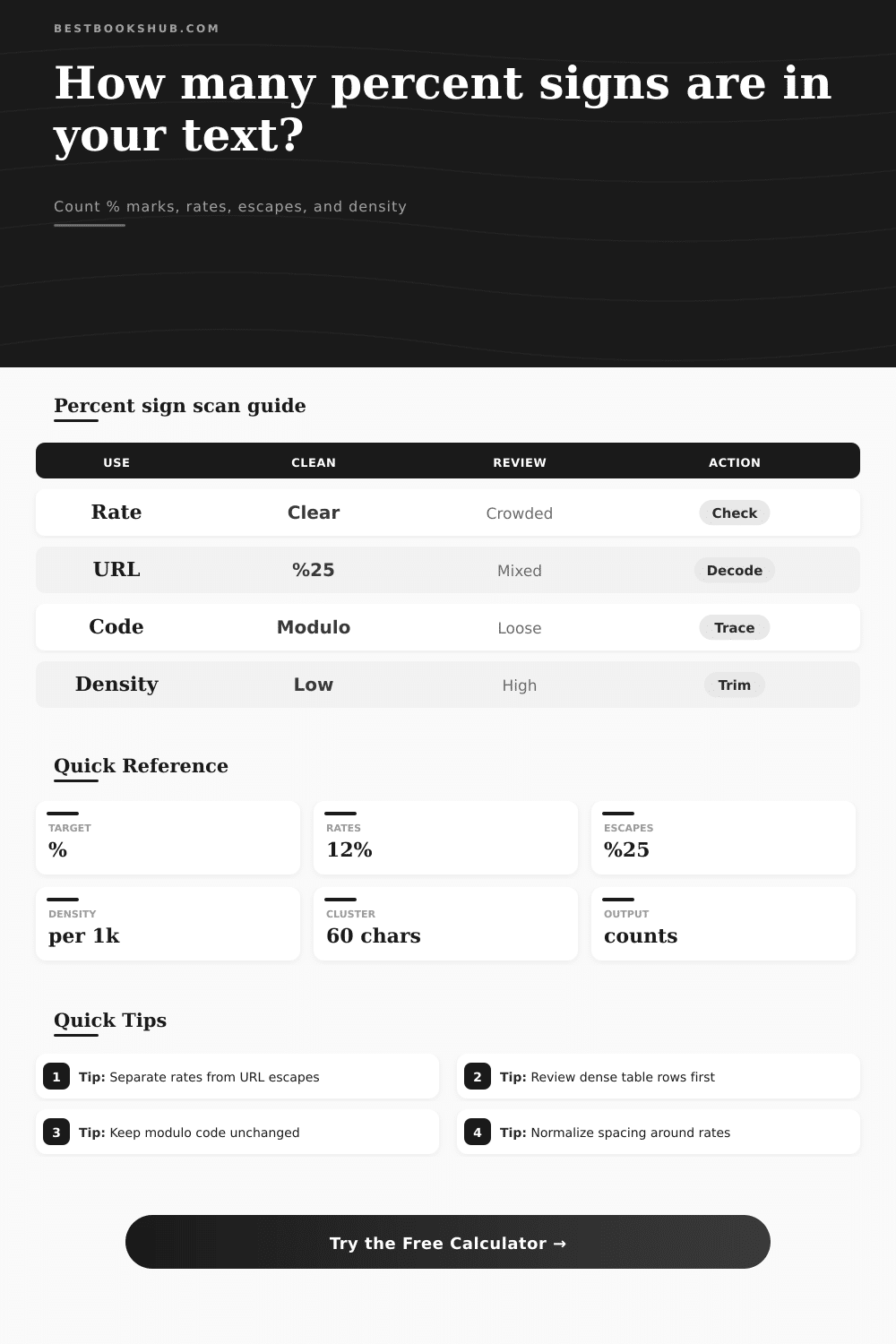
The calculator scans literal % marks, then classifies numeric percentages, encoded URL sequences, modulo-style code, loose marks, dense rows, and nearby clusters.
| Pattern | Typical source | How counted | Review cue |
|---|---|---|---|
| 45% | Study notes, reports, survey tables | Numeric percentage | Check spacing and decimal consistency |
| 45 % | OCR exports, copied PDFs | Numeric percentage if spaced mode allows it | Normalize before final layout |
| %25 | URLs and encoded metadata | Encoded percent form | Decode only when reviewing URL text |
| n % 2 | Code, formulas, templates | Modulo-style use | Preserve in code snippets |
| % heading | Loose pasted text or broken export | Loose percent sign | Inspect manually before replacing |
| Density band | Per 1,000 chars | Likely text type | Recommended check |
|---|---|---|---|
| Light | 0 to 3 | Ordinary prose or notes | Usually no cleanup needed |
| Moderate | 4 to 10 | Review, report, or study copy | Scan local context |
| Dense | 11 to 24 | Survey table or pasted data | Check row alignment and repeated values |
| Encoded-heavy | 25+ | URL export or machine text | Separate URL escapes before editing |
| Source type | Expected % use | Common false signal | Best mode |
|---|---|---|---|
| Book analytics note | Completion rates and share values | Repeated table columns | Numeric percentages only |
| Academic summary | Statistical rates and samples | OCR spacing before signs | Spaced number handling |
| Catalog metadata | Encoded URLs and percent escapes | %25 counted as visible mark | Separate URL escapes |
| Code snippet | Modulo and format strings | Modulo mistaken for rate | Code-like contexts |
| Plain manuscript | Rare percentages | Broken pasted symbols | Loose or unmatched only |
| Review item | Signal | Why it matters | Cleanup path |
|---|---|---|---|
| Dense line | Many % marks on one row | Often copied table data | Review line by line |
| Cluster | Several signs close together | Can hide duplicate rates | Compare neighboring values |
| Loose mark | % without number or escape | May be broken copy | Inspect source text |
| Mixed encoding | % and %25 together | Rendered and raw forms differ | Choose one output form |
DISCLOSURE: This post may contain affiliate links, meaning when you click the links and make a purchase, I receive a commission. As an Amazon Associate I earn from qualifying purchases.
Percentage. This is a shape-shifted character: When you see it sitting after a number in a report, it appears innocent enough. But within a line of code or a URL string, it shifts form. Counting this mark may seem straightforward; until context appear. In one sentence, it’s a symbol representing a fraction; in the next, a modulus operator.
Above, we’ve got the scanner to handle that part for you, sorting signal from noise and revealing what sort of percent signs is in your text. But before anything else, you should of know that percent isn’t always used the same way. For example, in most editing jobs, you’re on the lookout for rates. Did a survey find 45% of people agreed? Or did a study report a 12% rise? Those are the numbers readers care about. Those are the facts and statistics that show trends.
Why the Percent Sign Is Confusing
If you’re using this to analyze text for rates, what you’re doing is verifying consistency. Does the number match up with its sign? Are there spaces between numbers where they don’t belong? With these types of mistakes, the calculator does most of the heavy lifting. It categorizes it as a percentage and flags it for you. This makes formatting error stand out like a sore thumb (or at least easier to catch than regular spelling mistakies).
Dealing with web data can be tricky. You’ve been there before; you copy some text from a metadata feed or your browser’s address bar, only to see some percent sign that aren’t actualy percentages. On the web, a percent sign paired with two hexadecimals represents an encoded character. For example, %25 is an encoded version of literal percent sign. It is, as the coders like to say, a meta-reference; a sign pointing to another sign. Mess with them at your own peril: attempt to edit such strings by hand and you may break the link or corrupt the data.
Does the tool differentiate between real rates and these escape sequences? Yes. You will know what to clean up and what to leave alone.
And then there’s that code thing. For programmers, the percent sign represent a remainder operation, called modulo. It has nothing whatsoever to do with fractions in a formula such as n % 2. It’s an instruction: Perform this calculation. So if you’re cutting and pasting pieces of code, you don’t want your symbols mistaken for errant typos. With code-like uses isolated by the scanner, you know you won’t accidentally delete them when you clean things up. That distinction matter because removing a modulus operator can ruin a script; removing an extra space in a percentage rate will simply make the number look nicer.
Another helpful metric is density. It’s normal for a piece of prose to contain a handful of percent sign per thousand words. If there are a hundred percent signs in that same space, then perhaps something else is up. Machine generated text, raw data exports and tables copied from other sources tend to be very dense. If your tool returns a high density score, then it’s alerting you to go back and examine the structure of the text itself. Perhaps you’ve inadvertently pasted a table full of numbers. Or maybe you’re staring at a block of encoded URLs that you will have to decode if you want to read them.
When you turn on the review load feature, it will highlight the places where it has found problems. These include loose marks (ones that do not have a number next to them) or too many symbols clustered together, which may indicate duplications. Those are your red flags; those are the spots where you need to manually review. In some cases, a loose percent sign may just be a busted character from an OCR scan. Or a group of signs may being indicating a duplicated row in a survey form. When you focus your review on things that have been flagged, you can skip wasting any time on other edits.
Simply put, we want clarity. That means clarity in our code, clarity in our research data, clarity when we edit manuscripts and clarity when we document code. The percent sign is powerful but also problematic. It is versatile, but it has many meanings. So how do you know? Let the machine count and classify and then you can worry about what those numbers actualy mean. A symbol might signify an operation, maybe an escape, perhaps even a rate, whatever you think it should be. And the beauty of this is that the software does all the grunt work of counting and classifying while you make sure that what you write makes sense. Does this symbol represent something happening 1/100th of a time, or 1/100th of some other thing? Once you’ve seen the breakdown, way forward is clear.