📝 Text symbol inventory
Special character inventory calculator
Paste manuscript text, metadata, citations, code-like notes, or imported copy to inventory punctuation, brackets, quotes, symbols, entities, Unicode marks, and hidden characters.
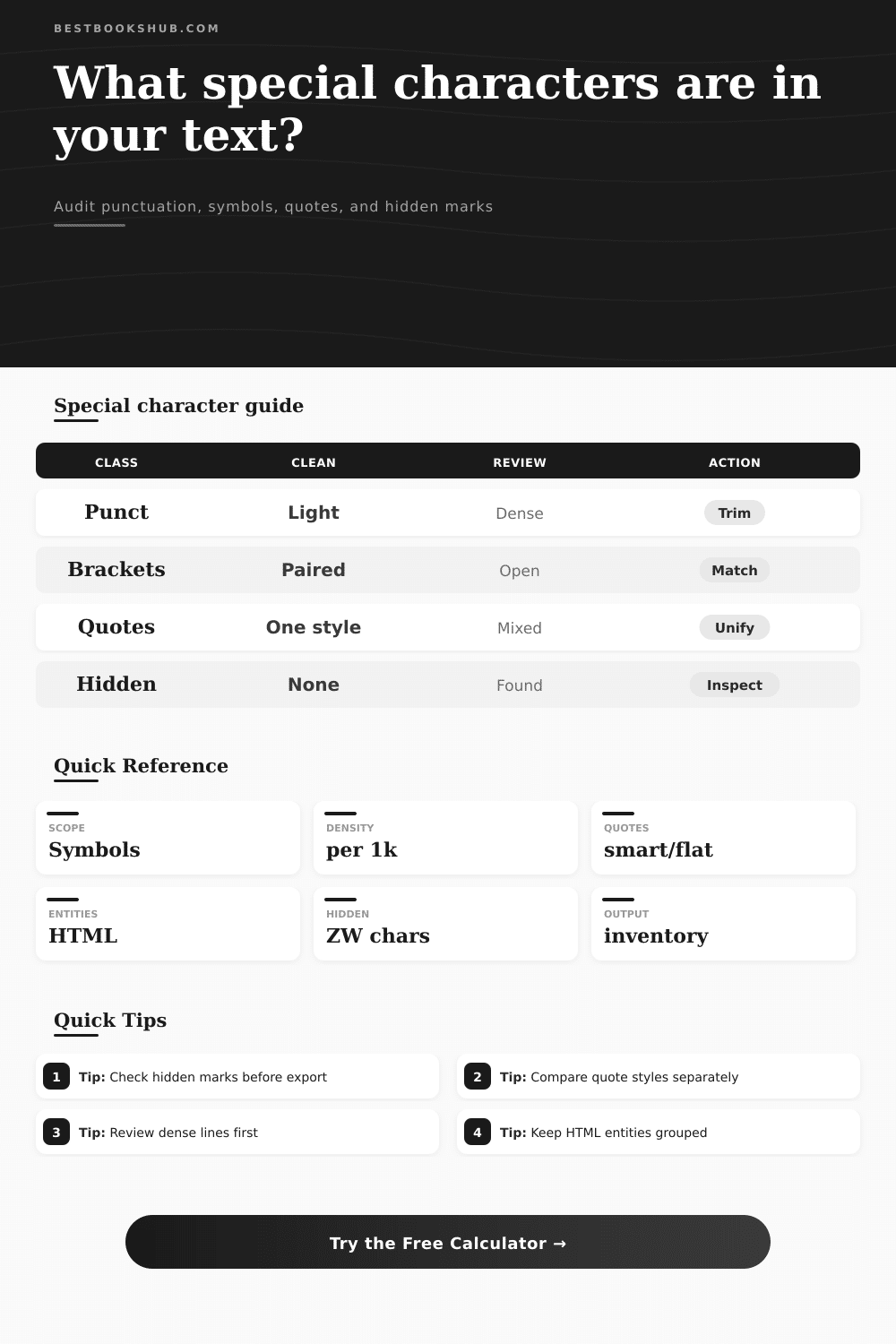
Choose what counts as special, how text is normalized, and how dense lines are flagged. The inventory keeps visible symbols separate from escaped entities and hidden Unicode marks.
| Class | Examples | What it signals | Inventory note |
|---|---|---|---|
| Sentence punctuation | Period, comma, colon, semicolon | Prose rhythm and clause structure | High density often comes from lists, citations, or compressed notes. |
| Quote marks | Straight, smart, apostrophe | Dialogue, contractions, imported typography | Mixed styles are easier to catch when smart and straight quotes are separate. |
| Brackets | Parentheses, square, curly, angle | Asides, citations, code-like copy | Open and close counts help spot broken imported snippets. |
| Symbols | Hash, at, plus, equals, slash | Tags, handles, formulas, metadata | Use symbol-only scope when letters and prose punctuation create noise. |
| Hidden marks | Zero-width, soft hyphen, NBSP | Copy-paste artifacts and layout controls | Any hidden result deserves a line-level review before export. |
| Density band | Chars basis | Words basis | Typical reading |
|---|---|---|---|
| Light | Under 80 per 1,000 chars | Under 35 per 100 words | Clean prose, short notes, or low-mark metadata. |
| Balanced | 80 to 140 per 1,000 chars | 35 to 60 per 100 words | Normal mixed prose with quotes, commas, and a few symbols. |
| Dense | 140 to 220 per 1,000 chars | 60 to 90 per 100 words | Citations, catalog rows, headings, or code-like fields. |
| Crowded | Over 220 per 1,000 chars | Over 90 per 100 words | Review clustered lines, escaped entities, and imported artifacts. |
| Filter | Keeps | Removes | Best use |
|---|---|---|---|
| All special | Punctuation, symbols, spaces, hidden marks | Letters and digits | Full first-pass inventory. |
| Visible only | Readable punctuation and symbols | Spaces and hidden controls | Editorial cleanup and style review. |
| Symbols only | Operators, tags, math, currency, markup marks | Regular prose punctuation | Metadata, formulas, and copied fields. |
| Brackets and quotes | Paired delimiters and quote marks | Other punctuation and symbols | Dialogue, citations, code snippets. |
| Hidden only | Zero-width, controls, unusual spaces | Visible marks | Paste cleanup before publishing. |
| Scenario | Likely top class | Watch first | Helpful setting |
|---|---|---|---|
| Manuscript page | Punctuation | Mixed quotes and repeated dashes | Editorial prose check |
| Catalog export | Symbols | Pipes, slashes, hashes, and entity starters | Metadata and catalog text |
| Citation block | Brackets | Parentheses, colons, semicolons, DOI punctuation | Academic notes and citations |
| HTML snippet | Entities | Escaped ampersands and angle brackets | HTML or markup copy |
| Copied PDF text | Hidden | Soft hyphen, NBSP, zero-width marks | Unicode and hidden marks |
To use it, paste some text, perhaps an export from your catalog program or a chapter of a manuscript, into the box up top and the tool will reveal its underlying structure. A common misconception about writing are that it’s simply a stream of words; beneath that stream exists a complex grid of invisible markers, symbols, and other punctuation. Those markers tells the text what to do in various systems.
Once you paste something in, the calculator do the math for you (saving you from having to figure out if a formatting error stem from a corrupted Unicode mark or a stray bracket). It converts messy text symbols into real data points that you can see and use. This is where the real work gets done; normal proofreading pass can’t even see what’s here. Most editors overlook the difference between visible punctuation and invisible control characters.
See the Hidden Parts of Your Text
Is that text you copied from an old database, a web page, or a PDF? It come with artifacts that won’t show up in print but will suck up space. Soft hyphens, non-breaking spaces, and zero-width joiners are all leftovers from prior formatting session. You can’t see them, but they muck up your data imports and mess with your search functions. With the scope settings, you can filter this stuff out to isolate it, so the tool only deals with the control codes and ignores everything else. Selecting hidden-only hides periods and commas and zeroes in on the control codes.
In moddern publishing, quote marks are another headache all of their own. Sometimes you may think you’ve got a nice uniform-looking novel on-screen, but when it’s time to publish, half your dialogue is straight quotes while the other half is smart curly quotes. That’s likely because you’ve imported some of the text from your email draft or switched word processors during the writing process. By default the calculator separate these styles so you can see if you have a mix of typographic conventions. If you do, you’ll want to unify them before export. While the eye doesn’t always pick up the difference right away on-screen, mixing styles look amateurish in print and confuses reading software.
Density metrics provides an instant reality check on the structure of your text. It shows how cluttered the text looks by calculating number of special characters per hundred words or per thousand characters. A high-density score generally suggest a section filled with complex metadata fields, citation references, or code snippets. That’s not inherently bad; just that there is heavier-than-average line weight here. Expect a dense score when editing technical manuals or academic notes. However, when you are polishing a novel and suddenly find a spike in density, it may signal that you have a run of nested parentheses, exclamation points, or even em dashes that is breaking the reading rhythm.
The tool has reference tables to help you read the bands. These tables separates crowded lines from clean prose and show where you might want some visual relief.
Structured text has a skeleton: its brackets and delimiters. They mark boundaries in metadata or code. They enclose clarifications and asides in prose. Unpaired brackets makes the text confusing to people and incomprehensible to machines. Because the inventory separate the count of open and close marks, you can see at a glance where a piece of text has been cut short in a copy-paste operation. Perhaps there are three opening parentheses but only two closings. Where’s that extra bracket? It’s probably lurking in a missing paragraph or line break. You would of saved hours of tedious hand-searching if you locate it.
In the end, text cleanup isn’t so much about removing marks as it is about discovering their meaning. Every bracket, every comma, each unseen bit of code carries with it a story of the origin and treatment of the text. It doesn’t re-write your words; it exposes structure of the document. It gives you control over the final result by viewing punctuation not as decoration, but as data.
If you’re writing a book that’s going to be printed, or if you want to clean up some data for a web application, you don’t want any surprise later on; you want to know exactly what you’ve got in your file. Those invisible marks has been there the whole time. They just wait to be counted.