🔍 Hidden Unicode scanner
Zero-width space detector
Paste text to reveal hidden zero-width spaces, joiners, byte order marks, soft hyphens, word joiners, and directional formatting marks before editing, importing, or publishing.
| Code | Name | Class | Position | Action | Context |
|---|---|---|---|---|---|
| Run a scan to list hidden zero-width marks with surrounding context. | |||||
| Code point | Unicode name | Class | Count | Share | Suggested review |
|---|---|---|---|---|---|
| Summary rows appear after scanning. | |||||
| Code | Name | Common source | Typical effect | Cleanup caution |
|---|---|---|---|---|
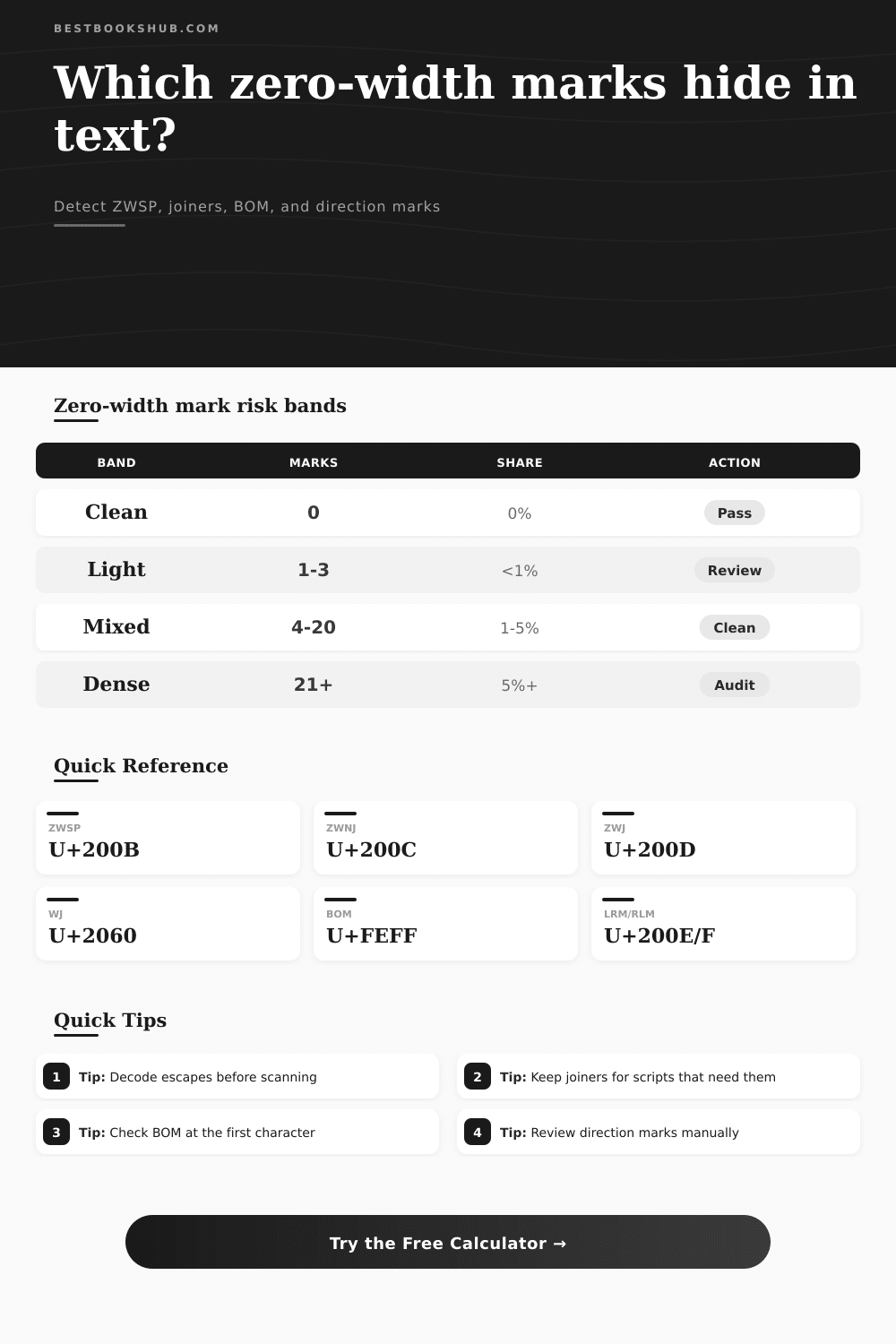
| U+200B | Zero width space | Web copy, PDF wrap, pasted titles | Invisible break opportunity inside a word | Usually safe to remove after review |
| U+200C | Zero width non-joiner | Persian, Indic, and other shaping text | Prevents adjacent glyphs from joining | Keep when language shaping needs it |
| U+200D | Zero width joiner | Emoji sequences and shaping scripts | Joins characters into one displayed form | Do not bulk-remove in emoji or scripts |
| U+2060 | Word joiner | Publishing systems and copied labels | Prevents line breaks at the location | Review if wrapping behavior matters |
| U+FEFF | Byte order mark | UTF-8 files, pasted first character | Can hide at the beginning of text | Remove stray middle-of-text marks |
| U+00AD | Soft hyphen | Hyphenated PDF or web copy | Invisible until a line break uses it | Review before stripping hyphenation |
| U+200E | Left-to-right mark | Mixed-direction text fields | Forces left-to-right ordering context | Review manually in bilingual text |
| U+200F | Right-to-left mark | Arabic, Hebrew, mixed labels | Forces right-to-left ordering context | Review manually in bilingual text |
| Workflow | Likely hidden marks | Detector setting | Best cleanup preview | Review note |
|---|---|---|---|---|
| SEO title paste | ZWSP, BOM | Suspicious publishing marks | Remove core zero-width marks | Compare visible title before saving |
| CSV import | BOM, ZWSP, WJ | All invisible Unicode marks | Remove all detected invisibles | Check first header cell carefully |
| PDF extraction | ZWSP, soft hyphen | Boundary and separator marks | Replace marks with tags | Inspect word joins and hyphenation |
| Emoji proofing | ZWJ | Joiners only | Report only | Joiners may be required for display |
| Bilingual copy | LRM, RLM, isolates | Direction and bidi marks | Report only | Direction marks may be intentional |
| Detected class | Count rule | Risk signal | Recommended next check |
|---|---|---|---|
| Core zero-width | U+200B, U+200C, U+200D | Unexpected search or compare mismatch | Inspect context before removing joiners |
| Boundary marks | U+2060, U+FEFF, U+00AD | Unexpected wrapping or hidden first character | Check line breaks and first column names |
| Directional marks | Bidi controls and isolates | Text order changes without visible letters | Review in the language context |
| Separator marks | Line and paragraph separators | Invisible breaks inside pasted fields | Normalize before import or comparison |
DISCLOSURE: This post may contain affiliate links, meaning when you click the links and make a purchase, I receive a commission. As an Amazon Associate I earn from qualifying purchases.
You’re working with a document that’s a PDF. You copy a headline from the PDF and paste it into your content management system. Onscreen, everything look fine. Later, however, you can’t find this text when you try to search for it. Why?
Because there are invisible characters in it. It is invisible to the human eye but not to the database. To the database, this look like invalid data. It shows up fine to the naked eye; it doesn’t show up in print; it causes havoc within your software systems, but there is no evidence that it do so.
What Are Invisible Characters?
The solution is a simple little tool (described below) that find the invisible characters for you and then report exactly where they are and what they are. However, not all invisible characters does the same thing: Some are there by necessity to render certain symbols/specific languages properly. Others are mere artifacts of sloppy copy-and-paste or bad file exports. Eliminating all invisible characters might resolve search indexing problems; but it could also break things like emoji strings or text shaping in a language that uses script such as Devanagari. Which is why knowing what sort of character you’re deleting matters. Is it useless data? Or is it part of the structure?
Most frequently, the hidden character you’ll encounter is called the Zero-Width Space. Whenever text gets wrapped within a document (or more commonly, a PDF), its possible you will see one because the software trying to wrap the text doesn’t like where the editor is forcing a line break. What the ZWSP does are insert an empty space between two word, so if a database queries a word containing a ZWSP, it’s treated as being distinct from the same word without it. Typically, you can safely remove this character to clean up your data.
Other than that, there’s another pair: the Zero-Width Joiner and the Zero-Width Non-Joiner. These characters instructs the engine trying to render a string of symbols or letters to join them. That way, the family emojis and flag emojis all show up properly across various devices. Remove them, and what you have are separate but unconnected symbol.
It lets you pick the characters that it will try to target. If you want something that’s clean enough for a simple URL slug, then you can scan for every invisible mark. Want to keep things looking right when displaying complex text? Scan for only the joiners. A reference table on the page tell you what might be an error and what is intended. It’s about knowing why a character exists rather than simply how many times it occur.
Another artifact of file encoding is the Byte Order Mark. This invisible character typically occurs at the beginning of a file but occasionally finds itself in the middle of title. A parser may trip on this mark or insert some unintended space into the title. Without an explicit Byte Order Mark finder, it’s hard to locate. The detector identifies the Byte Order Mark and displays where exactly it is located in the file.
People often think that if they don’t see it, it’s an error. If I’m looking at some text and can’t see something, it must be wrong. And that isn’t true. In moddern text, there are letters, metadata, formatting commands and more, all in the same visual space.
The tool gives you a view of what the cleaned up text look like, letting you ensure the meaning has been retained. It lets you get rid of the clutter while keeping important structure. You should of used it to clean data base. When you find them it puts the confidence back into your data. No more wondering what happened during the import process. No more wondering why two seemingly similar strings don’t match. Instead, you can recognize the text for what it is, a series of instructions some of which are silent.
After you find these characters, the text becomes predictable again. Search results is accurate. The hidden characters lose their error-inducing power.