↵ Text line ending scanner
Line feed counter
Paste text to count LF characters, CRLF pairs, lone carriage returns, logical lines, blank lines, and trailing newline behavior before comparing files or moving text into another system.
Load realistic samples from manuscripts, CSV exports, Markdown notes, JSONL feeds, Git diffs, subtitles, logs, and copied catalog data.
| # | Ending | Chars | Blank | Preview | Position |
|---|---|---|---|---|---|
| Load a sample to view line segments. | |||||
| Ending | Characters | Code points | Typical source | Counting note |
|---|---|---|---|---|
| LF | \n | U+000A | Unix, Linux, macOS, web feeds | One line feed per break |
| CRLF | \r\n | U+000D U+000A | Windows text and many CSV files | Counts as one logical break when paired |
| CR | \r | U+000D | Legacy Mac or older exports | No LF is present unless paired later |
| NEL | \u0085 | U+0085 | Legacy encoded data | Not an LF; inspect separately if needed |
| Text source | Likely ending | Useful check | Risk signal | Recommended profile |
|---|---|---|---|---|
| Markdown note | LF | Trailing final LF | Extra blank lines | Unix or macOS LF |
| Spreadsheet CSV | CRLF or LF | Rows inside quoted fields | Mixed line endings | Auto-detect |
| JSONL feed | LF | One object per line | Missing last row break | Unix or macOS LF |
| Subtitle file | CRLF or LF | Blank separator lines | Collapsed cue blocks | Windows CRLF |
| Git diff | LF | No newline marker | Unexpected CR chars | Unix or macOS LF |
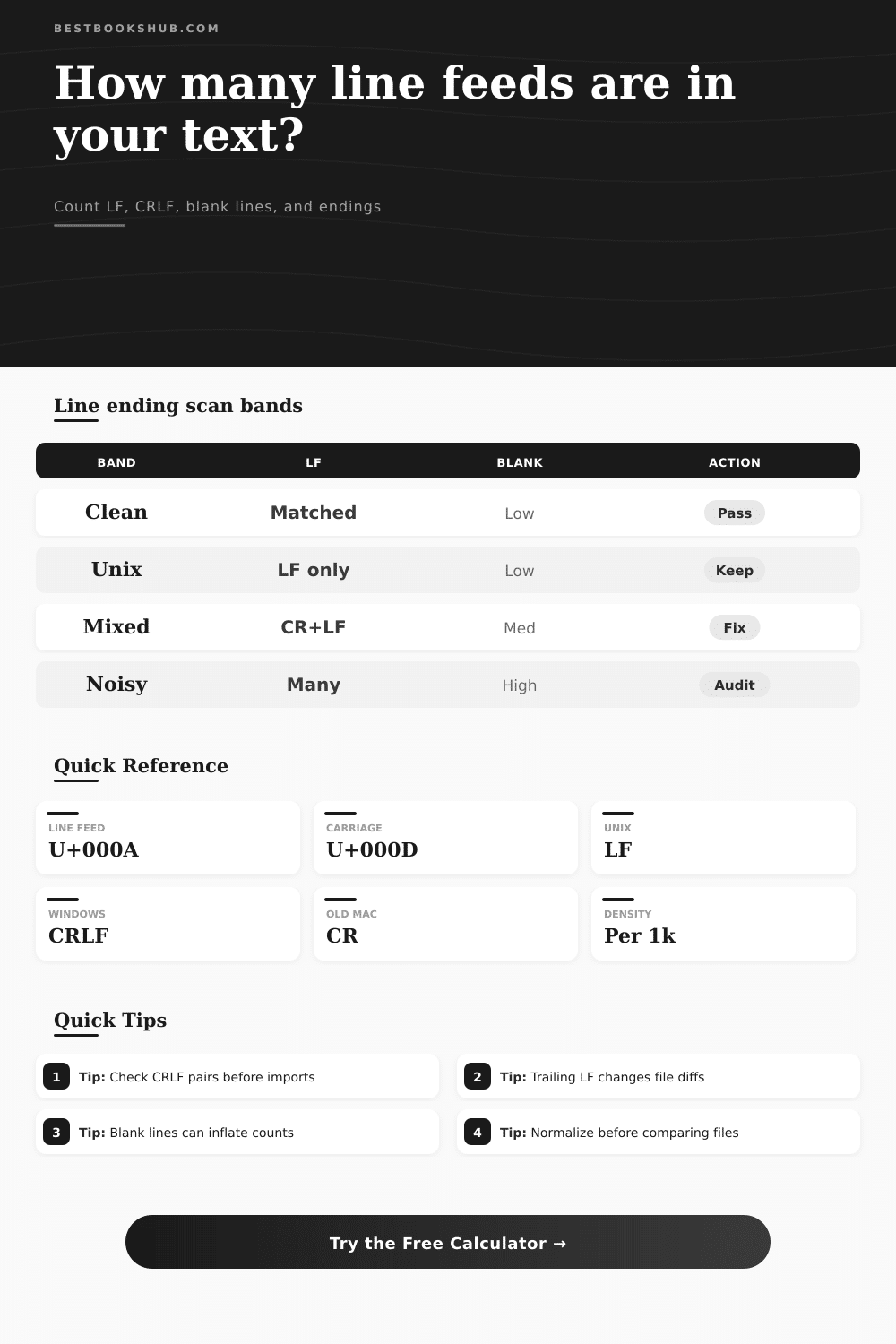
| Result band | Line ending mix | Blank-line share | Final newline | Interpretation |
|---|---|---|---|---|
| Clean | One profile | Under 10% | Present or ignored | Consistent for most editors |
| Review | Mostly one profile | 10% to 25% | Check setting | Likely safe but worth scanning |
| Mixed | Two profiles | Any share | Any status | Normalize before comparing |
| Noisy | Three profiles | Over 25% | Missing if required | Audit before importing rows |
DISCLOSURE: This post may contain affiliate links, meaning when you click the links and make a purchase, I receive a commission. As an Amazon Associate I earn from qualifying purchases.
If you’ve ever moved some text from one machine to another, stared at a perfectly normal-looking block of text on your screen, then watched it all go pear-shaped on the other machine, you know what I mean. The parser chokes on an apparently-empty row; headers get out of alignment. Somehow the invisible glue that holds the thing together has changed.
That invisible glue is the line ending. This tiny piece of technical trivia can cause huge headaches if ignored so we need a line feed counter. Is it a newline? Or is it? It turns out that computers don’t agree on when a line ends. In the olden days (and still today), computers of various systems and ecosystems disagrees about how to indicate the end of a line.
Why Line Endings Matter
On Unix machines it’s a single character: an LF or line feed. On Windows machines it’s a two character sequence: a CRLF or a carriage return followed by a line feed. Some old Mac machine only used a carriage return.
Pasting some Windows spreadsheet text into a Unix script can result in stray carriage returns that will mangle your command. Copying a Unix file and pasting it into a Windows editor may mash everything into a single giant paragraph.
The calculator above do the math for you, separating out small differences between the slight changes so you don’t have to guess at what lurks in your clipboard. This sanity comes from understanding the distinction between logical lines and raw characters.
Two bytes: CRLF. One break: CRLF. Counting each character separately (without pairing) make it seem like there are twice as many line breaks in your file. The tool gives you option of treating this pair differently.
Typically when counting records in a CSV file, for example, you would want to treat a CRLF as a single logical break. But sometimes you have a stream where different styles is mixed, and then separating them out might help with your debugging.
Consistent row boundaries are important for data integrity. An absent final LF can cause certain processing scripts to drop the last row of a file, which is a silent killer of data imports. So are blank lines. They appear harmless as all get out, until you realize they may have some meaning.
In something with a strict format such as subtitles files or JSONL, a blank line may indicate a cue separator or even a paragraph change. Running this on text that has random blank lines will not only blow up your number of lines, but throw off any parser that assume a strictly formatted file. It’ll help you catch any unintentional blank lines and let you decide whether your text is sparse and clean or dense and messy. There’s a setting to trim whitespace first so you can check for blanks instead of tabs/spaces.
Its output provides a density metric (the number of line feeds per thousand characters), which lets you know something about the structure of your text. If the density is high, it means there’s lots of empty space and/or short lines. If it’s low, it might mean that there are long records without breaks.
It can be used as an audit on files before committing them into a version control system, e.g., git, which is notoriously picky about line endings. Having mixed endings can result in noisy diffs in which all of the lines looks like they’ve changed when actualy the visible text hasn’t changed at all. Getting your endings normalized ahead of time will save you from having to fight those phantom changes later on.
No tool can replace good source data. What a tool does do is show you where there’s inconsistent data (e.g., if your input comes from a database query, an email client, and a web form, expect something weird). It doesn’t matter so much whether you end up with pure Windows text or pure Unix text. You just want consistent text which makes things work. And it prevents errors.
Once you’ve got consistency, then you can decide how to normalize based off what you’re seeing. Do you want CRLF for some Windows app? Convert everything to LF for web compatibility? Whatever. As long as you’re making the decision deliberately instead of accidental.
Ultimately, line endings are punctuation. If it’s right, you don’t see it; if it’s wrong, you see it immediately. This little habit of spending a few seconds looking at your text before you import or export can save big headaches. It changes the unknown (mystery) into the known (a manageable detail).
Paste in the text, see how it breaks down, and then proceed with confidence. The invisible became visible, and that’s what matters.