🔍 Hidden hyphen scanner
Soft hyphen detector
Paste text to locate invisible U+00AD soft hyphens, escaped soft-break notation, HTML shy entities, line hotspots, and cleanup previews before a draft moves into search, metadata, EPUB, or CMS fields.
Load realistic samples from PDF copy, OCR repair, EPUB text, catalog metadata, hyphenated index terms, HTML exports, and plain-control text.
DISCLOSURE: This post may contain affiliate links, meaning when you click the links and make a purchase, I receive a commission. As an Amazon Associate I earn from qualifying purchases.
The occurrence table pinpoints soft hyphen positions. The line hotspot table shows clustered rows. The cleanup table compares raw and cleaned lengths for common export rules.
| # | Code point | Line | Column | Affected word | Context | Suggested action |
|---|---|---|---|---|---|---|
| No soft hyphen data yet. | ||||||
| Line | Soft hyphens | Entities | Other marks | Density | Preview |
|---|---|---|---|---|---|
| No line hotspots yet. | |||||
| Cleanup rule | Resulting length | Changed chars | Best use | Watch point |
|---|---|---|---|---|
| Run the detector to compare cleanup rules. | ||||
| Mark | Code point | Visible by default | Typical source | Review note |
|---|---|---|---|---|
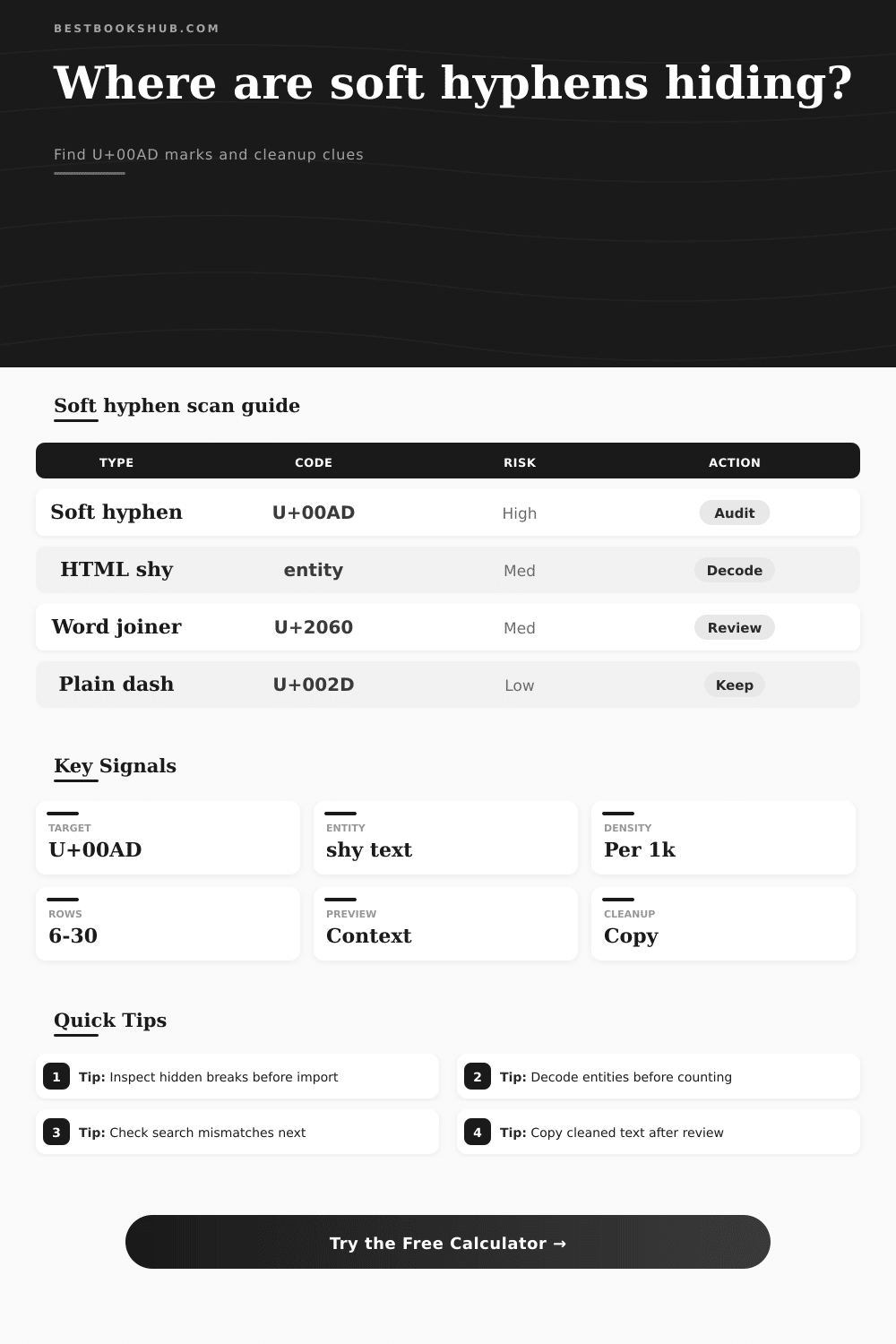
| Soft hyphen | U+00AD | No | PDF, EPUB, word processing hyphenation | Remove for search keys and metadata unless soft wrapping is intentional |
| HTML soft hyphen | ­ | After render | HTML exports and CMS snippets | Decode before comparing with plain text |
| Word joiner | U+2060 | No | Copied typography and line-break control | Can block expected wrapping |
| Nonbreaking hyphen | U+2011 | Yes | Style guides and formatted titles | Visible but may fail plain ASCII checks |
| Source type | Common clue | Detector setting | Cleanup rule | Use case |
|---|---|---|---|---|
| Copied PDF paragraph | Words fail search | Actual plus escapes | Remove soft hyphens | Manuscript cleanup |
| EPUB or HTML export | ­ appears in text | Decode entities | Remove or preserve | Reflow review |
| Catalog metadata | Duplicate titles differ | Actual characters only | Strict cleanup | Search indexing |
| Hyphenated index terms | Mixed dash types | Hyphen family | Review manually | Index editing |
| Review band | Density per 1k | Line spread | Meaning | Next step |
|---|---|---|---|---|
| Clean | 0 | 0 lines | No hidden soft breaks found | Keep text |
| Light | 1 to 8 | Few lines | Likely imported hyphenation | Inspect contexts |
| Noisy | 9 to 24 | Several lines | Copy source is inserting breaks | Clean and compare |
| Dense | 25+ | Many lines | Text may be PDF or layout derived | Re-export source |
A soft hyphen is a Unicode character. Its code point is U+00AD. It are used in typesetting. It indicates to a rendering engine where you want to be able to break an otherwise long word if necessary at the end of a line.
The soft hyphen remains invisible if the word can fit; but if not, it will appear and the word will be broken there. That’s great for keeping nice margins on printed pages or for preserving justification across lines in a web layout.
Why Soft Hyphens Hide Words in Search Results
But then what happens to that text once it enters a search index or a database or a CMS? Search algorithms considers characters to be data. A search engine sees a word with a soft hyphen as distinct from the same word without the hyphen. They’re no longer matches.
So you do that. Type in a phrase in your doc, hit return, get nothing. Check the spelling. Is it capitalization? Did you try a wildcard search? Nada. There it sits in front of your face: Text. The software simply won’t acknowledge it.
It’s not some sort of malfunctioning search engine. No, this is most likely because of a soft hyphen. It is an invisible character smack-dab in the middle of the word, splitting the string so the computer can’t see it, but your eyes never notice.
What you can’t see are shown in this tool (above). Copy-paste some text into it, and the tool will scan it looking for these invisible markers. How many did it find? Where does it live? You can paste in HTML snippets, catalog metadata, or manuscript text.
There’s also a source interpretation setting which, contrary to popular belief, matters a lot. When you copy something from a PDF there may be actual U+00AD characters included. Something copied from an HTML editor may include the entity notation: or . Unless you decode those entities first, the scanner won’t pick it up.
If you’re working with web exports, you’ll need to tell the tool to interpret entities/escapes. If you’re dealing with plain text out of a PDF, maybe all you want is to search for actual characters. Know your source: save yourself from false negatives.
The density metric, however, turns out to be one of the more helpful ones. Density is number of hidden breaks divided by a thousand characters. If the density is low, it’s possible this is because there are simply a few straggling marks from someone who copied and pasted some text in their document. But if the density is high then the document was likely produced by a system that automatically inserted these breaks in an aggressive manner, such as when a word processor exports to PDF and has its auto-hyphenation feature enabled.
Also helpful is the line hotspot view which reveals which lines have the highest concentration of hidden breaks. That allows you to focus your cleanup efforts. Rather than going through each individual line manually, you can skip right to the paragraphs that are creating the most confusion for readers.
And this all depends on context. You don’t want to blindly go around deleting characters. With the cleanup preview, you can visually check the effect of removing the marks compared to changing them to visible spaces or hyphens.
That’s important when you’re dealing with metadata. A soft hyphen within someone’s name may appear okay on the cover of a book, but it’ll blow up your internal linking system. It could result in a term being split incorrectly in a technical index.
The tool includes reference tables in its layout that show how to identify differences between soft hyphens and the other similar-looking marks such as nonbreaking hyphens or word joiners. These last ones look like soft hyphens because they stop breaks from occurring, but without inserting a hyphen character. Mixing these up result in some nasty looking text.
These characters were built to be invisible. To most folks, they’ll never even notice them. They are not supposed to. And invisibility is a two edged sword. Yes, invisibility maintains the cleanliness of your layouts, but invisibility corrupts data integrity.
If you intend to store this information over time, if you want it to appear in search results, if you want it to look good on the web, you want to know exactly what’s here. The scanner makes the invisible visible. It provides you with the proof that will let you clean the data without guessing.
Run the scan and usually the broken search results heals themselves. You can find the phrase once more. The text begins to act as expected. Your confidence returns, and your content finaly reflects your intent.