🔤 Editorial abbreviation scan
Abbreviation Counter
Paste manuscript text, academic notes, metadata, captions, glossary drafts, or business copy to count abbreviations, acronyms, initialisms, dotted forms, repeats, and definition gaps.
Load a realistic sample to compare academic, technical, publishing, legal, medical, classroom, metadata, dialogue, caption, and plain-prose abbreviation patterns.
DISCLOSURE: This post may contain affiliate links, meaning when you click the links and make a purchase, I receive a commission. As an Amazon Associate I earn from qualifying purchases.
The calculator detects uppercase acronyms, initialisms with periods, mixed-case product terms, custom terms, and likely first-definition patterns such as "long form (ABC)".
| Term | Count | Category | First seen | Definition signal |
|---|---|---|---|---|
| None yet | 0 | Waiting | Paste text | Run the calculator. |
The table sorts by count first, then by earliest appearance, so repeated terms surface before one-off abbreviations.
| Category | Tokens | Unique | Share | Typical review |
|---|---|---|---|---|
| Uppercase acronym | 0 | 0 | 0% | Define uncommon terms. |
| Dotted initialism | 0 | 0 | 0% | Check style consistency. |
| Mixed-case term | 0 | 0 | 0% | Confirm intended casing. |
| Custom list match | 0 | 0 | 0% | Review project-specific terms. |
| # | Term | Line | Context | Review cue |
|---|---|---|---|---|
| 1 | None | 0 | Paste text to show abbreviation contexts. | Waiting |
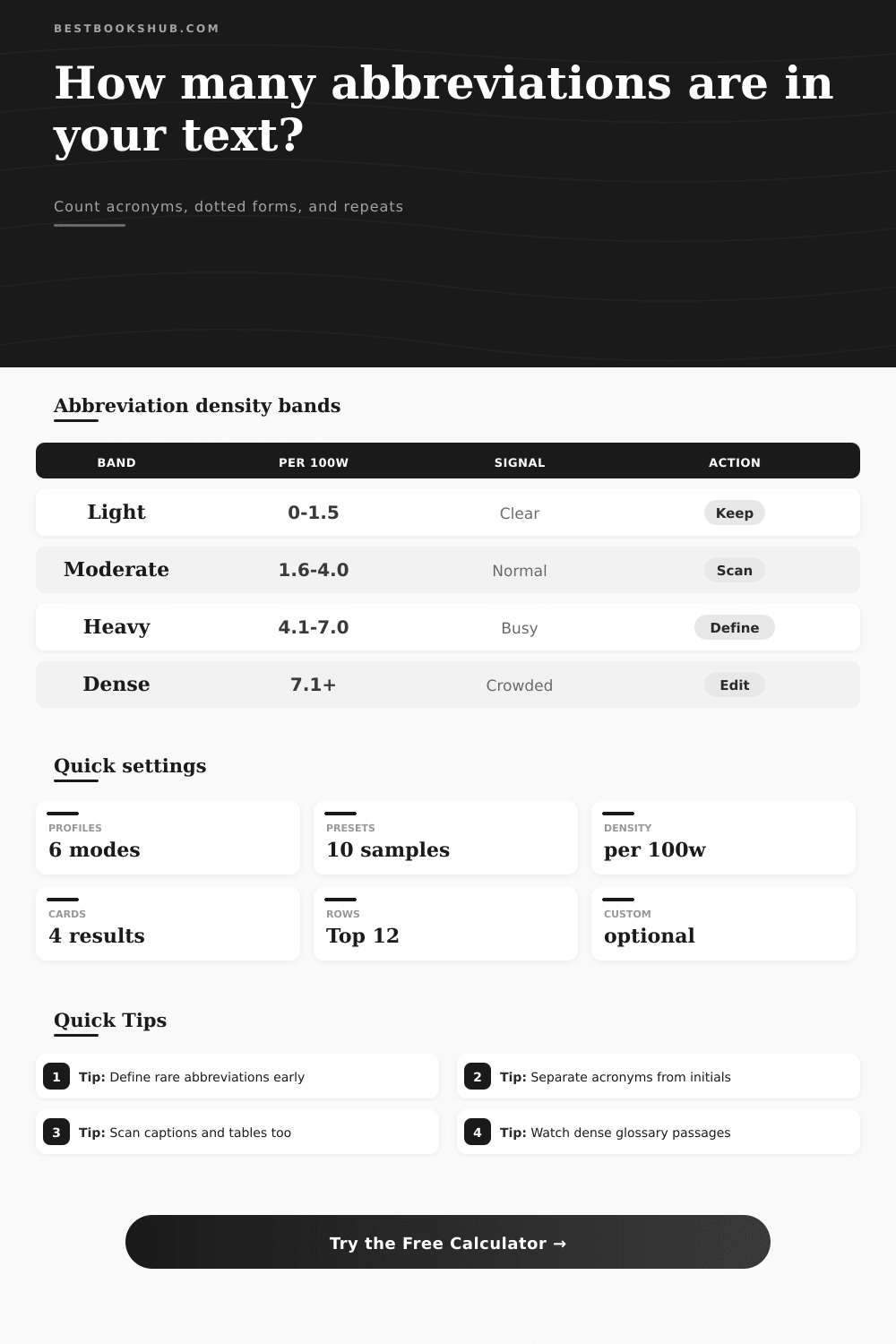
| Density band | Per 100 words | Reader signal | Best for | Editing action |
|---|---|---|---|---|
| Light | 0-1.5 | Minimal shortcut load | Narrative, essays, general copy | Keep definitions simple. |
| Moderate | 1.6-4.0 | Normal specialist terms | Book reviews, reports, course notes | Define rare terms on first use. |
| Heavy | 4.1-7.0 | Dense with shorthand | Abstracts, technical notes, metadata | Add a glossary or reduce repeats. |
| Very dense | 7.1+ | High decoding burden | Glossaries, legal notes, specifications | Split sentences and expand unclear terms. |
Using abbreviations can be helpful if you’re trying to be more efficient. But they’re also biggest cause of clunky prose. What’s the solution? When to use a short cut, and when not to.
Have you ever read an abstract from an academic article and found yourself thinking “this isn’t teaching me anything; I’m just trying to decode this foreign language?” It begins innocently enough. Then, trip! The writer use a series of three-letter code words that they assume you has already memorized. That is where clarity dies.
How to Use Abbreviations Wisely
Why? Because we’re saving characters and sounding smart. We like to make complicated concepts fit in neat little packages. So soon enough, things like ROI, PDF and NASA becomes words that roll right off our tongues. They seem simple, even though they were originally multi-word concept that need an explanation.
Where it gets tricky is when your brain’s internal dictionary expands faster than yours does. Whether you’re writing a blog post, legal brief or technical manual, you must be able to gauge the weight of linguistic load you’re placing on your readers. What you don’t measure, you can’t control.
And that’s precisely where this token count come in, before you publish. You can use the calculator above to feed it some text and have it run numbers: it’ll scan the text for all of those mixed-case terms, dotted initialisms, and uppercase strings. But what’s more valuable isn’t so much the big red number at the end as knowing how to understand it.
The tool do this by breaking down your text into bands of densities. This helps put the number in context. For example, heavy means you are probably using too much jargon, while light means you have some breathing room in your prose. By doing this, it lets you balance amount of jargon per page across a long piece of writing versus a short one.
That means that you can compare, say, a technical section against an introduction, and see whether you’re really making any difference in the abbreviation burden, despite the difference in length. It also removes perception that shorter pages are inherently more readable. This all depends on context.
What’s a clear-cut abbreviation to a group of engineers may be confusing to average reader. You can tweak settings to fit your writing style. Want to treat dotted abbreviations as one word instead? There’s setting for that. Normalizing them will tell you if you’re inconsistently using them.
Or maybe you want to find undefined terms, which means marking acronyms that is used before they have been explained. That way, when we get lazy and assume the reader already understands what SEO or API are, it catches us in our tracks. It just looks for pattern of a long phrase followed by a pair of parentheses, a good sign of proper definition.
While everyone talks about total number of words and how low it should of be, no one focuses on distribution of them, because they don’t really know what it looks like. In reality, a few abbrevs might be fine for the entire doc, but having a bunch of them on single line is hard to process.
The tool’s context table exposes all these bottlenecks to you: it points out which lines has the highest concentrations of jargon and shows you a curated list of sentence to make simpler. Again, you’re not rewriting the entire piece. You are just unpacking the three or four phrases that is hurting readability the most.
Finally, keep in mind that succinct doesn’t always mean clear. While it might add only a few words to expand an acronym once up front, it will save many hours of head-scratching on part of readers. Don’t get me wrong; don’t remove every abbreviation from your writing; rein them in instead.
Aim for a level where your words feels natural and unforced. Define your terms early to build trust with your audience. Let them know you’re taking them by the hand through these ideas, not quizzing them on their recall.
In short: writing is about making someone’s understanding easier. Each unexplained acronym is another little hill the reader must climb. If you can find these bumps and smooth them, you’re making your own work accessible. Your ears will tell you whether the rhythm is correct, but tools provide you with the data.
Cut the stuff that blocks the flow; keep the stuff that helps it. And in the long run, the most effective technical writing feel easy, as though two people are having a conversation without anyone pulling out a moddern dictionary.