🤖 Agent prompt sizing
Agent query word count calculator
Check whether an agent query has enough instruction detail, context budget, tool room, and answer space before you send it.
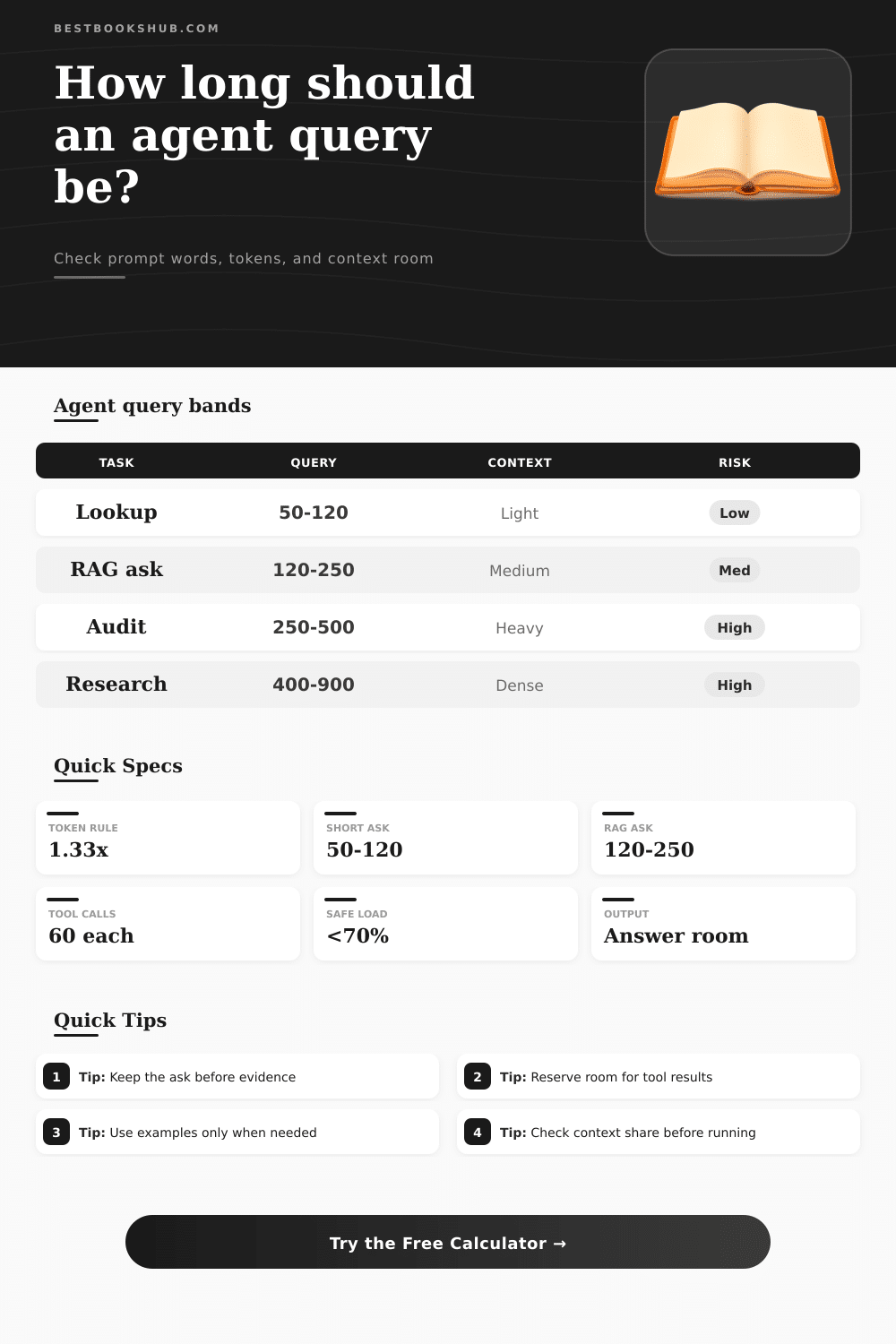
| Agent query type | Typical user query words | Common added context | Best fit |
|---|---|---|---|
| Single-answer lookup | 40-120 | None or one short note | Direct factual answer |
| Retrieval fact check | 120-250 | 3-8 retrieved chunks | Source-grounded answer |
| Support ticket triage | 160-360 | Ticket, history, policy snippet | Routing and response draft |
| Code audit or repair | 250-700 | Files, traces, expected behavior | Bug finding and patching |
| Research synthesis | 400-1000 | Multiple passages and constraints | Comparison or briefing |
| Prompt section | Lean range | Detailed range | What it should contain |
|---|---|---|---|
| Goal and task | 25-60 words | 80-160 words | Outcome, audience, scope |
| Inputs and evidence | 50-180 words | 300-1200 words | Facts the agent must use |
| Constraints | 20-70 words | 90-220 words | Rules, exclusions, standards |
| Examples | 0-120 words | 180-700 words | Few-shot patterns or format samples |
| Output shape | 15-50 words | 60-180 words | Format, length, fields, tone |
| Context window | Approx word room | 70% input ceiling | Use when |
|---|---|---|---|
| 8k tokens | About 6k words | About 4.2k words | Short prompts and light context |
| 16k tokens | About 12k words | About 8.4k words | Moderate retrieval or file excerpts |
| 32k tokens | About 24k words | About 16.8k words | Most agent workflows |
| 128k tokens | About 96k words | About 67.2k words | Long documents and broad synthesis |
| 200k tokens | About 150k words | About 105k words | Large audits with careful retrieval |
| Comparison factor | Lean agent query | Expanded agent query | Checker signal |
|---|---|---|---|
| Instruction density | One clear ask | Role, goal, edge cases | More words can improve precision |
| Retrieval load | Few passages | Many passages | Watch context share |
| Tool loop | One call | Several calls | Reserve answer room |
| Schema strictness | Plain output | Validated structure | Add overhead allowance |
| Answer target | Short reply | Briefing or audit | Keep output tokens available |
DISCLOSURE: This post may contain affiliate links, meaning when you click the links and make a purchase, I receive a commission. As an Amazon Associate I earn from qualifying purchases.
If you try it, you might also get an agent that stall when sent a prompt. What happens? Nothing good. It doesn’t error out. It doesn’t crash. It just spins until it runs out of space to think, eats up your budget, and gives back nothing usable.
Chances are, what happened was a word count issue masquerading as a logical one. Agents live inside very defined containers, whereas most folks approach prompts as if they were free form text boxes into which anything goes. What you’re doing when you rent some agent’s attention aren’t storing data.
Why Your Agent Gets Stuck: Managing Context Limits
The above calculator do it for you the moment you plug in your own constraints. This spares you the guesswork of whether your request will fit with whatever they retrieve in response. But here’s the thing: it’s a shared currency across everything within the window. Every time you’re writing a prompt, you’re not only writing commands. You’re creating a box. This box contain instructions, background information, tool definitions, and space for final answer. And if you fill nine-tenths of this box with context prior to agent having the chance to think about anything, then you’ve left no room for its own answer. It will either truncate its reasoning or it will fail silently. And that is where people make mistakes. They focus on the length of their prompts but forget the length of their answers.
Consider: Your instruction block is like the steering wheel; your context is like the road conditions. Too-small steering wheel = drifting agent. Cluttered-with-irrelevant-chunks road = stuck agent. This show up in the reference table on page: each type of task requires its own balance. A simple lookup needs very little instruction because the task is obvious. Heavy instructions are needed for a research synthesis, otherwise the agent will hallucinate connections that do not exist. Match the density of your instructions to complexity of the work.
There’s an underappreciated tax on your wallet: Retrieval. Each time you yank out a chunk, you burn tokens that would of otherwise go toward output or reasoning. This is where the calculator comes into play; it will estimate how many chunks you retrieve and how long they are on average. Because retrieval systems tend to over-fetch, this is important. You say “get me three sources” and you end up with ten paragraphs of noise. Without accounting for that overhead initially, your context window fill up quicker than expected. Trimming redundant context is often more effective then shortening your instructions.
Then there’s the additional complication of tool calls. These add more text to the conversation history by including results from each tool. This also happens while it run. That means what you see as your static prompt is not necessarily the end. Leave room for these returns! If you use up all your tokens on the original prompt, then agent won’t have any left over to include information from an API or database call. Estimating the tool overhead help you plan ahead and adjust your allowances to match.
The least used metric is output space. Many people configure the answer length they’d like without considering how much space remains in the window once everything else has been added. With 80% of the window being taken up by your tools and context, a 50% output limit is not reasonable. In this case, the agent would have to cut its response mid-sentence or provide shallow summaries to fit under the limit. Make sure the amount of space allocated for answers are big enough to accommodate the level of detail you’re realy looking for.
This is a rough but necessary token estimate conversion. Tokens don’t always map one-to-one between plain English words: code snippets count as tokens; technical terms too. Casual prose requires fewer tokens than dense text. A standard multiplier provides a safety margin. Better safe then surprised by the moddern model’s limits.
So at bottom this is a question of discipline: How big should I make my agent query? What can be cut? What must stay? Where does the fluff go? Where does the context end? And where is the space left for the final answer and the tools needed to reach it? The calculator above will perform the calculations for you. But the judgment call is yours.
When you size your prompt well, you respect the limitations of the model while providing enough freedom to allow the model to do its job. You don’t want clutter, you want clarity. Lighten the wheel and keep the road clear, and the agent will reach its destination without stalling out half way there.