⌨ Symbol cleanup analyzer
Backslash counter
Paste prose, notes, code snippets, Windows paths, regex patterns, or escaped strings to count backslashes, locate doubled marks, and measure density by line and character count.
The calculator counts literal backslash characters, groups repeated runs, identifies common escape sequences, and lists the highest-signal lines for review.
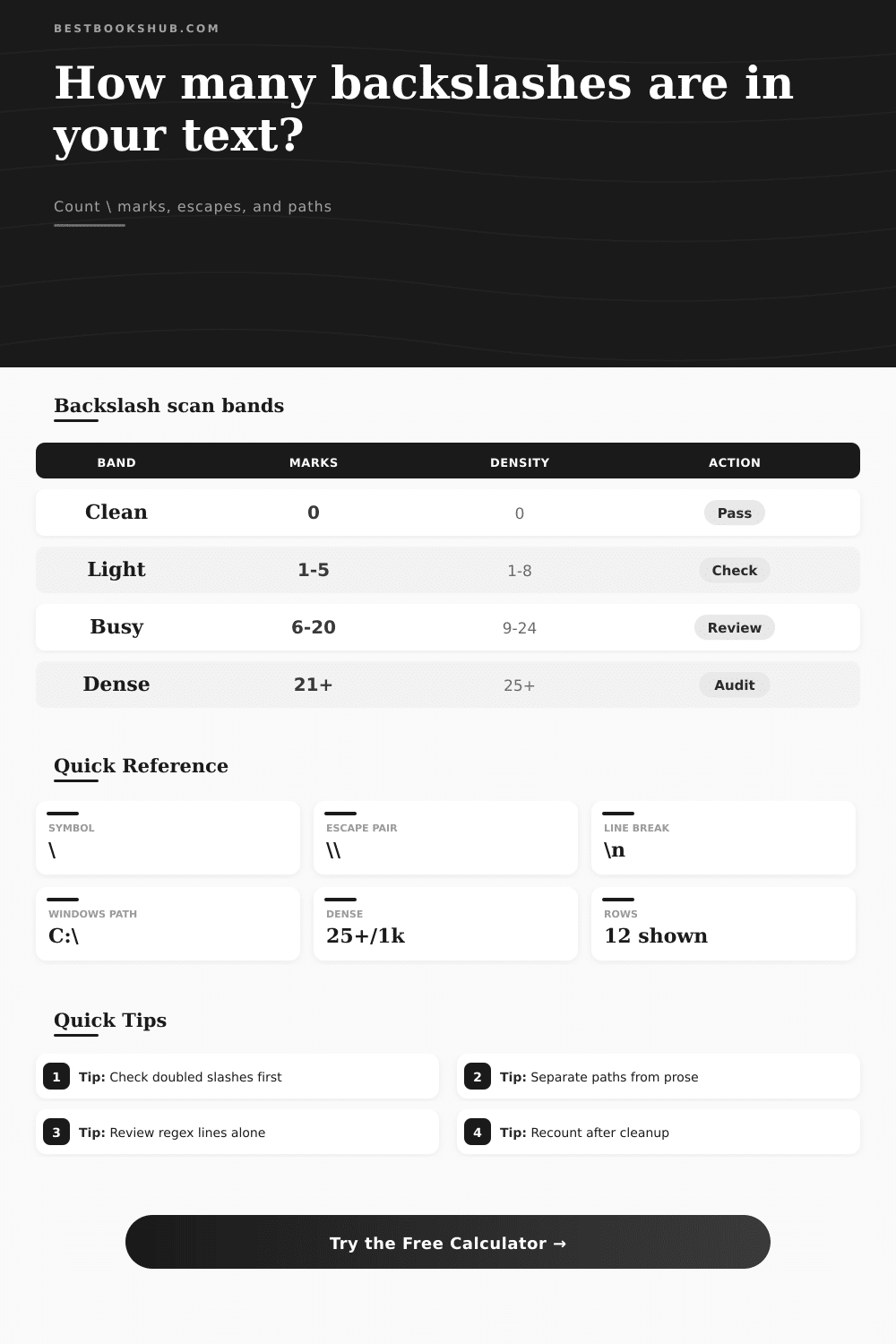
| Band | Marks per 1,000 chars | Typical source | Signal | Review action |
|---|---|---|---|---|
| Clean | 0 | Plain prose | No literal backslashes | Keep unless the source should contain paths. |
| Light | 1-8 | Notes with one path or escape | Expected symbol use | Check the affected line only. |
| Moderate | 9-24 | Metadata, markdown, or examples | Visible technical content | Separate prose from snippets before editing. |
| Dense | 25-40 | Escaped strings or exported fields | Likely copied code or encoded data | Review paired runs and known sequences. |
| Very dense | 41+ | Regex, JSON, or path lists | High cleanup priority | Audit line by line before publishing. |
| Context type | Common pattern | What to count | Risk if copied into prose | Best scan mode |
|---|---|---|---|---|
| Windows path | C:\Users\Name | Separators and drive starts | Paths may wrap awkwardly | Path separator usage |
| UNC path | \\server\share | Leading double marks | Looks like repeated punctuation | Path separator usage |
| Escaped string | Line one\nLine two | \n, \t, \", and \\ | Encoded text may display literally | Known escape sequences |
| Regex pattern | \bword\b | Every command marker | High density may confuse readers | Count every \ mark |
| LaTeX note | \cite{key} | Command starts | Commands need source context | Known escape sequences |
| Markdown code | [code:C:\Drafts] | Code spans or full text | Inline examples can skew counts | Code span handling |
| Sequence | Name | Usually means | Count note | Review cue |
|---|---|---|---|---|
| \\ | Doubled mark | Escaped backslash or UNC lead | Counts as two marks, one run | Confirm whether it should display as one. |
| \n | Newline escape | Encoded line break | Counts one backslash and one sequence | Check if real line breaks are needed. |
| \t | Tab escape | Encoded tab | Counts one backslash and one sequence | Compare against visible spacing. |
| \" | Quote escape | Literal quote inside a string | Counts one backslash and one sequence | Common in exported JSON fields. |
| \b | Boundary escape | Regex word boundary | Counts one backslash and one sequence | Review only in pattern lines. |
| \u | Unicode escape | Encoded character lead | Counts one backslash and one sequence | Check whether actual characters render. |
| Sample type | Expected volume | Line spread | Main cleanup question | First check |
|---|---|---|---|---|
| Book metadata export | Low to moderate | Few lines | Are strings over-escaped? | Doubled marks |
| Manuscript note | Usually zero | Isolated | Did a path sneak into prose? | Context preview |
| Technical appendix | Moderate | Several lines | Are examples clearly separated? | Code span mode |
| Regex glossary | High | Many lines | Are commands balanced by explanation? | Known escapes |
| Path inventory | High | Every row | Are drive and UNC paths mixed? | Path focus |
| Clean paragraph | Zero | None | Should any mark remain? | Total count |
DISCLOSURE: This post may contain affiliate links, meaning when you click the links and make a purchase, I receive a commission. As an Amazon Associate I earn from qualifying purchases.
Backslashes: You’re supposed to be familiar with this character. It looks like a forward slash that gave up. A backslash have two uses: 1) escaping sequences, and 2) file paths. And then there’s regex patterns where it appears too. But backslashes are used for things like file paths, escape sequences, and regex patterns. Until now…
Then the text break into pieces. Or you paste a JSON string and the linebreaks is literal characters. Oops. You’ve discovered some invisible character in your text. Time to track them down.
How to Use the Backslash Counter Tool
That’s not just a character count. That counts backslashes… And it knows what that means. In file paths, like C:\Users, each folder are separated by a single backslash. In code, a pair of backslashes typicaly indicates an escaped character. The calculator does that work for you. So you don’t have to guess whether the backslashes is part of the syntax, or a problem with the text.
And you can set the scanning profile based off context. If you’re reviewing code snippets, turn on path review; if you’re cleaning up an editorial document, turn on editorial cleanup for prose. Because knowing where the mark appears make a difference. A backslash in a novel will be a misprint nearly every time. But one in a code example is likely critical.
That’s where the numbers get interesting: it measures density. Density is a number adjusted to account for character count. You get rate per thousand characters. That way it doesn’t just flag short code snippets as a crisis and hide problems with longer manuals. You should of been fine if you don’t exceed eight marks per thousand.
Most people overlook that. They see the total count but not how much text there is. It’s normal for a hundred backslashes to appear on one line of regex. It’s a disaster when they’re all in a single chapter of fiction. The band shows you what kind of text yours falls into. Does it need an audit? Or can you do a quick check?
Look at the line spread. Clusters suggest copied data or code blocks. Marks can be scattered throughout other parts of the text. Clusters is probably code blocks or copied data. Isolate those clusters and deal with them as a separate problem. Scattered markings indicate that someone has manually entered something incorrecly. Or it indicates that they tried to paste but it didn’t work.
The tool shows you which lines has the highest concentration of such hits. And you can see what’s right around the mark. Is it a backslash that could legitimatly be an escape sequence? It might be a rogue character. You can count in various modes for various contexts. Counting in escape mode is useful if you’re dealing with JSON exports or LaTeX citations. In those cases, it knows which sequences are ok. That’s why it doesn’t count every individual mark saving you from having to check the syntax yourself.
For cleaning up manuscripts, though, literal count are preferable. Literally, it catches all of them. There’s a reference table on the page describing the differences. For example, you can learn how to spot the difference between a drive letter or UNC path and simple escape commands. A newline escape look just like a path separator, but knowing the distinction can save time. You no longer fight the code. Instead, you fix the text.
It takes time to get good at reviewing dense text. Don’t simply hit delete without thinking. Some backslash sequences is part of the structure. Leading pairs of doubles are necessary in paths such as \\server\share. Remove those and you’ll break the path. The tool will group these multiple occurrences so you can spot the trend.
Perhaps a block of four backslashes appear suspicious. That is how you show two literal slashes in an escaped string. Knowing what was intended by the syntax come last. The counter supplies the information; you supply the interpretation.
Consider pasting your mixed content in isolation. Inline code spans and markdown snippets will throw things off. You’ll be able to highlight and ignore those parts within the tool, which will allow you to see prose better. As long as there aren’t any backslashes in the prose, and there are lots of backslashes in the code blocks, then no worries. Otherwise, you got some work to do.
Clarity is the aim. The text should flow well. Technical artifacts disrupt reading. Backslashes are useful and strong but break easily. If moved from system to system they will fracture. Auditing them early ensures the integrity of the document. You can catch a mistake before it becomes set in stone.
First look at the count. Then look at the density. And then lines. How much can be cleaned up? It is simple but methodical. You’re searching for the signal, but all of these things represent the noise. Clean away the extra marks, confirm the required ones and your text will be fine. Quiet text is clean text.