📖 Phrase pattern analysis
Most common bigram finder
Paste a draft to extract adjacent two-word phrases, normalize messy punctuation, filter stopwords, rank top bigrams, and flag repeated phrase density.
Load a realistic writing sample, then adjust normalization and stopword settings to see how the two-word phrase profile changes.
DISCLOSURE: This post may contain affiliate links, meaning when you click the links and make a purchase, I receive a commission. As an Amazon Associate I earn from qualifying purchases.
Rows show count, density, first position, and whether the phrase crosses the selected alert threshold.
| Rank | Bigram | Count | Density | First seen | Alert |
|---|---|---|---|---|---|
| Run the analyzer to list repeated two-word phrases. | |||||
| Stopword mode | What it removes | Best use | Watch for |
|---|---|---|---|
| Keep every pair | No stopword filtering | Exact rhythm checks | Top list may fill with of the and in the |
| Remove edge stops | Pairs starting or ending with common stops | General phrase mining | Middle stopwords remain visible |
| Remove any stop | Pairs containing a stopword | Topic signal extraction | Can hide useful phrases like point of view |
| Bookish editorial | Common words plus draft terms | Review, blurb, and chapter copy | May remove book or chapter phrases |
| Common plus custom | Common stops and your custom list | Project-specific cleanup | Over-filtering can flatten results |
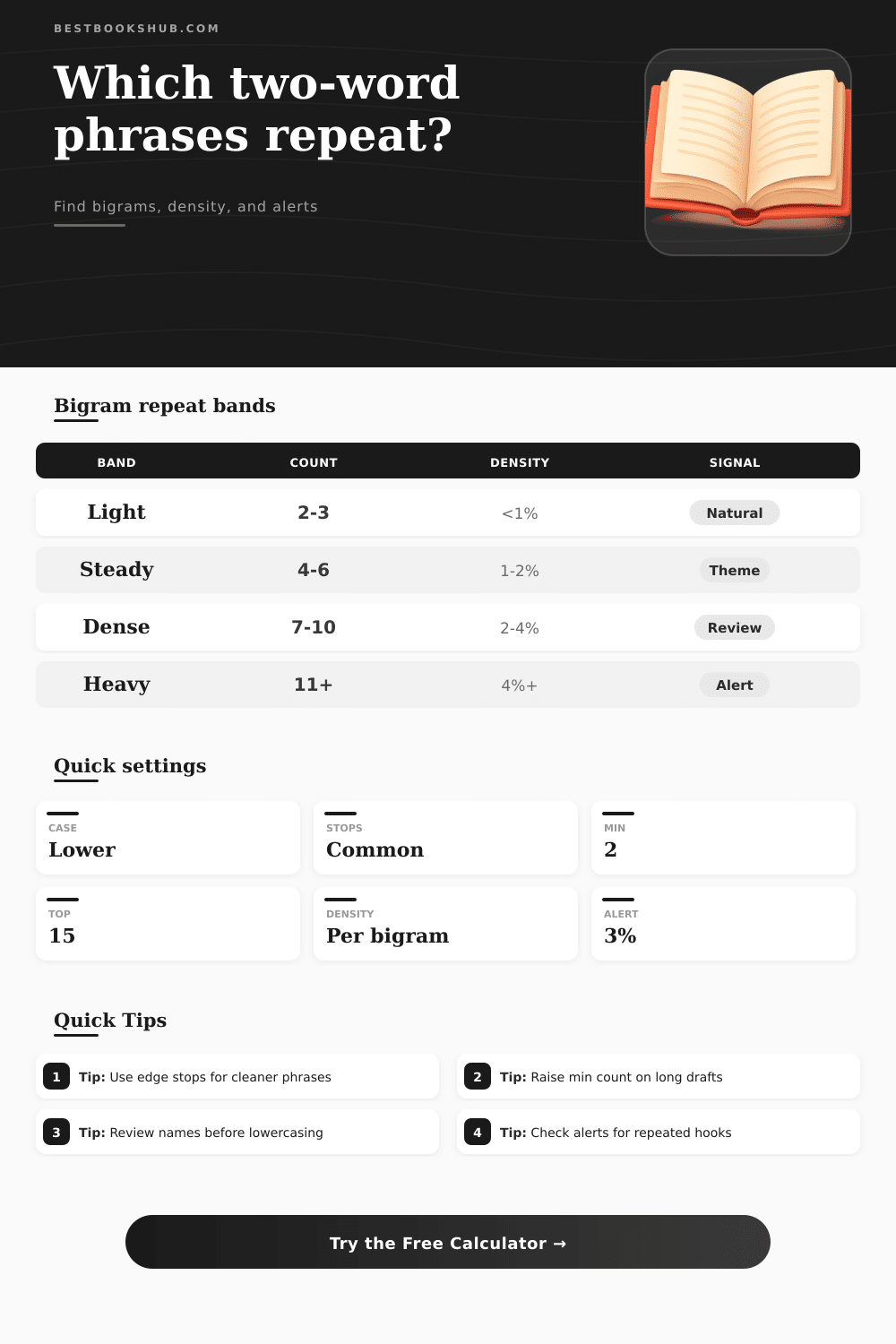
| Density band | Typical count | Phrase density | Editorial read |
|---|---|---|---|
| Light repeat | 2 to 3 uses | Under 1% | Usually natural in medium passages. |
| Steady motif | 4 to 6 uses | 1% to 2% | Clear theme or recurring label. |
| Dense wording | 7 to 10 uses | 2% to 4% | Review if the phrase is not intentional. |
| Heavy echo | 11 or more uses | Above 4% | Strong repetition alert for most prose. |
| Normalization choice | Example input | Counted as | When useful |
|---|---|---|---|
| Lowercase matches | Reading List and reading list | reading list | Most ranking and density checks. |
| Preserve visible case | New York and new york | Separate display forms | Proper-noun or style audits. |
| Title Case display | chapter title | Chapter Title | Clean reports for headings. |
| Sentence boundary | end. New start | No bridge pair | Prevents artificial cross-sentence phrases. |
| Draft type | Useful setting | Expected top phrases | Review note |
|---|---|---|---|
| Book review | Bookish stops | character arc, final chapter | Watch repeated praise formulas. |
| Academic abstract | Remove edge stops | research question, study design | Repeated terms may be necessary. |
| Fiction scene | Sentence boundary | front door, old house | Dialog tags can dominate results. |
| SEO introduction | Custom stops | target phrase, reader guide | Use density alerts before publishing. |
To use it: Paste in an article or draft, run bigram finder, filter for stopwords, and review wording alerts and phrase density before you start editing. Without a sense of what’s wrong with your writing, you may just feel it’s off. Nine times out of ten, it’s the repeated two-word phrases. Spell-check won’t catch them because our eyes glide over familiar pairs. The bigram finder flips dynamic. It reveals the unseen patterns so that you can judge if they aids or harms the text. After pasting in your draft and tweaking some options, the tool does all the rest.
Stopword mode determine how aggressively it removes common words. If you’re studying rhythm precisely as written, leave each pair intact. Edge removal wipes away phrases like “the final,” allowing better content to float up. Many misses that nuance. Clear away the extra words; now the filter show the true topic signals. It turns out that case normalization are important. For density checking, lowercase matching will consider “reading list” and “Reading List” equivalent. Check if a branded term or proper noun is floating. Keep capitalization visible so you can see it. Clients like it cleaned up in report display (title case). Every option change what counts as a repetition. It doesn’t seem significant until you witness your top phrases re-shuffling.
How to Use Bigram Finder for Better Writing
Boundary settings and punctuation handling avoids artificial pairs that don’t occur in actualy reading. Placing the analyzer within sentences avoids gluing together the end of one thought and the beginning of another. That’s where phantoms get glued together. Similarly, number handling can be useful: some writers wishes to keep all digits, while others wishes to have digits stripped out of a text (“chapter 3” is considered to mess up the list). Whether this is academic writing, marketing copy, or fiction determine the appropriate setting. But once we get into the details, that’s when we talk about it.
If something appears four or five times in a three-thousand-word draft and it’s important to your argument, maybe that just sound like a nice little recurring theme. In a five-hundred-word blog post? Maybe it is screaming redundancy. Density helps here by tracking length and telling a clearer story. The reference tables on the page lay common bands out plainly so you don’t have to guess at what heavy echo might mean in context.
Many writers worry that using them will rob them of their voice. It doesn’t seem to work that way. Instead, when you spot eighth instance of “front door” in your short story, you has permission to use different words so you don’t repeat yourself without realizing it. Your newsletter repeatedly refers to the “library team,” and suddenly you realize everybody know who’s talking. The alert list isn’t just a place where your writing gets scolded, it’s a concentrated revision queue. Running the same passage twice back-to-back in both stopword modes reveals where your repetitions is necessary topic vs. Unnecessary filler, which is great training. Stylistic patterns, names, and key concepts deserves to repeat. It’s a feature, not a bug.
The calculator gives you the data, then you make it a conscious decision different than an accident. In the end, knowing your bigrams isn’t so much about getting it right as it is having control of what’s going on. From then on out, when a chunk of writing reads clunky, instead of wondering why, you’ll know where to look and be able to pinpoint which two-word anchors is doing all the work.