📚 Book production estimator
Book Page Count From Word Count Calculator
Estimate finished book pages from word count, trim size, words per page, font, line spacing, images and tables, chapter starts, front matter, back matter, and print rounding.
This calculator estimates production pages, not manuscript pages. It treats text pages, image or table space, chapter-start blanks, front matter, back matter, and printer rounding as separate components.
DISCLOSURE: This post may contain affiliate links, meaning when you click the links and make a purchase, I receive a commission. As an Amazon Associate I earn from qualifying purchases.
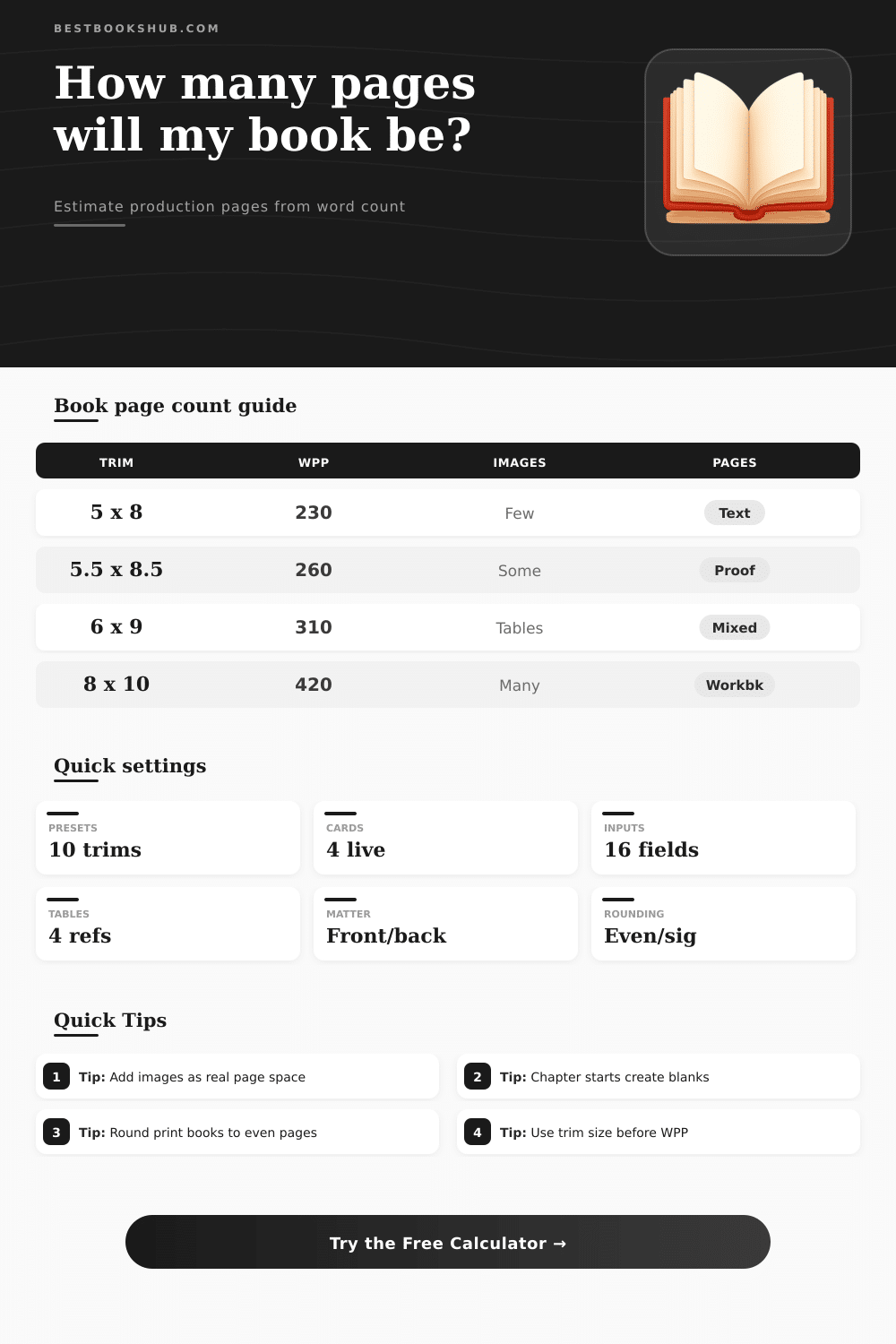
Use these reference bands to sanity-check the live estimate. Actual page count still depends on the exact interior template and export settings.
| Trim size | Typical text WPP | Best production use | Page count effect |
|---|---|---|---|
| 5 x 8 in | 210-260 | Compact paperbacks and lean interiors | Higher page count because the text block is smaller. |
| 5.5 x 8.5 in | 240-300 | General paperback production | Balanced page count for many prose books. |
| 6 x 9 in | 280-360 | Trade layout and reference books | Lower page count with more room for tables. |
| 7 x 10 in | 360-470 | Manuals, textbooks, and image-supported layouts | Much lower text page count, but visuals may add pages. |
| 8 x 10 in | 390-520 | Workbooks and highly visual interiors | Large page can absorb figures, prompts, and wide tables. |
| Interior choice | Common setting | WPP direction | Production note |
|---|---|---|---|
| Garamond or Caslon style | 10.5-11.5 pt | More words per page | Classic serif faces keep book pages compact and readable. |
| Georgia or wider serif | 11-12.5 pt | Fewer words per page | Readable but wider, useful for proofs and accessibility. |
| Tight book leading | 1.05-1.15x | More words per page | Common for professionally typeset prose interiors. |
| Comfortable leading | 1.25-1.4x | Fewer words per page | Useful when the book needs a more open reading feel. |
| Open paragraphs | Dialogue, lists, verse | Fewer words per page | White space matters even if total word count is unchanged. |
| Add-on source | What to enter | How it affects pages | When to include it |
|---|---|---|---|
| Front matter | Title, copyright, contents, dedication | Adds fixed pages before the main text | Always include known preliminary pages in a print estimate. |
| Back matter | Notes, bibliography, appendix, index | Adds fixed pages after the main text | Important for reference, scholarly, and workbook interiors. |
| Inline figures | Count times average page share | Converts partial-page art or tables into page equivalents | Use when visuals interrupt normal text flow. |
| Full-page plates | Fixed image/table pages | Adds directly to the production total | Use for photo sections, worksheets, maps, and large charts. |
| Chapter starts | Section count and start style | Adds estimated blank or partial blank space | Use when chapters start on new pages or right-hand pages. |
| Rounding rule | Typical reason | Possible blank pages | Calculator behavior |
|---|---|---|---|
| No rounding | Raw digital planning | 0 pages | Shows the calculated interior total as-is. |
| Even page count | Basic print interior | 0-1 page | Rounds the total to the next even number. |
| 4-page signature | Short-run print planning | 0-3 pages | Rounds up to the next multiple of four. |
| 8-page signature | Some offset or booklet workflows | 0-7 pages | Rounds up to the next multiple of eight. |
| 16-page signature | Larger offset signatures | 0-15 pages | Rounds up to the next multiple of sixteen. |
When you finish your manuscripts, you will find a word count on your screen. However, the word count on your screen arent going to be the same as the page count of your physical book. The production of your book will determine the page count of your physical book.
Some of the production decision include trim size, font choice, and whether or not you use image in your book. Each of these production decisions will have an effect on the number of physical pages that your word will occupy. The physical page count of your book will be an important measurement to understand because the physical page count will impact the spine width of your book, the weight of your book when it is ship, and even the price of your book.
How to Find How Many Pages Your Book Will Have
In order to determine the physical page count of your book, you can use a calculator. This calculator will allow you to determine the physical page count based off your manuscript length as well as the production choice you would like to make for your manuscript. By using a page count calculator, you can remove the guesswork regarding how each of your production choices will impact the physical page count of your manuscript.
For example, trim size will have an impact on the physical page count of your manuscript. If you select a smaller trim size for your book, you will force your text to contain within a smaller area on each page. Because you will force your text into a smaller area, you will have more line of text per page with a smaller trim size.
The requirement for more lines of text per page with a smaller trim size will increase the physical page count of every chapter in your manuscript. A larger trim size will provide more space for your text on each page. However, using a larger trim size will change the amount of white space that will appear on each page in your manuscript.
Another pair of production choices that will have an effect on the physical page count is your font and the leading of your text. If you decrease the font size and leading of your text, you will be able to fit more words on each physical page of your manuscript. If you are able to fit more words on each page, the physical page count of your manuscript will decrease.
Conversely, if you increase the font size or leading of your text, you will be able to fit fewer words on each page of your manuscript. Thus, if you choose a larger font size and leading, the physical page count of your manuscript will increase. Although the change in physical page count may seem small for one page of your manuscript, when considered for every page in your manuscript, the change can become significant.
The density of your text will also have an impact on the physical page count of your manuscript. If you have extensive dialogue in your manuscript, you will create more white space within your manuscript than if you use dense paragraphs of text. Thus, dialogue will have the potential to increase the physical page count of your manuscript.
The same is true for short paragraph of text. Full-page images and in-line images will also have an effect on the physical page count of your manuscript. Any full-page images will add to your physical page count.
Any in-line images will occupy portion of the physical pages that must be included in that page count. The way that you begin every chapter will also have an impact on the physical page count of your manuscript. For example, you may require that each chapter begin on a fresh page or on the right hand page of each spread.
These blank pages will impact your physical page count. The physical page count will include the front matter and back matter of your manuscript. For example, the table of contents, acknowledgments, and the bibliography will all increase the physical page count of your manuscript.
The physical page count that you calculate for your manuscript may need to be round. Books are printed in signature. These signatures contain multiples of the pages of your manuscript.
Thus, you may need to round your calculated physical page count up to the next multiple of four or eight pages. Rounding your physical page count up to such a multiple may result in several blank page. These pages will be part of the physical pages of your final manuscript.
Furthermore, these pages will have a cost associate with their production. You should run a page count estimate for your manuscript with your page count calculator early in the production of your manuscript. Furthermore, you should perform the page count estimate again after you have make any major changes to your manuscript.
Checking the physical page count of your manuscript will ensure that your changes will not impact your book in any negative way. For example, if you change the trim size of your manuscript, you will want to ensure that your manuscript does not cross a threshold for the number of pages in a signature. Changing the physical page count of your manuscript may change its cost and schedule for completion.
Thus, running this page count calculator prior to the typesetting of your manuscript will save your team money and effort. It should of been done earlier. Your manuscript’s size is actualy important.
Dont forget that the books size matters more then you think. Youll need to look at the moddern styles too. The furnitures in the office might be too big for the room.