🔍 Paired punctuation analyzer
Bracket pair checker
Paste prose, reading notes, citation lists, or lightweight markup to find matched bracket pairs, mismatched closers, orphan openings, nesting depth, and bracketed text share.
Use a sample to test square brackets, parentheses, braces, angle brackets, code-like snippets, citations, and deliberate mismatch cases.
DISCLOSURE: This post may contain affiliate links, meaning when you click the links and make a purchase, I receive a commission. As an Amazon Associate I earn from qualifying purchases.
Matched spans show the opening line, closing line, depth, enclosed words, and a short preview. Issue rows point to the marker that needs review.
| # | Pair | Depth | Open line | Close line | Words | Preview |
|---|---|---|---|---|---|---|
| No span data yet. | ||||||
| # | Issue | Marker | Position | Line | Context |
|---|---|---|---|---|---|
| No issue data yet. | |||||
| Line | Openers | Closers | Pairs start | Issues | Preview |
|---|---|---|---|---|---|
| No line data yet. | |||||
| Bracket family | Open | Close | Common editorial use |
|---|---|---|---|
| Parentheses | ( | ) | Asides, citations, pronunciation notes |
| Square brackets | [ | ] | Editorial insertions and quote clarifications |
| Braces | { | } | Structured notes, examples, and code-like text |
| Angle brackets | < | > | Markup samples, placeholders, and tags |
| Review band | Issue count | Typical depth | Signal | Best next step |
|---|---|---|---|---|
| Clean | 0 | 0 to 1 | Balanced | Check only dense lines |
| Review | 1 to 2 | 2 | Small mistake | Fix issue table rows |
| Messy | 3 to 5 | 3 | Order risk | Inspect deepest spans |
| Broken | 6+ | 4+ | Unstable | Audit before publishing |
| Matching mode | What it enforces | Strong point | Watch point |
|---|---|---|---|
| Strict nesting | Closer must match current opener | Catches crossed brackets | Best for final copy |
| Recover | Logs mismatch and continues | Finds later valid spans | Can mask earlier damage |
| Family totals | Counts opens and closes by family | Fast inventory | Does not prove order |
| Outer spans | Reports only top-level pairs | Cleaner prose review | Nested issues still matter |
| Context choice | Best for | Counts inside quotes | Counts code spans |
|---|---|---|---|
| All text | Proofreading complete passages | Yes | Yes |
| Ignore quotes | Dialogue and quoted sources | No | Yes |
| Ignore inline code | Prose with short snippets | Yes | No inline |
| Ignore fenced code | Articles with blocks | Yes | No code blocks |
If you’ve written a single paragraph in an edited manuscript or even an academic paper, you’ve probably done this. The sentence starts with one pair of parentheses. Then another thought creeps in with another set of brackets to explain something else. Before you know it, the sentence is crumpled up like a ball of twine with no end. You see what it means, not how it’s supposed to be structured so you don’t notice that the orphaned ending mark has snuck past you until too late.
Matching up brackets is important because it isn’t just for grammar police; it is also about how your sentences are structured. Too many sets of openers and closers and the reader doesn’t know where they are anymore. One opener without a closer and entire sentence becomes riddled with holes. That’s what this tool is for.
Why Matching Brackets Is Important
Paste in whatever citation list, reading note, or bit of prose you want to scan, and it will show you what your eye missed. It shows which structures has failed, such as unmatched pairs of open or close brackets, mismatched closers, or orphan opens. Select which bracket families to look for. Editorial insertions are common in square brackets. Parentheticals are marked with parentheses, which also cover citations and asides. Angle brackets is used in markup examples, and braces are found in code-like text or structured notes.
Maybe you don’t care about every single one of these? Probably if you’re proofing a novel, you just care about parentheses (for citations and asides) and perhaps square ones (to mark editorial clarifications). When you don’t need all of them including all of them adds noise. The calculator above clears the clutter, letting you focus on the stuff that matters: the text itself.
There is also a setting called matching mode, and this is probably my favorite. The default, and the safest option are strict nesting order. This makes sure every closer matches the most recently opened opener. So it will catch those kinds of crossed brackets that always get past when manually proofed. In other words, if your sentence has nested structures, strict mode forces inner set to close up first, then the outer one. That’s the way our brains read, we’re thinking inside-out.
But in the rare instances where the tool throws something at us it makes no sense. The logical order is gone. You might want to switch over to recovery mode if you are working with some gnarly first-draft stuff. What it does is log mismatches, but keep going. So even though an earlier span is horked, it’ll still find later spans that make sense. It’s kind of nice for trawling through stuff you know is messed up, but just want to figure out what parts aren’t.
Don’t rely on this to end anything.
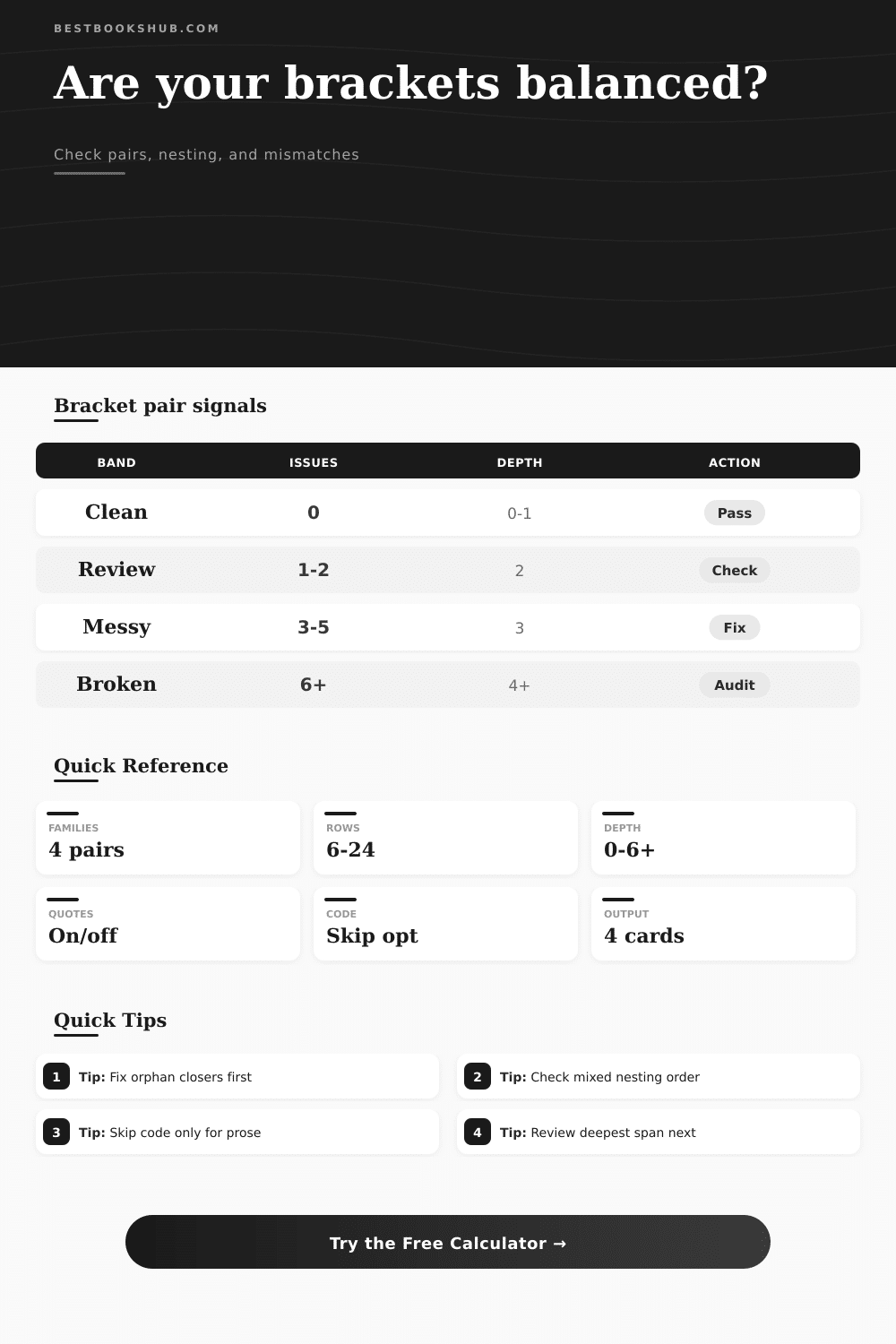
Another thing to watch is nesting depth. This shows how deep the brackets got; a depth of zero or one is clean. Two is doable, three is dangerous, and four or more is typically an indication that sentence should be divided into multiple sentences. On the page, the reference table lays this out simply as a set of bands. Clean text passes. Review text have minor mistakes. Messy text has a risk of being wrong. Broken text is unstable. It’s not arbitrary: these bands map onto cognitive load. When readers have to keep too many thoughts open at once they struggle.
Are you putting a lot of material inside parentheses? You’re probably doing that if you use a lot of text in brackets. That’s okay for asides, but it’s not okay for main arguments. That’s where context comes into play. For example, when reviewing quoted sources or dialogue, ignoring brackets inside the quotes prevents false positives from brackets used in code spans or quotes. If your prose is interspersed with technical examples, you’ll probably want to ignore inline code spans as well. With this option, the tool lets you toggle them off. You want to check your writing, not the syntax of the examples you are quoting. A small adjustment, but it goes a long way toward making the tool more accurate.
Orphan closers is an easy fix and they tend to produce a ripple effect on downstream content, so tackle those first. These are highlighted by position and line, along with the surrounding context. They are quick and simple to fix. Next, scan for the longest spans, and if the depth of nesting seems excessive, re-write the sentence. Separate out thoughts into their own sentences. Don’t attempt to cram complex concepts into one line. Let judgement determine what fixes need to happen; the tool shows you where there’s a problem.
Perfect punctuation for the sake of punctuation isn’t the point. Clear communication is. When the brackets align, the message shines through. Start with a cluttered draft; finish with a polished read. That’s why you check pairs in the first place. You should of used this earlier!