📚 Chicago Citation Converter
Format any source in Chicago Notes-Bibliography or Author-Date style instantly
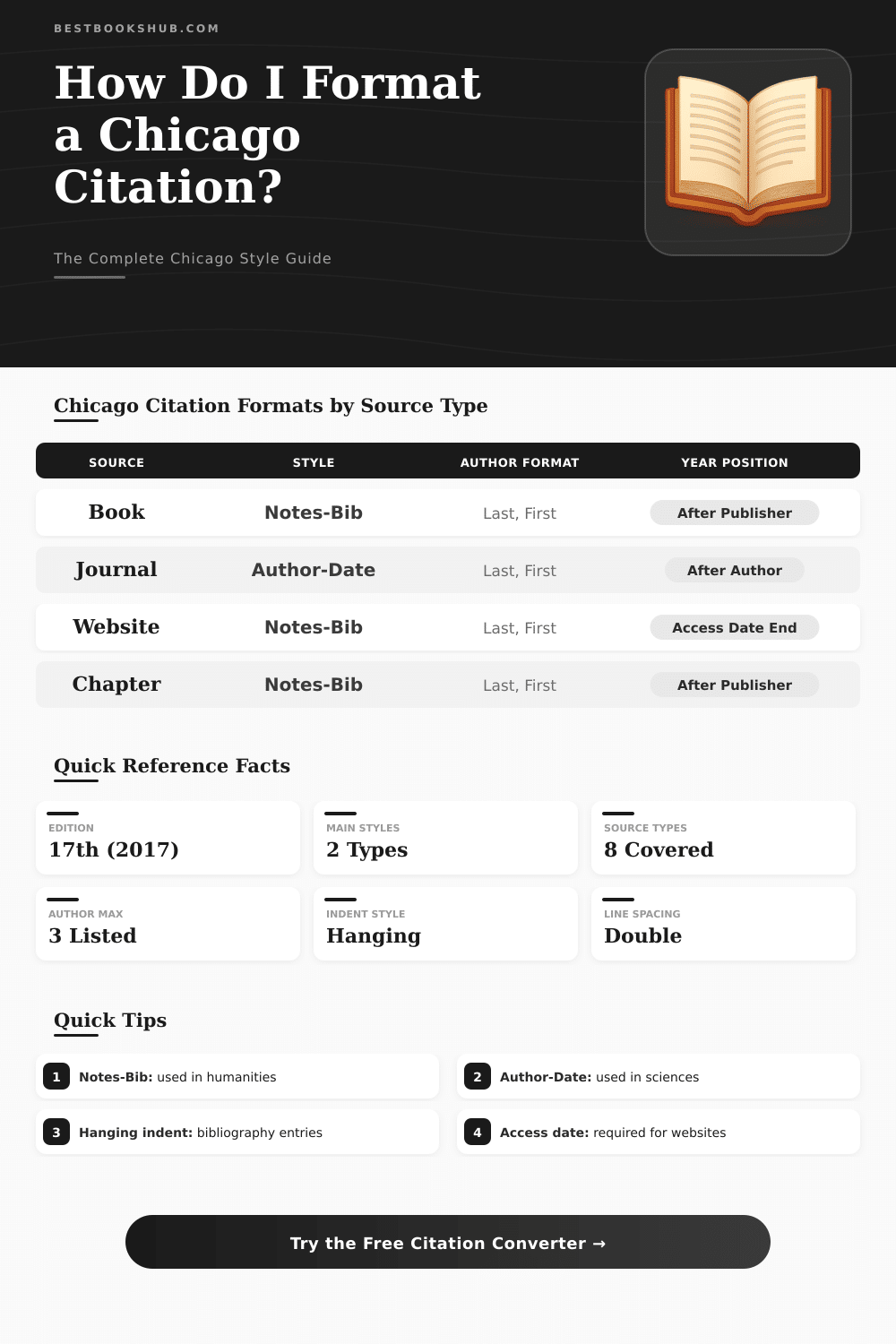
| Feature | Notes-Bibliography | Author-Date | Used In |
|---|---|---|---|
| In-text citation | Superscript footnote/endnote | (Author Year, Page) | See column |
| Reference list name | Bibliography | References | — |
| Author format | Last, First (bibliography) | Last, First | Both |
| Year position | After publisher info | After author name | See column |
| Typical discipline | History, Literature, Arts | Sciences, Social Sciences | — |
| Page numbers | In footnote | In in-text citation | Both styles |
| Short citation | Ibid. or shortened note | Not applicable | N-B only |
| Element | Bibliography (N-B) | Footnote (N-B) | Author-Date Ref. |
|---|---|---|---|
| Author | Last, First. | First Last, | Last, First. |
| Title | Italicized. | Italicized, | Italicized. |
| Place: Publisher | City: Publisher, | City: Publisher, | City: Publisher. |
| Year | Year. | Year), | Year. |
| Page(s) | Not in bibliography | Page number. | In in-text only |
| Example (Author) | Smith, John. | John Smith, | Smith, John. |
| Element | Notes-Bib (Bibliography) | Notes-Bib (Footnote) | Author-Date |
|---|---|---|---|
| Author | Last, First. | First Last, | Last, First. |
| Article title | "Quoted title." | "Quoted title," | "Quoted title." |
| Journal name | Italicized | Italicized | Italicized |
| Volume/Issue | Vol, no. Issue | Vol, no. Issue | Vol (Issue) |
| Year | (Year): | (Year): | Year: |
| Pages | Start–End. | Start–End. | Start–End. |
| Source Type | Key Required Fields | Title Format | Special Notes |
|---|---|---|---|
| Book | Author, Title, Publisher, City, Year | Italic | Include edition if not 1st |
| Journal Article | Author, Article Title, Journal, Vol, Issue, Year, Pages | "Quoted" | Add DOI if available |
| Website | Author, Page Title, Site Name, Year, URL, Access Date | "Quoted" | Access date required |
| Book Chapter | Author, Chapter Title, Book Title, Editor, Publisher, Pages | Ch. "Quoted", Book Italic | Use "In" before book title |
| Newspaper | Author, Article Title, Paper Name, Date, URL | "Quoted" | Omit page in online version |
| Thesis | Author, Title, Degree type, Institution, Year | "Quoted" | Include degree type in parentheses |
| Translated Book | Author, Title, Translator, Publisher, City, Year | Italic | Translator listed as "trans." |
Citation converter is a program that alters references from one style to another. For sample, it can take a quote written in APA and change it for MLA or Chicago Citation. Tools offer converters for formats, that allow to copy and move references from one kind to another, for instance from APA to MLA, from PMID to Excel and so on.
DISCLOSURE: This post may contain affiliate links, meaning when you click the links and make a purchase, I receive a commission. As an Amazon Associate I earn from qualifying purchases.
This kind of program helps to save a lot of time when one must follow different style standards in papers.
Easy Tools to Make and Change Citations
Many citation programs now work also as generators. They automatically produce quotes by searching title or identifier, like URL or ISBN. Some tools do that for books, newspapers, websites and videos.
Chicago Citation Machine helps students and experts correctly point out the used sources in styles like APA, MLA, Chicago Citation, Turabian and Harvard, and all for free. There are also programs that support thousands of styles and allow to quickly export references.
Extensions for browsers simplify everything even more. In one tap in the browser, the extension grabs the title, authors, date of publication and all other needed parts to create a perfect quote. No need to enter details by hand.
Some generators require only a web link, ISBN of a book or some keywords to start. The generator for APA in one program updated itself to the 7th edition of APA, which is important, because the style standards change over time.
Wordvice made a citation generator that handles APA 6 and 7, MLA 7 and 8, Chicago Citation 17th and Vancouver. Grammarly created a free citation generator, based on the newest editions of APA, MLA and the Chicago Citation Manual of Style. Citefast is another free option, that makes references, bibliographies, quotes inside text and even title pages quickly and exactly.
An important thing to know is that citation generators sometimes make errors. Mistakes can slip in, and without knowledge of the write format, they are hard to spot. Scribbr offers a way to check quotes inside text and references against mistakes and errors by means of AI technology or human experts.
Some programs stand out because of their simplicity. Citationsy allows to paste a direct link to a web page or article and generate a quote from it. Google Docs has built-in citation tools that quietly improved over time.
Zotero works as a full manager for references, but its more basic version, ZoteroBib, serves as a simple generator for single quotes in fast tasks.
There are also programs like Gcite, that can point to several sources at once and add in-text quotes directly in the paper. Free tools that do not need ads, downloads or account creation are also available, supporting more than 10,000 styles for quotes. Because of that, anyone who writes essays or scientific articles, theseprograms ease the boring and long work.