🔍 Text control scanner
Control character counter
Find hidden tabs, line breaks, null bytes, escape codes, C1 controls, and zero-width Unicode marks before text moves into an editor, database, or proofing workflow.
| Code | Name | Class | Count | Share | First context |
|---|---|---|---|---|---|
| Run the calculator to list hidden control characters. | |||||
| Family | Range | Examples | Typical role |
|---|---|---|---|
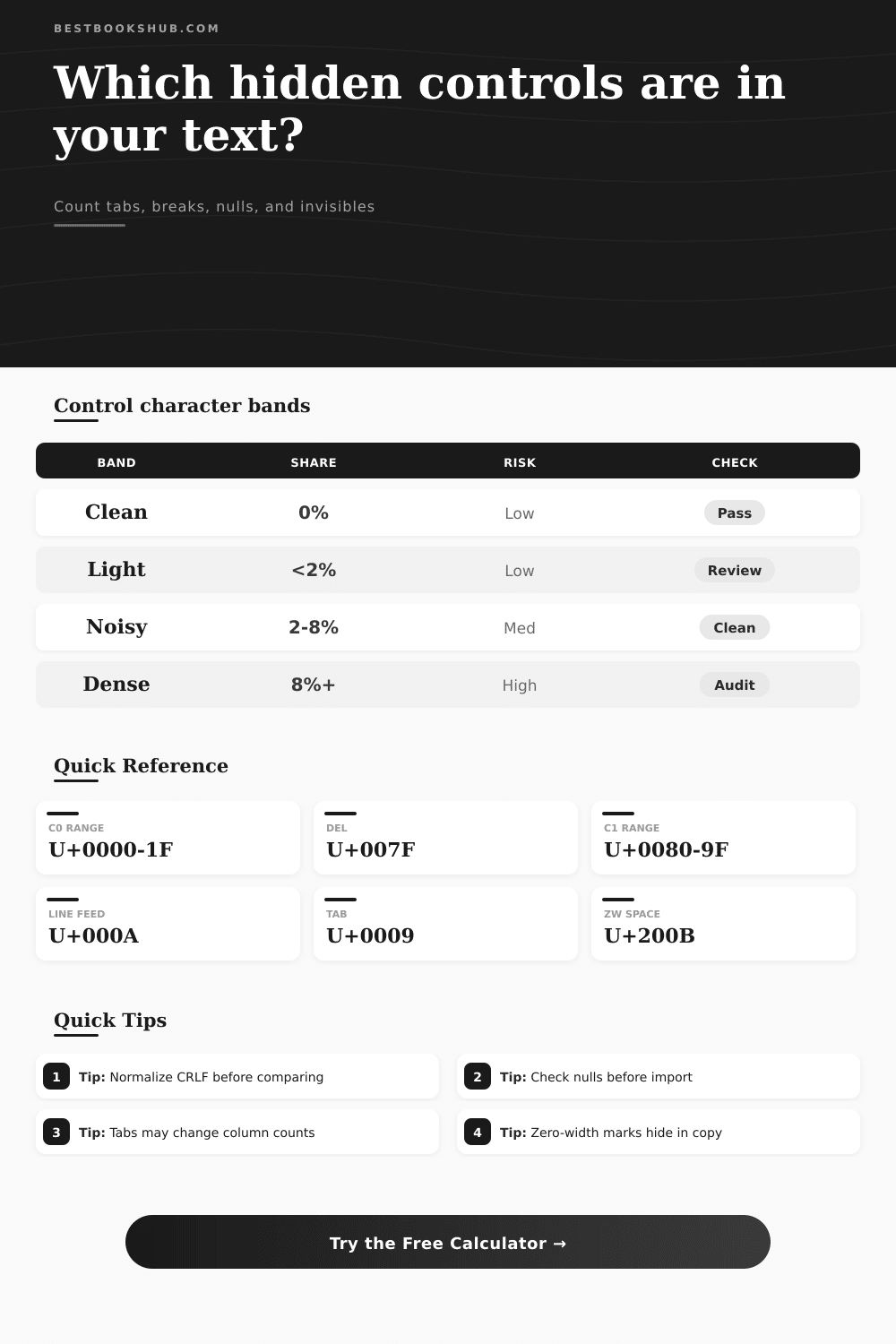
| C0 controls | U+0000-U+001F | NUL, TAB, LF, CR | ASCII device and layout controls |
| Delete | U+007F | DEL | Legacy delete marker |
| C1 controls | U+0080-U+009F | NEL, CSI, OSC | Extended terminal controls |
| Unicode invisibles | U+200B+ | ZWSP, LRM, RLM | Copy, direction, and joining marks |
| Code | Name | Escape | Watch for |
|---|---|---|---|
| U+0000 | Null | \0 | Import truncation |
| U+0009 | Tab | \t | Column shifts |
| U+000A | Line feed | \n | Line breaks |
| U+000D | Carriage return | \r | CRLF pairs |
| U+001B | Escape | \x1B | Terminal codes |
| U+007F | Delete | \x7F | Legacy cleanup |
| Signal | Light count | Noisy count | Interpretation |
|---|---|---|---|
| Control share | <2% | 8%+ | Layout-heavy or corrupted text |
| Null bytes | 0 | 1+ | Check source encoding |
| C1 controls | 0 | 1+ | Legacy or terminal text |
| Zero-width marks | 0-1 | 5+ | Copied text may hide joins |
| Source type | Likely controls | Common symptom | Best scan mode |
|---|---|---|---|
| Manuscript paste | CR, LF, TAB | Uneven lines | CRLF as one break |
| CSV export | TAB, LF, NUL | Split records | Interpret escapes |
| Terminal log | ESC, BEL, CSI | Stray symbols | C0 and C1 |
| Web copy | ZWSP, LRM, RLM | Hidden joins | All invisibles |
DISCLOSURE: This post may contain affiliate links, meaning when you click the links and make a purchase, I receive a commission. As an Amazon Associate I earn from qualifying purchases.
Text seems like such a stable surface: a window into what something means. But it’s actualy an unstable thing barely stitched together with unseen glue. Take one paragraph of text on a web page and cut-and-paste it in a spreadsheet. Suddenly your data has spread itself across several rows or won’t import at all. It’s not usually because there’s anything wrong with the words. It’s because of the unseen architecture below them: the control characters that tell computers how to format, move, and interpret the stream of bytes.
These marks is mostly invisible to most people so working with text feels like chasing after ghosts. But here’s where the trouble begins: Not all systems talk the same language of silence. On a Windows computer, a line break consist of a combination of two characters, a carriage return followed by a line feed. But most other operating systems (such as Linux and Mac) expects only the line feed. Mix your sources together and you’ll find yourself with odd-looking boxes or blank lines (stray returns).
Why Text Has Hidden Problems
Another common culprit are tabs. They promise to keep things aligned, but do so only if everyone who view the text agrees on how wide a space they represent. Your source may use them for structure; your destination interpret them as single spaces, and then your columns starts drifting out of place right away.
That’s where a scanner comes in. The one we’ve been using does all the work of finding those pesky characters that don’t print, and lets you know what you’re missing. If you just have some messy text to clean up, you might want to treat line feeds and carriage returns as a pair. But if you think there may be an issue with the data itself separating them will help you identify the cause. It will show if it’s something about how someone formatted their information or if the data itself isn’t right. Because treating them as different things changes the total count, which gives you more context for tracking down the problem: Is this a formatting quirk? Or is the file actualy broken?
Moddern work flows add another layer of noise beyond the basic layout markers: Web pages inject all sorts of invisible characters (such as zero-width space) to make long words appear nicely wrapped on narrow mobile displays. For the reader they’re entirely invisible; but in the guts of your database field they behaves exactly like poison. They may break sorting algorithms or string matches. They also bloat your file size with no added value. Terminal log escape codes and null bytes also crash parsers that assume clean ASCII or truncate imports. Page’s reference table group these characters into families so you’ll know whether what you see is structural damage or just harmless formatting.
That’s not something you have to know if you’re a coder, though. To me, it’s more like viewing your home before purchasing it: You might like how everything looks, the layout, the paint, etc., but then you want to see foundation. If there are lots of control characters in your text, this often means you’ve copied data from a rich-text editor, or it was scraped elsewhere; the fewer there are the less likely you’ll find any problems.
Using the tool, you can also expand your tabs into spaces, or normalize your line breaks, which provides a preview of how the cleaned-up text will appear. That’s key, as it enables you to adjust accordingly before committing the data to some permanent storage location. But not all control characters should of removed, some are structural. The idea isn’t to remove them all. The idea is to make the invisible visible. This gives you enough information to make an educated decision.
This way you don’t have to import, fail, and restart. It helps you scan through your text before adding it into your workflow. It gives you control over the chaos that occurs between the copy and the paste. Sometimes, you just need a little help seeing what’s realy there. Clean data starts with clean eyes.