📖 Front matter estimator
Copyright page word count calculator
Estimate the word count, line count, and page fit for a copyright page using book format, rights statements, ISBN lines, cataloging data, credits, and permissions notes.
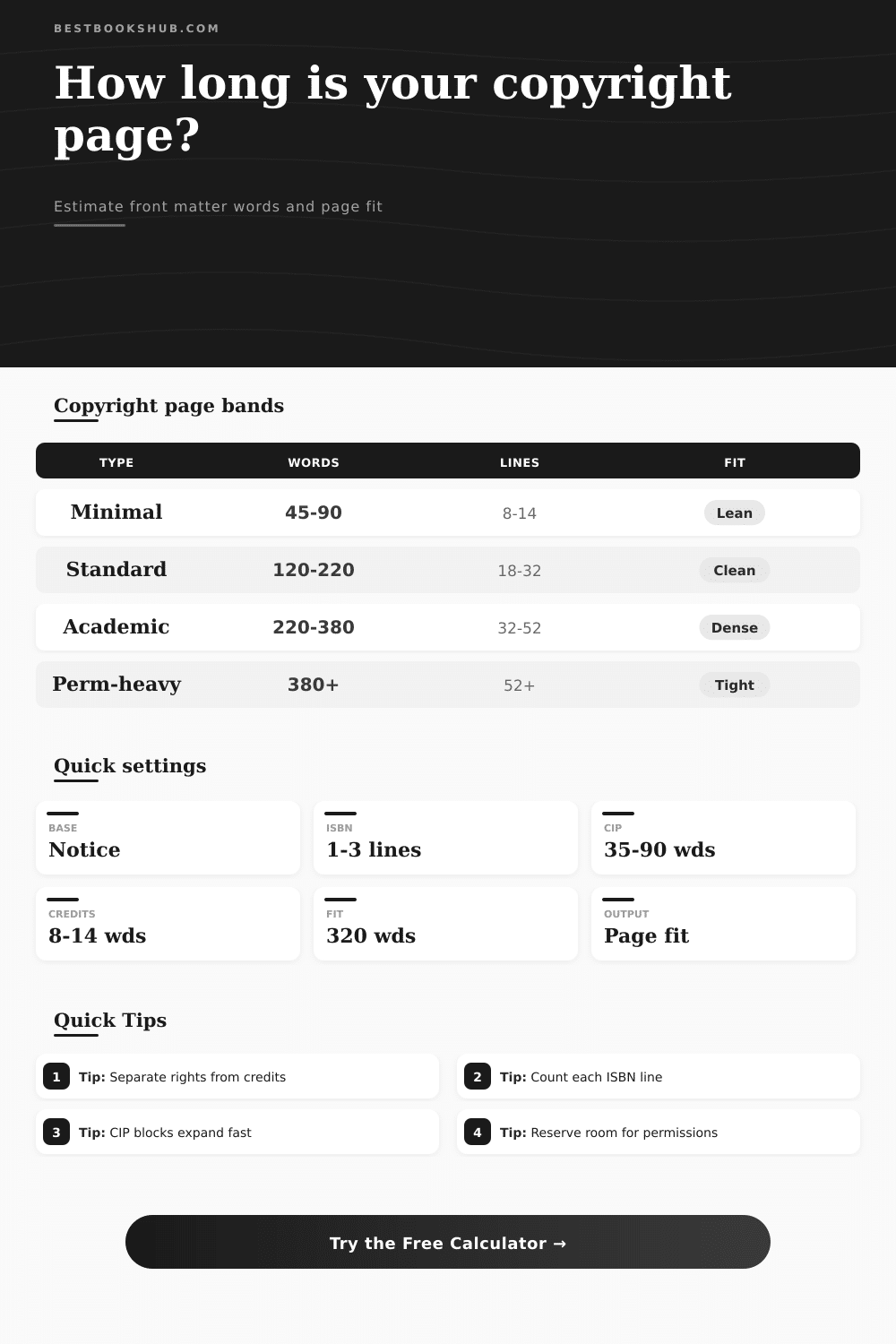
| Component | Typical words | Typical lines | Planning cue |
|---|---|---|---|
| Copyright notice | 6-12 | 1-2 | Year plus rights holder |
| Rights statement | 18-55 | 3-7 | Short license or expanded reserve |
| ISBN identifiers | 5-8 per line | 1 per line | Print, ebook, audio, or edition IDs |
| Publisher imprint | 5-10 per line | 1 per line | Imprint, address, and website |
| Cataloging block | 35-90 | 6-14 | CIP, subjects, and classification |
| Permission credit | 18-45 each | 3-7 each | Excerpt, art, lyrics, or archives |
| Book type | Usual range | Extra pressure | Watch item |
|---|---|---|---|
| Fiction or memoir | 80-180 words | Low | Disclaimer wording |
| General nonfiction | 120-240 words | Medium | Accuracy and permissions |
| Academic monograph | 220-420 words | High | CIP and funding notes |
| Illustrated book | 180-360 words | High | Image and cover credits |
| Anthology | 260-520 words | Very high | Contributor permissions |
| Public domain edition | 140-280 words | Medium | Edition and source notes |
| Trim and type | Comfort words | Dense words | Layout note |
|---|---|---|---|
| 5 x 8 in, 8 pt | 240-280 | 330 | Compact paperback |
| 5.5 x 8.5 in, 8 pt | 280-330 | 390 | Trade paperback |
| 6 x 9 in, 8 pt | 320-380 | 450 | Standard nonfiction |
| 7 x 10 in, 8 pt | 430-520 | 620 | Textbook or workbook |
| Page fit band | Fill ratio | Line feel | Decision |
|---|---|---|---|
| Open | Under 45% | Spacious | Room for catalog data |
| Balanced | 45-75% | Clean | Comfortable page |
| Full | 75-95% | Dense | Tighten optional wording |
| Overflow risk | 95%+ | Crowded | Split permissions or reduce blocks |
DISCLOSURE: This post may contain affiliate links, meaning when you click the links and make a purchase, I receive a commission. As an Amazon Associate I earn from qualifying purchases.
One of most overlooked pages of a book is the back of the title page. Small print contains all of the publisher’s address information, ISBNs, and all sorts of other legal stuff. Unless a designer informs you there isn’t enough copy here or it’s overflowing into the following page, most authors don’t pay any attention to this page at all.
That has been the case until now. This calculator eliminate guesswork and allows you to construct your front matter page-by-page. See exactly what the legal pages will look like before you lay out the page.
How to Plan Your Copyright Page
The copyright page is like a puzzle, with some large and small pieces. For a stand-alone novel, the copyright page can be simple, just requiring address and a standard rights statement. But add cataloging data to a textbook; add photo permissions to a history book, and the copyright page grow fast. Enter your own specifics into the tool, and it totals up the available space. You won’t have to fumble through adding up words for each line item anymore.
Choose your trim size and whether you want a CIP block. Toggle on any additional statements you’d like to include. The tool will estimate how many lines is being used and how many words remain, allowing you to determine whether there’s room left on the page or if it’s already too full.
It’s common for the CIP block to take up more space than anticipated. It may look short in Library of Congress cataloging form, but once it is properly formatted, it stretch out. A good sign is if your output states that the page is roughly 85% full. This leaves room while still making the page look complete.
A bad sign is if the calculator tell you the page is tight or dense. In this case, trim down some text. Shorten a disclaimer. Shift production credits to the acknowledgments page. The reference tables on the tool tell you what’s typical for various formats and help you know that a three-hundred word copyright page isn’t unheard of for academic publications.
The amount of text that can be printed per page also depends on trim size. More text can fit into a trade paperback (six by nine inches) then a mass market paperback (five by eight). Notice what happens to the word capacity when you adjust the trim size in the calculator. Because the trim size influences the overall pagination flow, designers ask this question early on.
You may have extra white space in your front matter, or the text might spilled over onto too many pages if you intend to publish at a larger square trim first and then downsize to a smaller, longer version. It is a small detail but it will affect the final layout.
Another factor that will influence the page size is permissions. Most images being used need to be credited, and so does each excerpt or song lyric used in the work. And since these lines contains both rights holders’ names and other source details, they’re likely longer than your average piece of text. If you’ve got multiple ones of them, then rather than a clean declaration of ownership, your copyright page looks more like a ledger. At some point it just makes sense to break up the content onto another page. The calculator help you know when that is.
However, by doing this you are in control of how it will be designed. If you hand off this detail to a designer and don’t know what’s involved, you risk having the designer move around your text because suddenly she can’t fit all the text (including mandatory legalese) on one page. Estimating word count up front makes sure that the finished piece not only follows the letter of the law but also appears uncluttered and easy-to-read to whoever reads it. The final result shouldn’t crowd the edges of the page; it should appear balanced and purposeful on the back of the title page.
You should of checked for moderren font styles too. If you want a luxurius look, makes sure everything is naturaly aligned based off your trim size. It could of been easier to recieve the files if they was ready.