🧹 Line cleanup
Remove duplicate lines tool
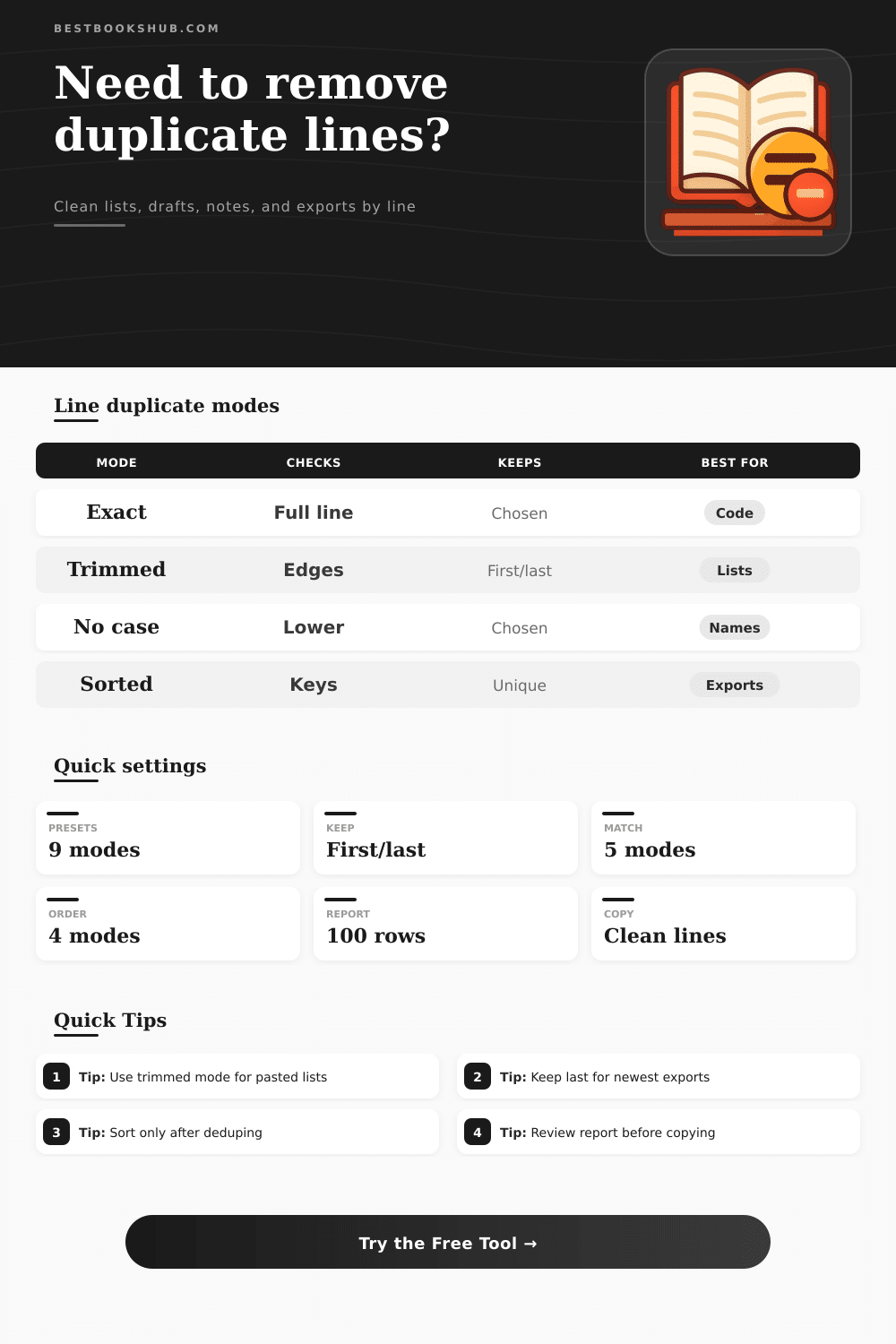
Clean repeated lines from lists, indexes, notes, manuscript snippets, and exports while choosing exact, trimmed, or case-insensitive duplicate rules.
Load a realistic sample, then adjust match rules, keep mode, sorting, blank-line behavior, and report detail before copying the cleaned lines.
Duplicate report
| Kept line | Copies | Removed lines | Preview |
|---|---|---|---|
| Run the tool to build a duplicate report. | |||
| Match rule | Duplicate example | Different example | Best use |
|---|---|---|---|
| Exact line match | Book Club | book club | Technical lists where casing and spacing carry meaning. |
| Trimmed edge match | Novel Notes | Novel Notes | Lists with accidental leading or trailing spaces. |
| Case-insensitive match | ARC Reader | ARC Reader | Name lists, tags, and title banks with mixed capitalization. |
| Trimmed and case-insensitive | Chapter 4 | Chapter 4 | General editorial cleanup where edge spaces do not matter. |
| Collapse spaces and case-insensitive | Scene List | Scene-List | Messy exports with repeated interior spaces. |
| Keep mode | What stays | What is removed | Use when |
|---|---|---|---|
| Keep first occurrence | The earliest copy of each matching key. | Later repeats in the same duplicate group. | The first list order is authoritative. |
| Keep last occurrence | The newest or final copy of each matching key. | Earlier repeats in the same duplicate group. | Later exports contain updated wording. |
| Protect headers | Top lines bypass the duplicate scan. | Only body duplicates below the header count. | Column names or section labels must remain. |
| Ignore short keys | Short lines pass through unchanged. | Long enough duplicate keys are removed. | Small markers such as I, V, or Q should stay. |
| Output order | Behavior | Report effect | Good destination |
|---|---|---|---|
| Preserve kept line order | Unique lines keep their natural input position. | Line numbers are easiest to audit. | Manuscript outlines, scene lists, and notes. |
| Sort A to Z | Cleaned lines are alphabetized after dedupe. | Report still shows original kept lines. | Keyword banks, title lists, and indexes. |
| Sort Z to A | Cleaned lines are reverse alphabetized. | Duplicate groups remain based on detection keys. | Review queues or latest-first labels. |
| Sort by duplicate key | Output follows normalized comparison keys. | Helpful when case or spaces vary. | Mixed-case imports and database exports. |
| Preset | Match rule | Keep mode | Typical cleanup goal |
|---|---|---|---|
| Reading list | Trimmed and case-insensitive | First | Keep the first title spelling in a personal list. |
| Citation export | Collapse spaces and case-insensitive | Last | Keep the latest formatted export line. |
| Chapter scenes | Trimmed edge match | First | Remove repeated scene labels without sorting. |
| Keyword bank | Case-insensitive | First | Build a unique tag list for metadata work. |
| Log export | Exact line match | Last | Remove duplicate machine lines while preserving exact text. |
DISCLOSURE: This post may contain affiliate links, meaning when you click the links and make a purchase, I receive a commission. As an Amazon Associate I earn from qualifying purchases.
Open that spreadsheet export and notice that there is six instances of your client’s name. Copy/paste a reading list into your notes app and discover that “The Hobbit” has appeared two (or more) times, each time spaced differently. At this point it seems like no big deal. But these tiny mistakes can clutter a database or mess up a mail merge. This is where remove duplicate lines tool comes in handy.
Use it to clean your text, and to make you think about what actualy counts as a duplicate. Choose how closely the tool match lines. Exact matching consider each character, including capital letters, as relevant. If a single space too many are significant (like in log files or code), use this. Trimmed matching disregards any extra spaces and tabs that accidental got copied. Useful when copying stuff from other apps. Case insensitive matching make “book club” and “Book Club” the same line. Great for titles or names. If you have messy data, you can mix up these rules. Selecting the correct rule will save you hours of manual edit.
How to Use the Duplicate Removal Tool
Then you need to decide which text you want to keep. Do you want to keep the first one (in which case it keeps the original order), that’s good if you’re exporting, and the last one (in which case it keeps the newer version), that’s good if you’re keeping context for a note or something where earlier mentions might have some context. So this option will affect what remains in your doc.
The list’s output order matter. Line numbers will be correct if kept in input order. Alphabetical sorting make it easy to scan through the list. It is great for a keyword bank. Selecting one change the outcome. Sorting A to Z with trimmed spaces and case-insensitive matching (keeping only the last copy) results in a different outcome than an exact match that keeps the original order. The tool displays these variations allowing adjustment before saving.
Pay attention to short keys and blank lines. Eliminate all blank lines, perhaps? One blank line make it readable at times. Short keys (like roman numerals) appear to be duplicate keys but aren’t. Protect your unique markers by ignoring short keys below some minimum length.
But the second report is also valuable. The second report will show you how many lines you deleted. Where those lines came from. Who they belonged to. That way you can avoid deleting critical information by mistake. You’ll start to learn about your data habits. Perhaps you see that your teammates are adding unnecessary spaces all the time. Or maybe product names goes back-and-forth between sentence case and title case. Each cleanup reveals a process failing somewhere along the line.
I’ve heard people say they believe this is something that could of been fixed by just running deduplication on the data. It’s not so easy. Each step has to be checked. Sometimes you have to repeat the process, using different rules. When done well, workflows use the output of clean for their next input. Put the cleaned results back in, then do it all again until your list is correct.
Deleting duplicates isn’t perfect. It’s intentional. Each cleaned list reflects what you think are repeats. If you select the right things, it will feel like less work. The repetitions goes away, and the clarity stays.