📖 Readability comparison lab
Flesch Reading Ease comparison calculator
Compare two drafts or audience targets with Flesch Reading Ease, words, sentences, syllables, grade bands, before-after deltas, and numeric adjustment targets.
Load a before-after pair for common book, classroom, article, and manuscript editing scenarios.
DISCLOSURE: This post may contain affiliate links, meaning when you click the links and make a purchase, I receive a commission. As an Amazon Associate I earn from qualifying purchases.
Automatic counts estimate English syllables. For final copy, switch to manual totals or use overrides when you already have verified words, sentences, and syllables.
Results will show words-per-sentence and syllables-per-word targets for the selected audience.
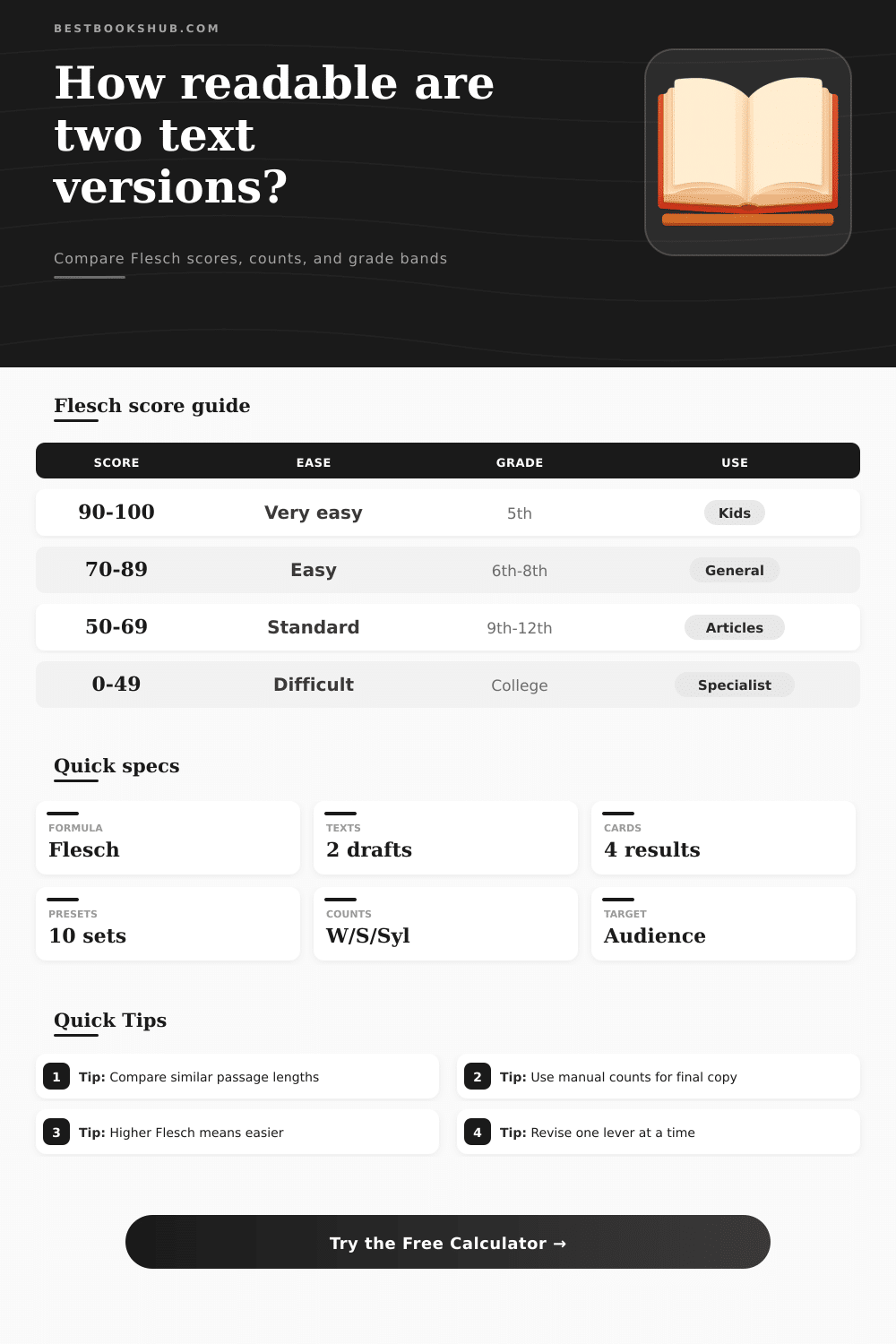
| Reading Ease score | Plain-language band | Approximate grade band | Typical text use |
|---|---|---|---|
| 90 to 100 | Very easy | Around 5th grade | Children's prose, early readers, simple instructions. |
| 80 to 89 | Easy | Around 6th grade | Middle grade passages, friendly explainers, quick help text. |
| 70 to 79 | Fairly easy | Around 7th grade | General web copy, newsletters, accessible nonfiction. |
| 60 to 69 | Standard | 8th to 9th grade | Articles, essays, book chapters, classroom material. |
| 50 to 59 | Fairly difficult | 10th to 12th grade | Serious nonfiction, editorial analysis, adult chapters. |
| 30 to 49 | Difficult | College level | Academic, policy, technical, or specialist prose. |
| 0 to 29 | Very difficult | Advanced college | Dense legal, scientific, or theoretical passages. |
| Input | How it is used | Effect on score | Comparison note |
|---|---|---|---|
| Words | Divides by sentences and syllables | More words per sentence usually lowers ease | Compare passages of similar length when possible. |
| Sentences | Creates average sentence length | More sentence breaks usually raise ease | Sentence mode can change scores on fragments. |
| Syllables | Creates syllables per word | More syllables per word lowers ease sharply | Manual counts help with names and invented terms. |
| Target score | Benchmarks the after version | Shows points above or below goal | Use audience band or custom goal together. |
| Manual overrides | Replace one or more automatic counts | Can correct estimator errors | Best for final editorial comparisons. |
| Revision lever | Calculation signal | Score direction | Use when |
|---|---|---|---|
| Shorten sentences | Lower words per sentence | Raises Reading Ease | Score is below target and sentence length is high. |
| Use simpler words | Lower syllables per word | Raises Reading Ease | Hard-word density or terminology is driving the score down. |
| Keep technical terms | Accept higher syllables per word | Lowers ease but may preserve accuracy | Specialist audience needs precise vocabulary. |
| Add sentence breaks | Increase sentence count | Raises ease without changing words | Draft has long compound or list-heavy sentences. |
| Compare equal samples | Similar word totals | Stabilizes deltas | Before and after versions differ greatly in length. |
| Preset | Starting pattern | Revision pattern | Best comparison use |
|---|---|---|---|
| Kids Rewrite | General explanatory paragraph | Shorter child-facing version | Check movement toward 90+ Reading Ease. |
| Academic Plain | Dense scholarly phrasing | Public summary version | Estimate accessibility lift from plain language. |
| Manual Clarity | Instruction-heavy prose | Step-focused sentence rhythm | Compare procedural drafts for classroom or help use. |
| Technical Note | System description | Simplified operator note | Balance necessary terms with shorter sentences. |
| Literary Edit | Longer descriptive sentences | Tighter but still styled prose | Review whether clarity changes the voice too much. |
When you are finished revising a text, you may wonder if the new version of the text is clearer then the old version of the text. Since you cant rely upon your gut feeling to determine if your text is clear or not, you should use Flesch Reading Ease scores to compare the two versions of your text. Flesch Reading Ease scores provides a metric that converts the length of your sentences and the complexity of the words in your text to a single number that indicates the accessibility of your text to various reader.
The calculator will perform the mathematical calculations necessary to derive these scores for you, and allow you to focus upon what the scores indicates for your audience. Flesch Reading Ease scores reward writers for use shorter sentences and using words that are more easy to understand. The text derives scores from a base value, with various penalty applied to that base value for the average number of words in sentences and the average number of syllables in words.
How to Check If Your Writing Is Easy to Read
Scores range from zero to one hundred; higher scores indicates that the text is easier to read, while lower scores indicate that the text is more difficult to read. For instance, texts created for early readers will have scores in the nineties, while dense academic texts will have scores in the thirties and lower. The range of scores can help to indicate whether an audience can understand a text without needing to reread it to understand certain term or concepts.
One of the best ways for writers to increase their Flesch Reading Ease score is to decrease the length of their sentences. Often, breaking a long sentence into two or three shorter sentences will have a more greater impact upon the Flesch Reading Ease score than changing any of the words within the sentence. This is due to the way in which the calculator calculates the readability score for each sentence; reducing the length of the words in several sentences will compound to create an increased readability score.
Additionally, the reduction of the number of syllables in text is also important to increase readability; this is especially true when changing technical term to more everyday words within the text. The calculator calculates both sentence length and syllable count, and these value will help you to determine whether you should adjust the rhythm of your sentences versus their vocabulary. The settings within the calculator allow you to adjust the way that the readability score calculate the number of sentences and words in your text.
For instance, you can choose whether line breaks should be considered as sentence breaks, or you can use the default settings to only calculate sentences ending with periods, question marks, and exclamation point. Additionally, you can adjust the calculation of syllables to account for different word patterns in your text, or you can choose whether to count hyphenated word as one word or two separate words. These settings are important for texts that may contain proper noun or technical term.
Using the two different sets of settings will allow you to determine if the readability score is for your text itself, or for the way that the calculator calculated the readability score. In addition to the readability scores of each version of your text, the calculator also determine the target audience for which your text is written. For instance, articles written for a general audience will have readability scores in the seventies, while texts created for high school classrooms will have readability scores in the low sixties.
Each text can be compared to this target audience, and the calculator will display the distance that each version of the text is from the target readability score. This distance can help to make your goal for the readability of your text concrete and measurable. One of the most common mistake in using readability scores is to apply the readability score calculator to two texts of significantly different lengths.
Because readability scores are calculated according to the number of words in a text, a short text will automatically have a higher readability score than a long text, regardless of the actual readability of the text. Thus, it is possible to manually adjust the totals for words, sentences, and syllables, which is helpful if you know the exact figure for your text. Additionally, manual counting can allow for corrections for proper noun, names, or other invented term that may have an incorrect syllable count.
The readability score calculator is most helpful when you use the comparison of readability scores to guide your next edit to the text. If the readability score of the new version of your text is still several point below your target readability score, the readability score can help you to determine whether you should focus upon your sentence length or upon the syllable count of each word in your text. Thus, you can make a determination of whether to split your sentences, or to change any word that contain a high syllable count.
Thus, readability scores help to separate issues regarding sentence length and syllable count from those readability issues. Using readability scores can alter the way that writers draft their texts. For instance, writers may begin to adjust the length of their sentences before they are finished drafting them.
Additionally, writers may begin to make adjustment to the use of technical or specialist vocabulary when writing for a general audience. The readability score calculator makes these intuition measurable, helping to ensure that improving readability becomes a repeatable process for writers. You should of used these scores to make your writing more comfortabley.