# Text symbol analyzer
Number sign counter
Paste manuscript notes, markdown drafts, tags, issue lists, anchors, or metadata to count number signs, classify their use, and spot crowded cleanup areas.
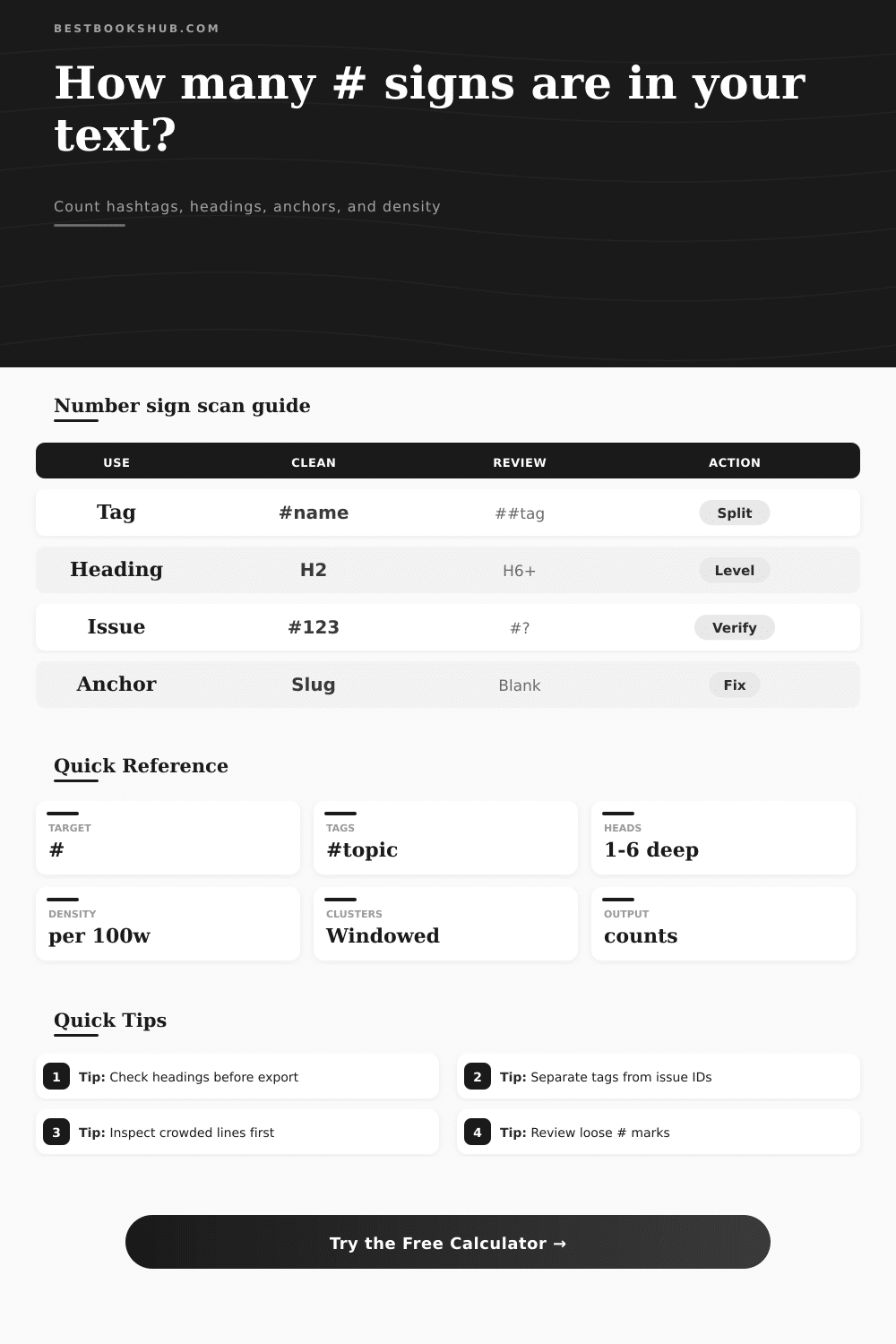
The calculator scans literal number signs, then separates likely hashtags, markdown headings, issue IDs, anchors, color codes, and loose symbols.
| Pattern | Example | Calculator classification | Review cue |
|---|---|---|---|
| Hashtag | #BookNotes | Tag-like word after # | Check repeated tags and crowded captions |
| Markdown heading | ## Chapter Notes | Line starts with one to six # marks | Confirm hierarchy before publishing |
| Issue ID | #204 | Number sign followed by digits | Verify ticket references and ranges |
| Anchor or slug | #chapter-one | Anchor-style fragment | Check empty or duplicated anchors |
| Color code | #2D2D2D | Six-digit hex pattern | Separate design values from prose symbols |
| Loose symbol | # by itself | Unmatched number sign | Inspect as a possible typo or placeholder |
| Density band | Per 100 words | Typical text | Editorial action |
|---|---|---|---|
| None | 0 | Plain prose or final body copy | No symbol cleanup needed |
| Light | 0.1 to 1.5 | Occasional ticket, heading, or anchor | Skim contexts for accuracy |
| Moderate | 1.6 to 4.0 | Tagged notes, outlines, social drafts | Review repeated or mixed uses |
| Heavy | Over 4.0 | Hashtag groups or dense metadata | Inspect clustered lines first |
| Source text | Expected # use | Risk pattern | Best scan mode |
|---|---|---|---|
| Markdown article | Headings and anchors | Skipped heading levels | Heading only |
| Social caption | Hashtags | Long tag clusters | Hashtag only |
| Editorial log | Issue IDs and notes | Broken ticket references | Issue only |
| Metadata export | Tags, anchors, fields | Duplicate markers | Every literal # |
| Design notes | Hex color codes | Colors counted as tags | Mixed pasted text |
| Level | Marker | Common role | Review note |
|---|---|---|---|
| H1 | # Title | Document title | Usually one per draft |
| H2 | ## Section | Main section | Most common article split |
| H3 | ### Detail | Subsection | Useful for grouped notes |
| H4 to H6 | #### Deep | Nested detail | Check readability and export support |
DISCLOSURE: This post may contain affiliate links, meaning when you click the links and make a purchase, I receive a commission. As an Amazon Associate I earn from qualifying purchases.
When was the last time you read a draft that was littered with # symbols? I’m guessing it looked like a mess. It might have been a messy markdown document with broken headers, a social media caption crammed full of tags, or a project management log filled with ticket IDs. To the naked eye, they’re all just little squares. But to a reader (or scanner) attempting to understand structure, each symbol do an entirely different job. Most of us lump them together into one category, we count the total and get overwhelmed. The trick is mostly understanding what’s actualy being measured.
This isn’t a mere hash counter; it’s a hash classifier. And that matters.
Why It Is Good To Count The Hash Symbols
Does this:
These are my book notes. The calculator above will run math for you by separating the noise from the signal. Chapter One.
And what about this one? An example of an issue ID is #204.
Those are all different things, right? That’s a tag. That’s a heading marker. That’s a pointer to a particular bug report. If you get them confused in your head, how can you keep track of the structure of your own documents? The calculator above will sort out the signal from the noise for you.
Take density metric as an example. It counts how many occur in every one-hundred words. That’s a useful signal: Is what you’re reading shouty? Or is it readable? Zero indicates a piece of plain prose, good when it’s your final blog post, not so much when it’s a rough outline. Anything above four usually flags a metadata dump or hashtag cluster. If you’re writing a newsletter and find your density hovering near that heavy band, take a step back. Odds are that you’ve overwhelmed your reader with visual clutter. The reference table on the page help you see where the line goes from moderate to heavy. This lets you decide whether you should of trim.
Here is where markdown writers is bothered with a particular headache. They make headings by using number signs. From H1 to H6. There’s a toggle to change the heading recognition mode. In default mode, it catches what most people do. Switching to strict, though, forces you to follow the hashes with proper spacing… Helpful for finding lazy formatting. Because this breaks table of contents and makes it harder for screen readers to read, it really matters. You may not see one hash as anything but a symbol, but in the eyes of a browser or a CMS, it’s an instruction, and if you get it wrong, the machine can’t see your hierarchy.
But then there are the loose signs. These are the orphans. The tool flags them as unclassified marks to be reviewed. Often this happens if you copy some text off a webpage that had lost its formatting, or if a typo has slipped through. By itself, a single # does nothing on today’s web. It is neither a header nor a tag. Typically it is just debris. Cleaning those up is a little win, but it really makes a big difference in how professional a document looks. And it works. For a reason.
Then there’s hashtags. The tool will pick those out too. Separating out hash-tagged content from the rest of the copy. This helps social media managers spot how many they’re using. They often add them willy-nilly, repeating themselves and cramming in multiple tags with no thought to spacing it out. Isolating the number of hashtags makes it clear whether you’ve gone tag-happy. When everything else is a tag, you’ve lost the caption. Identify the sweet spot: dense enough to be seen but not so much as to appear spammy. Find a balance between readable and visible.
There’s also the matter of issue IDs. A #123 could be an error in your book, but in your dev team that might be a ticket reference. With the calculator you can define what an issue ID looks like, whether it needs one digit, two, or more. That will avoid false positives. Don’t let the tool mistake your historical reference to the year 2020 for a ticket number. Tweaking this setting is all about training the tool to understand your context.
The point isn’t that you’ll hit some magic number by counting symbols. It’s that they should each deserve their spot on the page. Writing with knowledge of the type of hash you’re using allow you to do so with purpose. You begin to recognize the symbol as a tool rather than something to be feared. And the next time you dump a wad of text into the analyzer, just observe: it will sort the mess. You’ll see your document less as a wall of characters and more as a space with structure, one in need of refinement. It all goes full circle to that first glance at the draft. Now you know where to look.