📄 Pages to Words Converter
Convert any page count to an estimated word count based on font, spacing, and document type
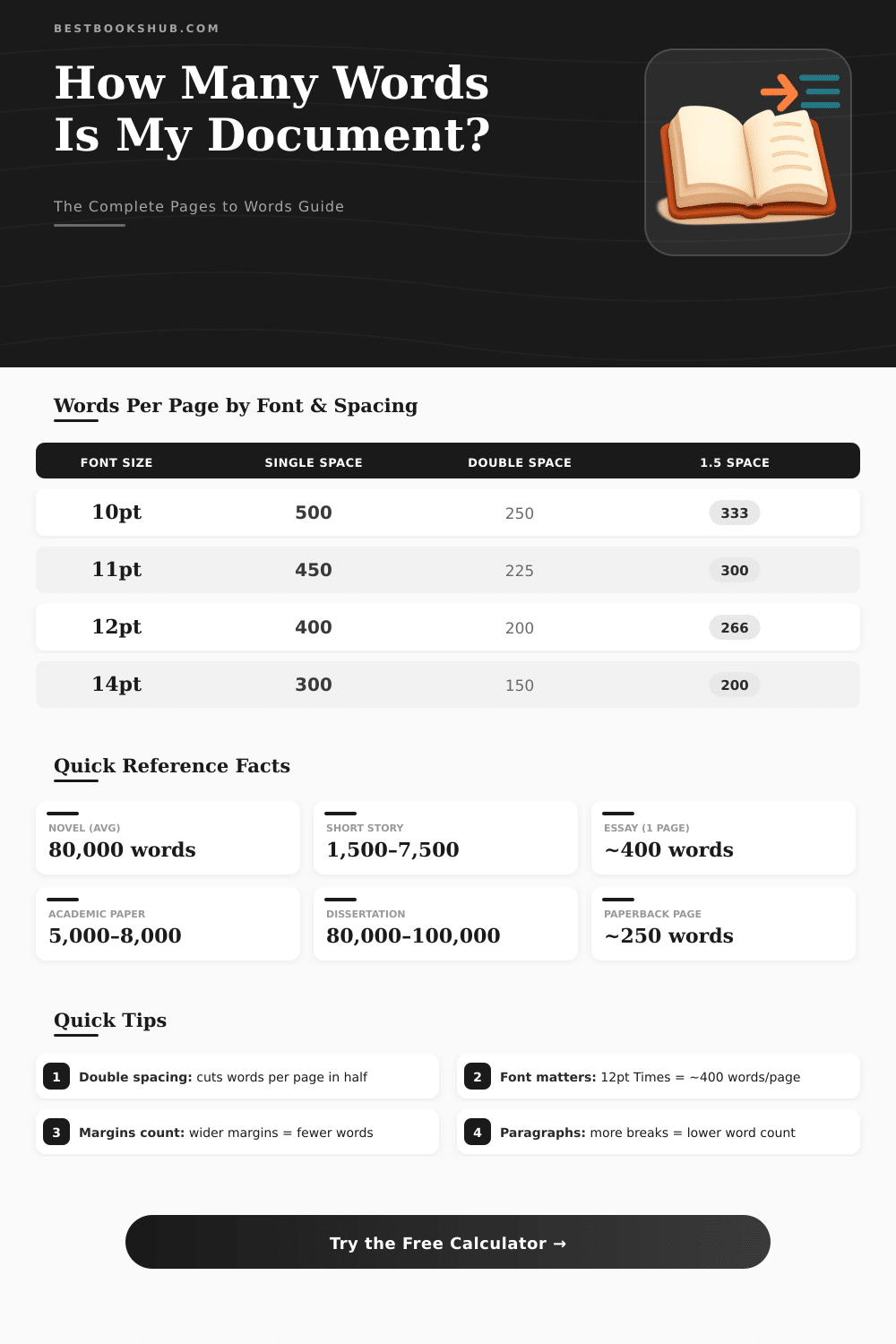
| Font Size | Single Spaced | 1.5 Spaced | Double Spaced |
|---|---|---|---|
| 10pt | 500 words | 333 words | 250 words |
| 11pt | 450 words | 300 words | 225 words |
| 12pt | 400 words | 267 words | 200 words |
| 14pt | 300 words | 200 words | 150 words |
| 16pt | 230 words | 153 words | 115 words |
| Document Type | Typical Pages | Word Count Range | Words/Page |
|---|---|---|---|
| College Essay | 1–2 pages | 500–800 words | ~275 |
| Research Paper | 5–10 pages | 1,250–2,500 words | ~250 |
| Short Story | 6–30 pages | 1,500–7,500 words | ~250 |
| Novella | 80–160 pages | 20,000–40,000 words | ~250 |
| Novel | 250–400 pages | 60,000–100,000 words | ~250 |
| PhD Dissertation | 80–300 pages | 80,000–100,000 words | ~350 |
| Screenplay | 90–120 pages | 15,000–20,000 words | ~180 |
| Children's Book | 24–48 pages | 500–1,000 words | ~30 |
| Pages (Double Spaced) | ~Words (12pt) | Pages (Single Spaced) | ~Words (12pt) |
|---|---|---|---|
| 1 page | ~275 words | 1 page | ~500 words |
| 2 pages | ~550 words | 2 pages | ~1,000 words |
| 5 pages | ~1,375 words | 5 pages | ~2,500 words |
| 10 pages | ~2,750 words | 10 pages | ~5,000 words |
| 20 pages | ~5,500 words | 20 pages | ~10,000 words |
| 50 pages | ~13,750 words | 50 pages | ~25,000 words |
| 100 pages | ~27,500 words | 100 pages | ~50,000 words |
| 250 pages | ~68,750 words | 250 pages | ~125,000 words |
How many Pages require one to fill with a certain number of Words? Writers and students often ask that, and honestly there is no one answer that counts everywhere. It depends on the chosen font, on the spacing between lines and on the size of margins.
DISCLOSURE: This post may contain affiliate links, meaning when you click the links and make a purchase, I receive a commission. As an Amazon Associate I earn from qualifying purchases.
Even so, some rough calculations can lead you the good way.
How Many Words Fit on a Page?
The easiest way to estimate is to split the whole Words by 250 or 300. One standard in the industry uses 250 as the number, so a document with 10 000 Words would result in around 40 Pages according to that math.
Even so here start the problems (the font changes everything). Standard page A4 with font Times New Roman, margins of 1 inch and double spacing normally holds between 250 and 350 Words. If one switches to single spacing with 12-point script, one can stuff almost 500 Words on one page.
For the same 12-point text with double spacing, one needs almost two Pages for those 500 Words. Like this, according to your format, 500 Words can fill 1,1 page with single spacing in Arial, or extend to 1,8 Pages with double spacing.
There are free online tools that do that conversion for you. One enters the Words, and those calculators give guesses about Pages. The good ones let you set margins, size of font and style, to receive a more precise idea about what you genuinely have.
Script writing totally flips the writing style. A page full of descriptions can pass 300 Words, while a page rich in dialog barely reaches 150. For usual writing in standard format, one finds around 200 Words each page.
Books follow totally other rules. Your document in Word will not match a printed page of a book one too one. There is no precise formula to turn Pages of Word into final Pages of a book.
Guesses from Amazon twist around 325 Words each page for their uses. For something more reliable, create a PDF with the real format of the book, to see how it genuinely looks in the page count.
One also can play with spacing of signs and lines, to stretch or compress the text. Searching in settings of font and narrowing spaces between signs, one makes the paper seem longer, without changing anything else; practical trick.
Do you work with Pages of Apple? Converting to Word is easy. Open your file in Pages, click on File, pass the mouse above Export To and choose Word.
Also online tools help for Pages-to-Word, without watermarks or need of an account. You even can convert several files at once. To escape problems with font between programs, use shared fonts like Arial or Times New Roman.
A good idea is to export directly to PDF from Pages. It keeps your formatfixed, any device opens it.
Actually, the Words count is the safer value. The number of Pages adjusts too much according to what you do.