📌 Pinterest pin SEO lab
Pinterest description length checker
Check a Pinterest description for safe character range, keyword placement, hashtag count, truncation risk, CTA strength, and pin SEO density before publishing.
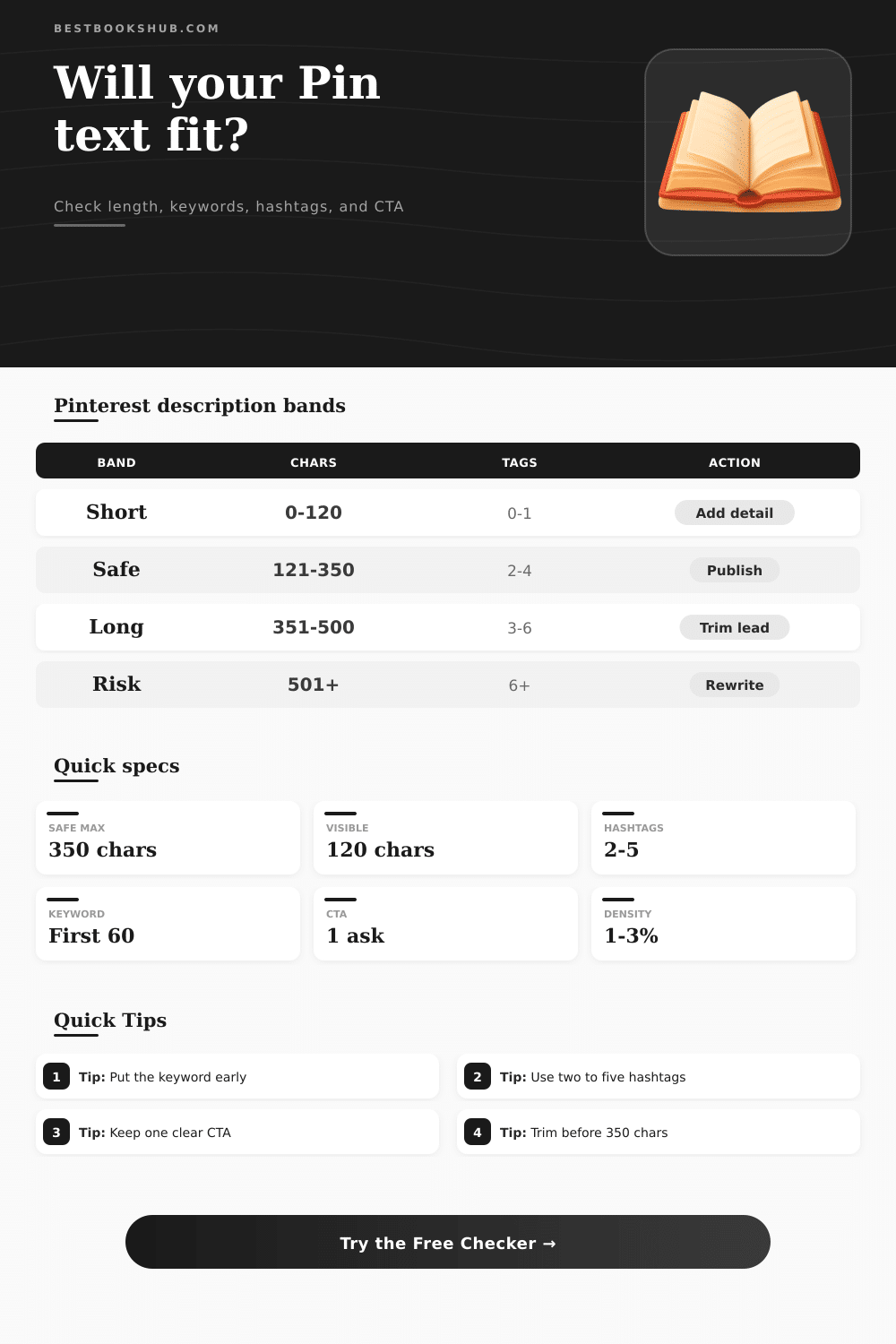
| Band | Character range | Visible risk | Best use | Recommended action |
|---|---|---|---|---|
| Too thin | 0-79 characters | Low truncation, low context | Only when the Pin title carries the full meaning | Add topic detail, reader intent, or one related keyword. |
| Compact safe | 80-220 characters | Usually safe | Quote graphics, quick tips, simple save prompts | Check that the primary keyword appears before the visible cap. |
| Balanced SEO | 120-350 characters | Moderate preview cutoff | Evergreen posts, book lists, article Pins | Use the opening sentence for keyword and payoff, then add hashtags last. |
| Story detail | 351-500 characters | Higher cutoff risk | Idea Pins or detailed educational descriptions | Make the first 120 characters work alone and trim repeated terms. |
| Over limit | 501+ characters | Not recommended | Rare draft review only | Rewrite around one search phrase, one benefit, and one CTA. |
| Signal | Target | Why it matters | Checker score impact | Fix first |
|---|---|---|---|---|
| Primary phrase | First 60 characters | Supports search clarity and survives most previews | Largest keyword placement bonus | Move the exact phrase into the first sentence. |
| Pin title alignment | Shared noun or phrase | Title and description should reinforce the same topic | Improves total Pin SEO score | Mirror the core noun without stuffing. |
| Secondary keywords | One to three natural mentions | Adds discovery context for boards and related searches | Small bonus per useful match | Use phrases as benefits, not a keyword list. |
| Repeated keyword | One or two uses | Repetition can help until it reads forced | Penalty when density gets high | Replace repeats with related terms. |
| Element | Recommended range | Strong example | Watch out for | Checker behavior |
|---|---|---|---|---|
| Hashtag count | 2 to 5 tags | #bookclub #readinglist | Long tag blocks that bury the CTA | Scores highest near your selected target. |
| Hashtag placement | End of description | Sentence first, tags last | Opening with tags before the benefit | Flags early hashtag clutter. |
| CTA phrase | One clear ask | Save this list for later | Multiple asks competing at once | Measures CTA word strength and clarity. |
| Question CTA | One question mark max | Which book would you choose? | Several questions in one caption | Rewards a question only in question mode. |
| Density band | Keyword share | Readability signal | SEO signal | Next step |
|---|---|---|---|---|
| Missing | 0% | May feel vague | Weak topical match | Add the primary keyword once near the start. |
| Light | 0.1-0.9% | Natural but subtle | Needs title support | Add one secondary phrase if the description is long. |
| Natural | 1-3% | Usually readable | Strong balance | Keep the wording and check hashtag count. |
| Heavy | 3.1-5% | Can sound repetitive | May look stuffed | Swap repeats for benefits or reader intent. |
| Stuffed | 5%+ | Awkward repetition | High quality risk | Rewrite with fewer exact-match repeats. |
DISCLOSURE: This post may contain affiliate links, meaning when you click the links and make a purchase, I receive a commission. As an Amazon Associate I earn from qualifying purchases.
This Pinterest Description Length Checker will help you test the safety of your pin text. It will show you if it’s too long or too short. It also checks if it has keywords at the beginning. Does it have any hashtags? Is there a chance it gets truncated? Does it have a clear CTA? And does it look naturaly for SEO?
Maybe you’ll slave away for 20 minutes trying to get that Pin just right, then it dissapears into nothing with minimal reach. Usually this happen because of the description. That couple of lines of text are like a combination search engine result and billboard on Pinterest, every letter counts. Too little and you provide zero data for the algorithm to use; too much and your call to action will be cut off in the middle of a sentence, preventing anyone from clicking through. There’s a sweet spot. It feels hard to find at first but eventually you figure out what Pinterest wants (and rewards), with its description.
How to Write a Good Pinterest Description
First up: Where do you put your main keyword? On Pinterest, search leans heavily on the opening characters. Most feeds will ignore you if you don’t mention your main phrase until third sentence. Putting it near the start serves a dual purpose: It informs the algorithm what the Pin is about, while also providing context to the mobile user so they know what they’re seeing before text gets truncated. Burying that phrase are flagged by the tool, but the deeper insight is knowing why those first sixty characters is like a headline.
That’s also true of hashtags. Typically, one or two (maybe up to five) targeted ones near the end work best: They increase discovery without distracting from your actual message. If you dump a dozen trendy tags up top, you train the eye to ignore it all and move on to the next Pin. The same applies to calls to action. Multiple CTAs cause decision fatigue. This is something the algorithm punish by lowering your engagement. One clear call to action is better than three that compete against each other.
It has its own story to tell: length. Under eighty characters is usually an afterthought; over five hundred feels like a blog post nobody’s gonna read on their phone. Most evergreen Pins seems to live somewhere in-between. To help with that, just type your draft into the calculator above and it’ll do the math for you. It will show you what truncated version looks like, how your keywords show up in the text, and how risky each one is. These are all things you can’t see without a calculator.
But you’ll have to use your ear for the rest: the human rhythm of reading on a scrolling feed. I see too many creatives filling the description box ONLY when the image is perfect. They think of it as an afterthought. But that’s not right, the image halts the scroll, but the text determine if the person will save it … or continue scrolling. A good description helps you show up in related searches (another traffic source that compounds month after month) AND in group boards.
Write out first one-hundred-twenty characters as if it were its own mini-message. It will be truncated after that, but everything after those first 120 characters becomes bonus context and hashtags. This one habit should of solved most truncation issues before they even arise.
Few starters appreciate just how important density is. If you cram “keyword” four times into a 200-character description, sure, it will sound robotic, yet it may also harm performance. About one to three percent of the whole thing, naturaly sounding rather than just trying to look optimized, feels genuinely helpful, not like something automated. It’s the tone that divides the Pins that build up their save counts silently over time versus those that burst for a moment and die off.
It’s kind of like picking up a foreign language initially, there’s some trial-and-error to get the balance right. Write, check, tweak, and gradually your eye learn to know what works on the platform. That’s just a quicker feedback loop: no more guessing. When the Pin starts to sound like something worth keeping, you’ll know it by the way the numbers adds up and the preview reads clean. And that’s what the algorithm listens for.