📖 Editorial planning
Proofreading time calculator
Estimate realistic proofing hours, review pace, total passes, and delivery days from word count, document condition, and the checks included in your proofread.
Single final pass
Best when the document has already been edited and only surface-level errors remain.
Proof plus QA sweep
DISCLOSURE: This post may contain affiliate links, meaning when you click the links and make a purchase, I receive a commission. As an Amazon Associate I earn from qualifying purchases.
Best when formatting, headings, captions, or small late-stage edits need one extra check.
Two full passes
Best for high-stakes documents where the second read catches consistency issues missed in the first.
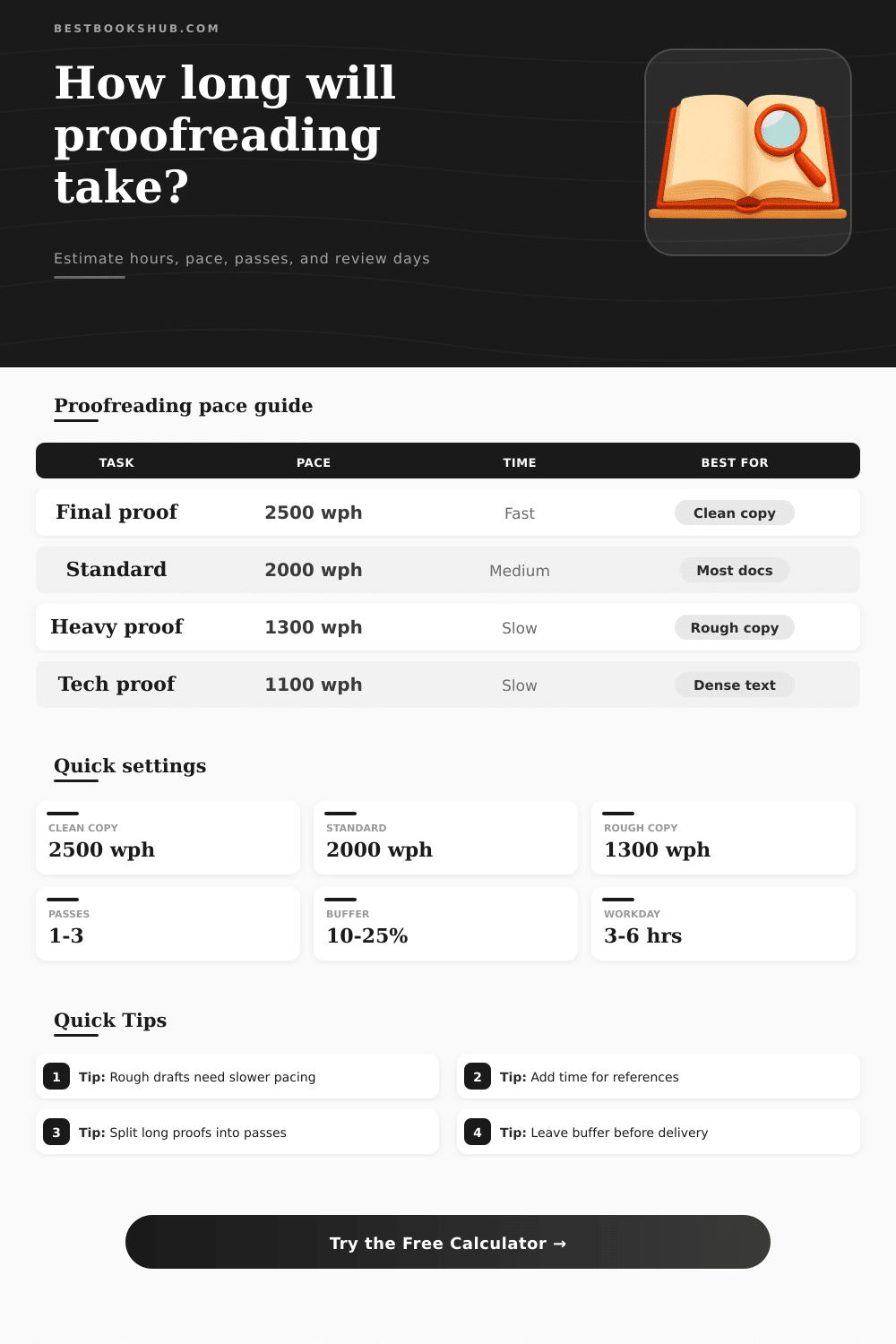
| Proofreading task | Typical pace | 1,000 words take | Best use |
|---|---|---|---|
| Final proofread | 2,400-3,000 wph | 20-25 min | Clean copy after editing |
| Standard proofreading | 1,700-2,300 wph | 26-35 min | Most essays, reports, and manuscripts |
| Heavy proofreading | 1,000-1,600 wph | 38-60 min | Error-heavy or inconsistent writing |
| Copyedit-level review | 700-1,200 wph | 50-85 min | Proofing plus clarity and wording |
| Document type | Pace effect | Why it changes time | Planning cue |
|---|---|---|---|
| Blog or web article | Faster | Short sections and familiar wording | Allow light formatting time |
| Academic chapter | Slower | Citations, terminology, and long sentences | Keep references separate if possible |
| Technical paper | Much slower | Symbols, units, tables, and dense claims | Add figure and caption checks |
| ESL-heavy manuscript | Slowest | Meaning checks and repeated grammar patterns | Use copyedit-level timing if needed |
| Word count | Clean final proof | Standard proof | Heavy proof |
|---|---|---|---|
| 2,500 words | 0.8-1.1 hrs | 1.1-1.5 hrs | 1.6-2.5 hrs |
| 10,000 words | 3.3-4.2 hrs | 4.3-5.9 hrs | 6.3-10 hrs |
| 30,000 words | 10-12.5 hrs | 13-17.6 hrs | 18.8-30 hrs |
| 80,000 words | 26.7-33.3 hrs | 34.8-47.1 hrs | 50-80 hrs |
| Extra check | Time add-on | Use when | Risk reduced |
|---|---|---|---|
| Style sheet consistency | +8% | Names, terms, and capitalization recur | Inconsistent spelling or style |
| Reference scan | +12% | Citations and bibliography are included | Mismatched dates or missing entries |
| Formatting check | +10% | Headings, lists, tables, or captions matter | Layout and numbering mistakes |
| Query comments | +8% | The proofreader must flag unclear meaning | Unresolved author decisions |
It’s happening: Your deadline looms, and you realize your manuscript has grown longer then necessary. How long until it’ll be shipshape? You click the mouse. And then the blinking cursor stare back, taunting you.
Writers tend to default to their typical reading speed when proofreading, which isn’t the best method. Because proofreading is an act of active hunting, you move much slower than if you’re just reading casualy. Estimating the time required accurately save you from panicking later.
How to Plan Your Proofreading Time
Enter the calculator above. Plug in your document difficulty and word count, and let the math work for you. You won’t have to guess about conversions and coefficients that can throws your schedule off track.
Here’s the thing: your own copy condition is the biggest factor. When you get a nice, clean version (meaning it’s had substantial edits) you’re just going down the line picking up on little things like typos and format oddities. It go fast. It has a narrative flow. On rough copy, though, your brain keeps having to slow down. Broken sentences? Try to decipher. Awkward wording? Question away. Need to check intent? Fix that broken syntax. All of that take hours.
Select a slower pace setting if you’re getting a mess-of-a-first-draft. You will have to stop every couple of lines. How fast your eyes can go won’t matter as much… Bad input need more processing time.
The other factor that few understand is that depth of review matters too. A final proof looks only for punctuation and spelling errors. A standard proof also includes light wording tweaks to keep grammar consistent. Then with a copyedit level review (touching clarity and flow), you’re rewriting more than just checking, so the hours skyrocket.
Table on the page makes this very clear: it shows how time per thousand words increases as task moves away from the surface level correction to one of structural clarity. Rushing a deep edit simply isn’t doable without compromising quality. So selecting depth upfront prevent false optimism about planning.
There’s also a further wrinkle: document type. Academic journal articles, technical documents, and ESL papers feature strange word choice, thick use of jargon, and complex citations, all of which slows you down. Blog posts has familiar vocabulary and shorter sentences, flowing naturaly. Thesis chapters need their tables’ captions to align with the data in them, their footnotes verified, and their style sheets double-checked for proper capitalization. Even when words themselves are easy to read, these structural elements still gobble up time.
To account for this, tool lets you specify checks for things like figures or references. It recognizes that proofreading is often about verifying structure as much as correcting typos.
A separate strategy that enhances accuracy come from multi-passing. Even if you are careful during one read-through, some people prefer to do two complete passes. By this point your brain will have noticed any slip-ups, helping you catch any inconsistencies. It’s more work overall but it cuts down on the mental effort per hour and thus helps increase accuracy.
It’s also smart to add some padding in case you want to take breaks. Long hours staring at text decreases attention span making the end part of a session typically less productive than the beginning. Taking into account rests prevents burning out before completion.
So in short: Respect what it’s going to take, and don’t hope it will go fast. Whether you are an author preparing to launch something you’ve written yourself or a freelance proofreader quoting a potential client, remember that rushing things means missing some errors. Underestimate this at your own risk. It’s better to overestimate so you can protect both your sanity (and reputation).
Adjust for the depth of review and how messy the documents is. Account for any extra checks you need to make. Create a timeline based off reality, not wishful thinking. You want to get stuff done right, and not just done. That always seems to be slower than you think it’s gonna feel while you’re livig sitting down to do it.