📱 Digital reading planner
Screen reading time calculator
Estimate how long articles, ebooks, PDFs, web pages, and pasted text will take on screen after adjusting for device, focus, notes, breaks, and buffer time.
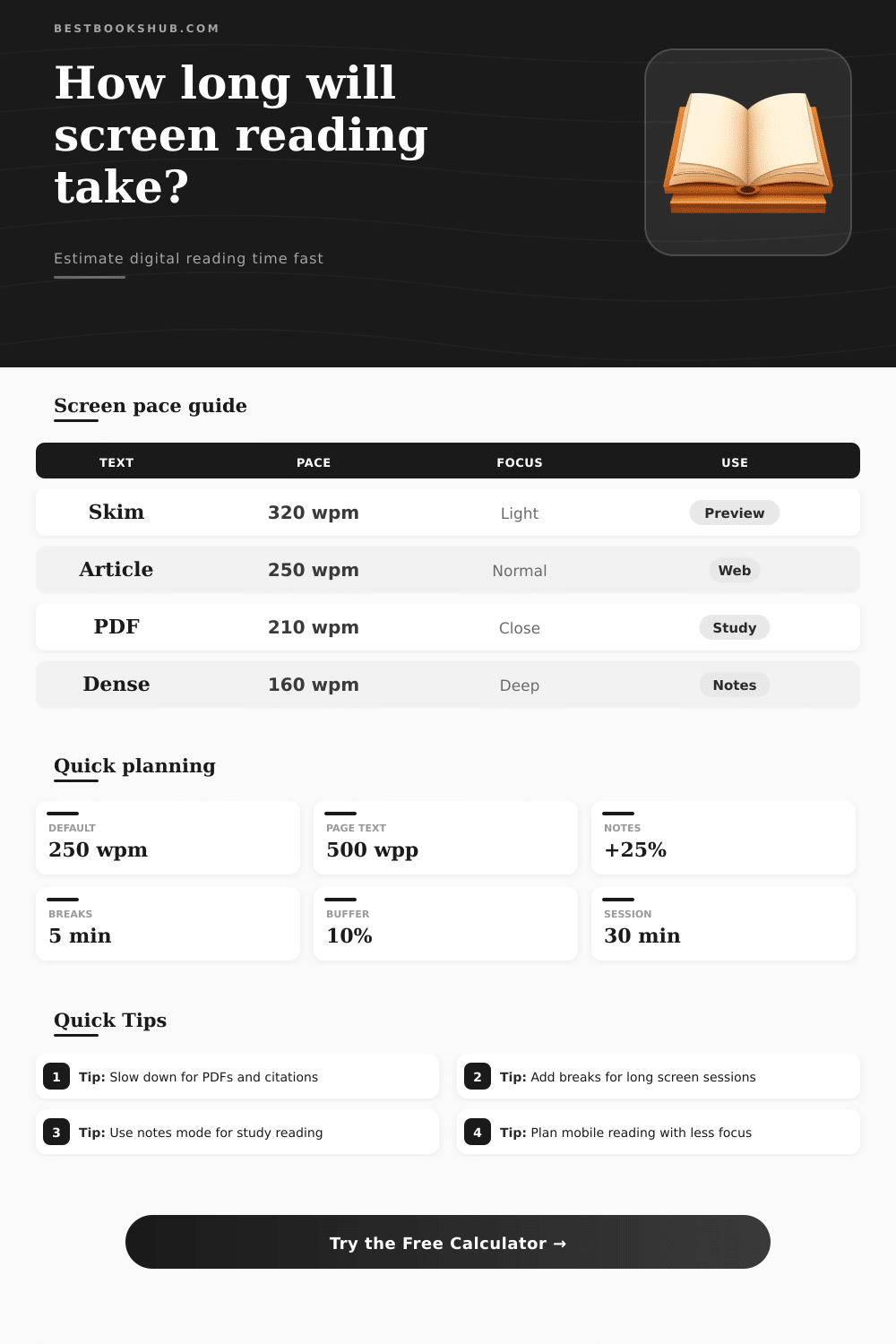
| Screen text type | Typical pace setting | Adjustment | Why reading time changes |
|---|---|---|---|
| Skimmable web article | 300 to 320 wpm | 0.90x | Short paragraphs, headings, and familiar structure make the reading flow faster. |
| Standard online text | 240 to 260 wpm | 1.00x | Most articles, newsletters, and help pages fit this middle planning range. |
| Ebook chapter | 200 to 230 wpm | 1.15x | Longer continuous reading on screen usually needs more attention and pauses. |
| PDF with figures | 180 to 220 wpm | 1.30x | Scrolling, zooming, charts, captions, and page layout interrupt the reading rhythm. |
| Dense academic or legal text | 140 to 180 wpm | 1.55x | Definitions, citations, footnotes, and careful interpretation slow the estimate. |
| Reading screen | Multiplier | Best for | Planning note |
|---|---|---|---|
| Desktop monitor | 1.00x | Long articles and PDFs | Larger view reduces zooming and helps hold context across paragraphs. |
| Laptop screen | 1.04x | General web reading | Slightly smaller view can add scrolling and window switching time. |
| Tablet | 1.08x | Ebooks and markup | Comfortable for pages, but touch navigation can slow note-heavy work. |
| Phone screen | 1.15x | Short reading sessions | Narrow lines and frequent scrolling make longer pieces harder to pace. |
| Small split-window view | 1.18x | Reference comparison | Use this when the text shares space with notes, tabs, or another document. |
| Digital reading task | Words or pages | Estimate setting | Typical plan |
|---|---|---|---|
| News analysis article | 1,200 words | 250 wpm, no notes | About 5 to 7 active minutes with light review. |
| Long form web essay | 4,000 words | 250 wpm, short notes | One 25 to 30 minute session plus a small buffer. |
| Ebook chapter | 20 pages | 500 wpp, 210 wpm | Two or three 30 minute sessions depending on notes. |
| Academic PDF | 15 dense pages | 650 wpp, 160 wpm | Several focused sessions with breaks and citation checks. |
| Research source batch | 18,000 words | 210 wpm, review | Plan across multiple days to reduce screen fatigue. |
DISCLOSURE: This post may contain affiliate links, meaning when you click the links and make a purchase, I receive a commission. As an Amazon Associate I earn from qualifying purchases.
When you open a thick industry report, or even a dense academic PDF, before lunchtime, you’re hit by wave of dread. How many minutes? Two hours? Twenty? Glance at the page count and you have no idea. Most of us are guessing wrong: we conflate our attention span with our reading speed. We assume that we can maintain the pace we use to skim through headlines over the course of 50 pages, and that’s how most readers gets stuck.
You can run the math yourself with the calculator above, but here’s how it works: You has to be honest about what slows you down. Sure, there are certain number of words per page, but more than that, there’s friction between your eyes, the screen and your ability to maintain focus. A big desktop monitor allow you to read in a wide view that holds the context from paragraph to paragraph. With a phone screen, it’s forced into narrow lines; you’re constantly having to scroll up and down and break your rhythm. The tool includes that, changing the multiplier depending on type of device. Reading on a big monitor is a different physical experience different than reading the same thing on a tablet, so it knows that.
How to Estimate Your Reading Time
And what about how dense the text itself is? Short paragraphs with clear headings make internet articles easy to skim and read quickly. Academic or legal texts are a whole diffrent ballgame. They force you to pause, read the definitions, and follow the citations. The calculator accounts for this by modifying your baseline words per minute.
Taking notes and underlining key passages also adds a lot of time. Information consumption has shifted to information processing. This switch from being passive to active alters the timeline entireley. But there’s one fatal flaw in all these planning tools: They fail to account for breaks. Ninety minutes staring at digital screen exhausts your mental energy. The calculator lets you set both break duration and session length. For example, if you take 30 minute sessions with five minute breaks, then you’ll actualy have more clock time than active reading time. That makes a difference.
Your brain doesn’t do clock time; it does active time. Confuse the two, and you end up with an afternoon of burnout and uncompleted task. On the page, it’s laid out in the reference table which breaks down various kinds of texts. That way, if you’re scanning for a gist vs reading to learn, you know what to do. Maybe you’re researching so you can double-check the facts or reread certain passages. You can input your review percentage as well as a buffer for uncertainty. Those aren’t weaknesses; those are acknowledgements that life gets in the way of perfect focus.
Pop-up notifications appear. We switch tabs. Someone makes an important call and we lose flow. By adding a 10% buffer, we protect our schedules from little disruptions that creep into our day. Why? Because precise estimates eliminate worry. Worry is caused by a fuzzy estimate: I thought this would only be an hour, but now it’s been three. With a clear count of how many meetings it’ll require across the next few days, you can slot them into your calendar just as you would any other appointment. Instead of wasting time, you guard it.
The calculator transforms your list of words into a sequence of doable actions. Guessing becomes planning; respect for your attention span becomes reality. With those numbers, here’s what shifts about your attitude toward online work. You no longer think of reading as a passive thing done in the background. Instead, you treat it like a task you schedule with certain conditions. Selecting the appropriate device. You clear uninterrupted timeblocks. You realize that deep material will take time, which is fine.
Faster reading isn’t the objective. More effective reading are. Longer docs become no big deal eventually. You understand that there’s a beginning, a middle, and an end, and you can measure these things as projects. And you understand where all this energy go, and how to allocate it.
When you look at the timeline, there’s no more dread. You pull up the document, glance at your plan for this session, and begin reading. Uncertainty doesn’t loom over your shoulder while you do so.