∕ Text symbol analysis tool
Slash counter
Paste manuscript text, URLs, file paths, citations, escaped strings, or editorial notes to count forward slashes, backslashes, path depth, density, and context patterns.
The table lists the strongest slash hits first, with type labels and nearby text for review.
| # | Type | Mark | Line | Context |
|---|---|---|---|---|
| No slash hits yet. | ||||
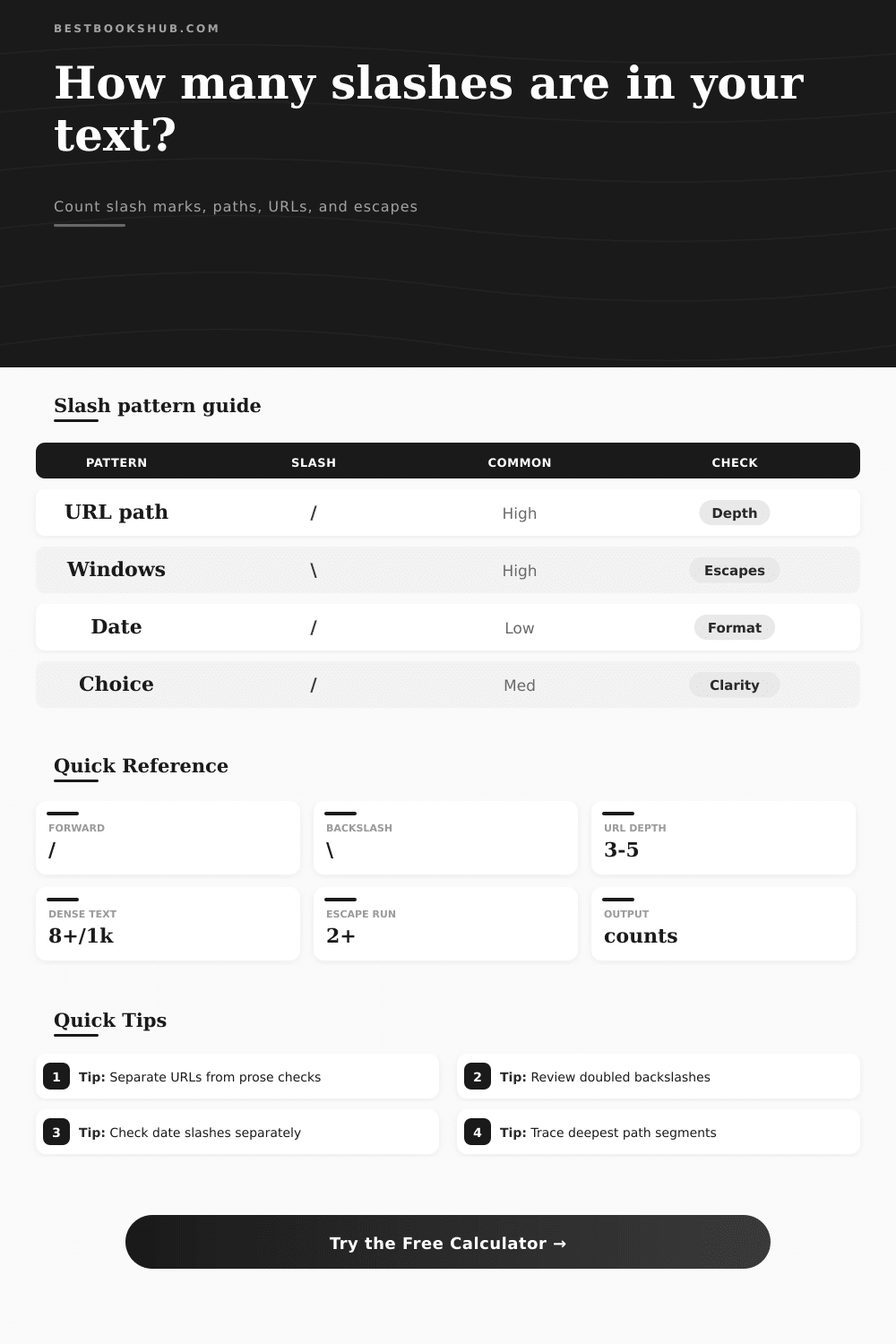
| Slash use | Typical pattern | Usually count as | Review note |
|---|---|---|---|
| Web URL | https://site.com/books/item | Structural slash | Separate URL slashes when prose rhythm is the focus. |
| Unix path | /home/reader/notes | Path separator | Segment depth is more useful than raw count alone. |
| Windows path | C:\Users\Reader\Drafts | Backslash separator | Doubled backslashes may be escaped copies from code. |
| Date or fraction | 04/18/2026 or 1/2 | Compact notation | Use citation mode if these should not affect style. |
| Density band | Marks per 1,000 chars | Common source | Editorial action |
|---|---|---|---|
| Plain prose | 0 to 3 | Manuscript paragraphs or review copy | Check slash choices only if alternatives feel crowded. |
| Light notation | 4 to 8 | Dates, citations, paired terms | Separate dates before judging sentence texture. |
| Structured text | 9 to 24 | URLs, catalog paths, references | Review path depth and repeated technical strings. |
| Technical block | 25 or more | Export logs, regex, file lists | Use URL and escape filters for a cleaner count. |
| Pattern signal | Detected by | What it suggests | Best setting |
|---|---|---|---|
| Protocol pair | Two forward slashes after colon | Web address or feed URL | URL separate or URL only |
| Deep token | Three or more separators in one token | Folder, endpoint, or archive path | Path depth review |
| Escape pair | Doubled backslashes or backslash before code char | Escaped string copied from code | Escape separate or escape only |
| Choice slash | Letters on both sides of / | and/or, he/she, print/digital | Visible prose slashes |
| Review target | Clean range | Watch range | Reason |
|---|---|---|---|
| URL path depth | 1 to 4 | 5 or more | Deep URLs can hide repeated folder or slug issues. |
| Backslash share | 0% to 35% | 36% or more | Mixed direction marks can mean copied path formats. |
| Slash lines | Under 25% | 25% or more | Many marked lines suggest technical rather than prose text. |
| Escape clusters | 0 to 1 | 2 or more | Clusters deserve a code-aware review before publishing. |
Prose slash
DISCLOSURE: This post may contain affiliate links, meaning when you click the links and make a purchase, I receive a commission. As an Amazon Associate I earn from qualifying purchases.
Counts visible slash choices such as and/or, chapter/page, or print/digital without letting URLs dominate the result.
URL slash
Separates protocol and path separators so link-heavy notes can be checked by depth and repeated structure.
Path slash
Reads forward and backward folder separators, then highlights the deepest token for archive or manuscript files.
Escape slash
Focuses on backslashes before n, t, quotes, digits, or another backslash in regex and copied code strings.
The forward slash lurks in your text. You probably don’t notice it, that’s its job. It divides files and folders within URLs, quietly doing its work so we can use the Web as we do today.
In dates, you treat 04/18/2025 as simply a convenient shorthand for marking time. Perhaps you’ll sneak one into a draft to separate options like he/she or and/or.
How to Use This Tool to Fix Your Slashes
This shorthand saves typing but it costs clarity. And then something go wrong. Suddenly, you have to count how many of those thing there are in your text. A paragraph of prose may have zero slashes, whereas a single URL could have five. Yet somehow, this is treated as if they’re interchangeable. They aren’t.
You want to be able to tell the difference between stylistic choice and structural separator. So what can it do?
The upper calculator does the math for you after you input your text (no more trying to figure out the conversions/coefficients). And it filters out the noise (e.g., escape sequences, file paths, URL’s) so you’re left with the signal, allowing you to separate structural separators from stylistic choices.
Because if your technical doc has a lot of deep file paths, then of course its slash count is going to be higher than a novel’s. But that doesn’t mean the tech writer’s slathering on slashes as a stylistic crutch! You don’t care about the server architecture; you care about the rhythm of the prose.
When you separate the visible slashes used in the prose itself, you’ll know how frequently the writer’s reaching for that diagonal line to break up ideas/words.
Most people don’t realize that direction is important. On Unix systems (and the web), we go right with a forward slash. We go left with a backslash which is the native direction on Windows file paths and regex escapes.
So if you find yourself mixing the two directions in one document, it’s probably because you’ve cut and pasted from somewhere else, or maybe your doc hasn’t been consistantly formatted yet. And when you see lots of backslashes in a web article, there’s a good chance somebody pasted some local file references or code paths into their article and didn’t clean them out.
Most people will miss this. They’ll look at the backslash and think they’re seeing a link, but you never put a backslash inside a word unless it’s an error or artifact. That’s what this tool lets you spot fastly.
Beyond just totals, the other thing that gives you some context here is density. Any piece of text with citations, or dates in it will have a few slashes every thousand characters. But if there’s a spike in the numbers, that tends to mean something are wrong structurally.
Perhaps the author is relying too heavily on their use of choice slashes, breaking up simple sentences into choppier lists? Or perhaps they’re dropping too many raw links into their content instead of using anchor text?
The reference table on the page breaks all that down, explaining which type of density band corresponds to what sort of source. Low is plain prose. Higher up we climb is structured text with references. It skyrockets into technical blocks with logs and exports.
If your text sits within one of these bands, you can tell if you want to edit for style, or if what you’re seeing is simply a data dump.
And then there’s context. Ten slashes in a document aren’t necessarily problematic. All ten slashes in one paragraph containing your personal anecdotes? That is not good.
The tool will point out exactly which lines have slashes on it so you can read the surrounding text and understand the pattern. Are all the slashes splitting up dates in a bibliography? Fine. Are they substituting commas in a narrative flow? Fix that.
And if you’re dealing with some hidden folder structure that needs simplifying or removing entirely, follow the longest paths and get to the root of it.
The point of editing out slashes is to restore clarity. If you combine two words with a slash, you force the reader to stop and figure it out. That’s a tiny bit of extra work for the brain.
Checking your direction and density mix makes sure these pauses are intentional, not accidental. You rewrite the clumsy choices; you separate the dates; you clean up the copied paths.
The result? Smoother reading. Your voice stands on its own. The slash goes back to the infrastructure where it belongs.