🎤 Script timing
Teleprompter time calculator
Estimate script runtime, pause load, target duration fit, and total rehearsal or recording time before you step in front of the camera.
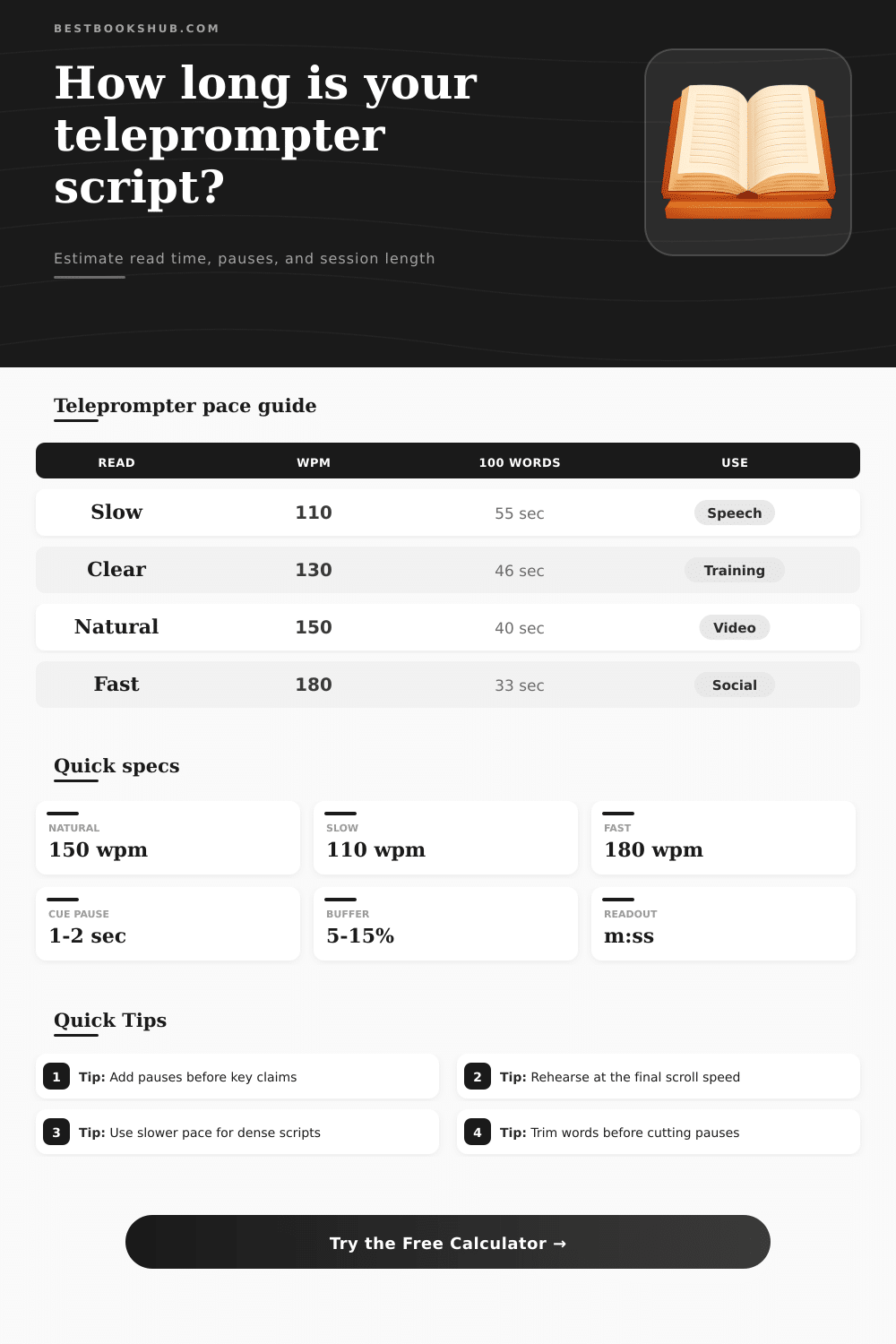
| Delivery style | Typical pace | 100-word read | Best use |
|---|---|---|---|
| Ceremonial remarks | 100-120 wpm | 50-60 sec | Clear emphasis and room response |
| Deliberate speech | 110-130 wpm | 46-55 sec | Formal statements and careful wording |
| Clear instructional | 130-145 wpm | 41-46 sec | Training, education, and technical scripts |
| Natural presenter | 145-165 wpm | 36-41 sec | General camera reads and explainers |
| Broadcast read | 160-180 wpm | 33-38 sec | News-style delivery with clean phrasing |
| Fast social clip | 175-200 wpm | 30-34 sec | Short clips with simple language |
| Target length | Slow script | Natural script | Fast script |
|---|---|---|---|
| 30 seconds | 55-65 words | 70-80 words | 85-95 words |
| 60 seconds | 110-125 words | 145-155 words | 170-190 words |
| 2 minutes | 220-250 words | 290-320 words | 340-380 words |
| 5 minutes | 550-625 words | 725-800 words | 850-950 words |
| 10 minutes | 1100-1250 words | 1450-1600 words | 1700-1900 words |
| Pause type | Typical length | Where it appears | Timing impact |
|---|---|---|---|
| Comma breath | 0.3-0.6 sec | Long clauses | Usually absorbed in WPM |
| Sentence beat | 0.7-1.2 sec | End of key sentences | Good cadence pause setting |
| Emphasis pause | 1.5-2.5 sec | Before claims or reveals | Use as marked cue pauses |
| Slide or graphic beat | 2-5 sec | Visual transitions | Add as cue pauses or cushion |
| Audience response | 3-8 sec | Live speeches and webinars | Add outside the clean read |
| Production plan | Rehearsal reads | Recording takes | Planning note |
|---|---|---|---|
| Short social read | 1-2 | 2-4 | Short resets matter more than read time |
| Explainer video | 2 | 2-3 | Keep pace consistent across sections |
| Training segment | 2-3 | 1-2 | Slower delivery improves comprehension |
| Live remarks | 3 | 1 | Build in extra cue and audience pauses |
| Executive update | 2-3 | 2 | Use moderate pace and clean transitions |
DISCLOSURE: This post may contain affiliate links, meaning when you click the links and make a purchase, I receive a commission. As an Amazon Associate I earn from qualifying purchases.
Avoid the panic of running out of time with the teleprompter time calculator. Writing for what you see can make you speed up and trip over words, which isnt great for confidence. With this, you can see exactly how long it takes to say things by translating word count to actual run-time. That way, you don’t go into that race-against-the-clock presentation mode when you’re trying to present something with confidence.
The main problem with most scripts is mismatch between read speed and speak speed. When people delivers their speech clearly, they generally average around one hundred fifty words per minute. Their typical reading speed are around two hundred and fifty. So if you assume your reading pace then create a three-minute script, you’ll end up being way over time.
How to Plan Your Speaking Time
With this tool, you can pick a delivery profile that best fits what you’re doing, a deliberate keynote opener? Or maybe a fast social clip? In any case, your estimate will match what actualy happens, not just what you hope for.
There is empty space on the page, but it take actual seconds in production. Those are the moment that count. This is why the calculator has places to enter length of cadence pauses and marked cue stops. Two seconds before a key claim isn’t wasted time; it’s emphasis. Blow past your intended duration or rush through those moments if you don’t plan for them.
The table of references show how various kinds of pauses affect overall duration, aiding your decision about where to push ahead and where to take a breath.
The final piece is thinking about time spent in the studio, as opposed to the duration of finished video. Just because it’s a three minute take doesn’t mean it will be recorded in three minutes. There will be setup. There will be rehearsal time. There will be restarts from mistakes. There will be resets between two adult-sized sofa.
The session estimate function multiplies your run time by how many takes you plan to record plus how many runs through the script you want to rehearse. It also serves as a practical protection against those who has limited time with their clients or are paying for luxurius studio space. In other words: it makes an unclear idea of shooting become a solid block of hours.
Of course, there’s nothing like measuring pacing for yourself. Some people have very natural voices and could deliver one hundred fifty words per minute without breaking a sweat. Other material calls for a more deliberate approach based off around one hundred ten so you don’t lose the audience. If none of the above preset options suit your material or your voice, you can adjust the words-per-minute yourself on the calculator.
Sometimes you’re delivering emotional content or complex jargon and it slows down naturaly. This gives you a bit more wiggle room. Often trimming the pace first lead to a better end product than trimming the words directly. Editing is easier then rewriting. And you can’t edit what’s not there.
Make sure to leave some wiggle room by adding a 10 to 15% buffer for breathing and ad-libbing. This way you have room without sacrificing the heart of your message. If you’re on a tight end-time then it matters. You can see in the breakdown section how long everything take up and where your pauses may be gobbling up too much running time. Or, maybe you just need to cut back on word count because there isn’t enough room in the slot.
In short: It’s all about respecting people’s attention spans when it comes to timing. They don’t want to know how many words you wrote; they just want to know how long it’ll take to listen to them. Take the guesswork out of it by running the numbers beforehand.
This way, you can approach the camera confident of where you’re at in your script and how much time remains until your next break. And that confidence shows right through to a smoother delivery. Which is why I believe the best teleprompter technique begin well before you turn on those lights.