⏱ Text timing analysis
Time expression counter
Count exact clock times, am/pm references, 24-hour times, duration phrases, vague time words, and ranges in any passage.
| Pattern | Examples | Count behavior | Notes |
|---|---|---|---|
| 12-hour clock | 6 pm, 8:15 AM | One clock time | AM and PM markers are case-insensitive. |
| 24-hour clock | 09:30, 17:45 | One clock time | Hours 00 through 23 and minutes 00 through 59. |
| Named exact time | noon, midnight | One clock time | Included as exact references, not vague words. |
| Bare hour | at 7, by 11 | Optional clock time | Captured in wide mode when nearby wording suggests time. |
| Unit phrase | Minute value | Included mode | Example |
|---|---|---|---|
| second, sec, s | 0.0167 minute | All, short | 45 seconds |
| minute, min, m | 1 minute | All, short | 12 min |
| hour, hr, h | 60 minutes | All modes | 2.5 hours |
| day | 1,440 minutes | All, long | 3 days |
| week | 10,080 minutes | All, long | 2 weeks |
| Group | Common words | Interpretation | Best use |
|---|---|---|---|
| Day parts | morning, afternoon, evening, night | Loose clock region | Fiction, diaries, transcripts. |
| Relative soon | soon, shortly, later, eventually | Forward time cue | Task notes and dialogue. |
| Relative past | recently, earlier, yesterday, previously | Backward time cue | Reports and summaries. |
| Editorial pace | early, late, immediately, briefly | Timing tone | Manuscript and script editing. |
| Density band | Per 100 words | Typical text | Reading signal |
|---|---|---|---|
| Low | 0 to 1 | General prose | Timing is background context. |
| Moderate | 1 to 3 | Schedules, scenes, logs | Timing supports structure. |
| High | 3 to 6 | Itineraries, transcripts | Time expressions drive the passage. |
| Very high | 6+ | Timetables, run sheets | Consider table formatting or cleanup. |
DISCLOSURE: This post may contain affiliate links, meaning when you click the links and make a purchase, I receive a commission. As an Amazon Associate I earn from qualifying purchases.
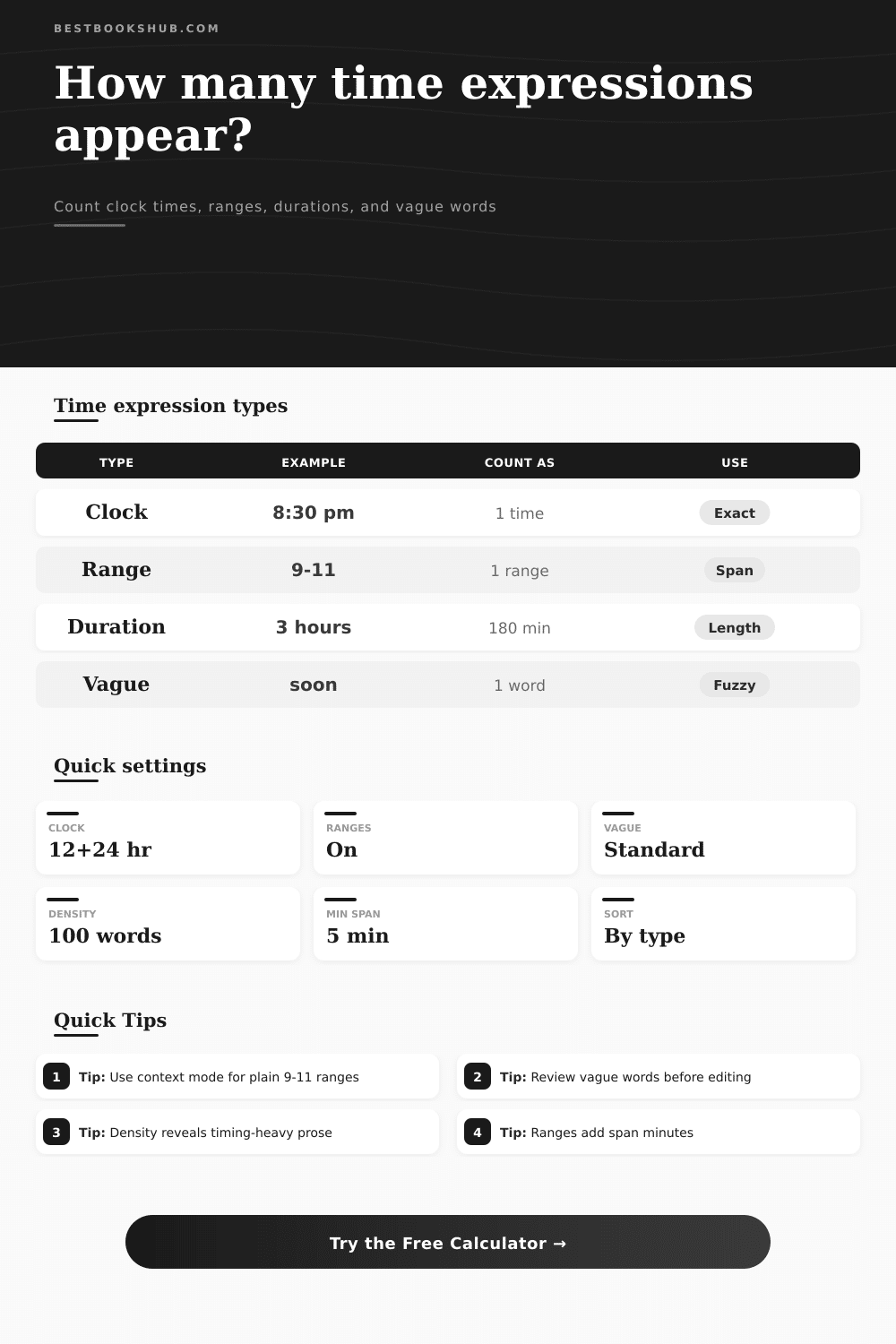
It reads through your text and identifies any time references, then it classify each reference separately. That way, you don’t have to guess about how dense with time your notes are. Certain kinds of references (like 8:30 pm) is anchor points, which signal that this is an inflexible moment in time. Others (like “from 9 to 11”) is flexible, suggesting a period of possible time instead of a hard-and-fast deadline. Some (such as “three hours”) describe duration (but not necessarily location). Still others (“later” or even “morning”) provides rhythms without providing anything concrete.
Because the combination of those sorts of references can be confusing, the calculator break them apart to show exactly which ones occurs within the document.
How to Control Time in Your Writing
A document’s texture vary by how much it expresses time. Expressing too many precise clock times makes for a rigid, mechanical scene. Expressing too many vague word makes a schedule seem untrustworthy. The balance convey intention.
Is time in the foreground or the background? When the time references is low-density, they’re just background noise; when they’re high density, they’re the main character. Different levels of density conveys different intentions. You can see that from table of references. The sweet spot finds a balance between supporting content and not overwhelming it.
A hidden number of time marker lie hiding in your drafts. They include words such as recently or immediately. These word are temporal markers that influence the sense of pace within the narration. You will see where you’ve paced the passage by comparing the number of vague words against the number of exact ones. Using durations can indicates a slow-down, while jumping to a quick clock speeds things up. This show you your stylistic choices.
No one expects perfection. Rather, the idea is conscious design. Do you want this passage to feel impressionistic? Or do you want it to feel scheduled?
You can adjust settings to filter what’s being counted. If you’re interested in exact timestamps then turn off ranges. If you want it to be stricter and recognize formal clock format alone, do that too. For example, this might work well on legal transcripts or tech logs where ambiguity is bad. For creative writing purposes, set it to its widest scan and capture all those tiny hints of time.
And check out the context preview which display the surrounding snippet for each match. Is that a chapter number? Or does it actualy refer to a specific time? It’s the same word but with different meaning.
Everyone pays attention to the gross number. That’s a red herring. It’s only the beginning. What matters is the details of the breakdown. Examine the dominant type and the average range span. Does it have mostly clock times or mostly durations? A schedule is more likely to be one thing; a process description another. Is it filled with fuzzy terms? Perhaps it’s not authoritative enough. By shifting the ratio slightly, you can make a massive difference in tone.
Replace weasel words with specific time figures to firm up wobbly text. Introduce connecting phrases into stiff lists to humanize them. It is about control. That’s what editing is about.
If you don’t have any idea just how much time language you’re working with, then you’re flying blind. Maybe you think you’ve kept your meeting notes tight; maybe in reality, there’s lots of repetitive timestamp cruft. Maybe you believe you wrote a smooth-flowing story; maybe you didn’t because you’re weighed down by pointless clock checks. Being able to see those patterns lets you exert some control over them. Trim away the flab. Add needed structure. Clarity is key here: you want your readers to know that time is passing without tripping on it’s gears.
Now that you’ve got the numbers, now you can begin to shape the words. Time is not a constraint. It’s a tool, use it right.