_ Text symbol analyzer
Underscore counter
Paste prose, filenames, metadata, code notes, blank fields, or snake_case identifiers to count underscores, classify their use, measure density, and review crowded lines.
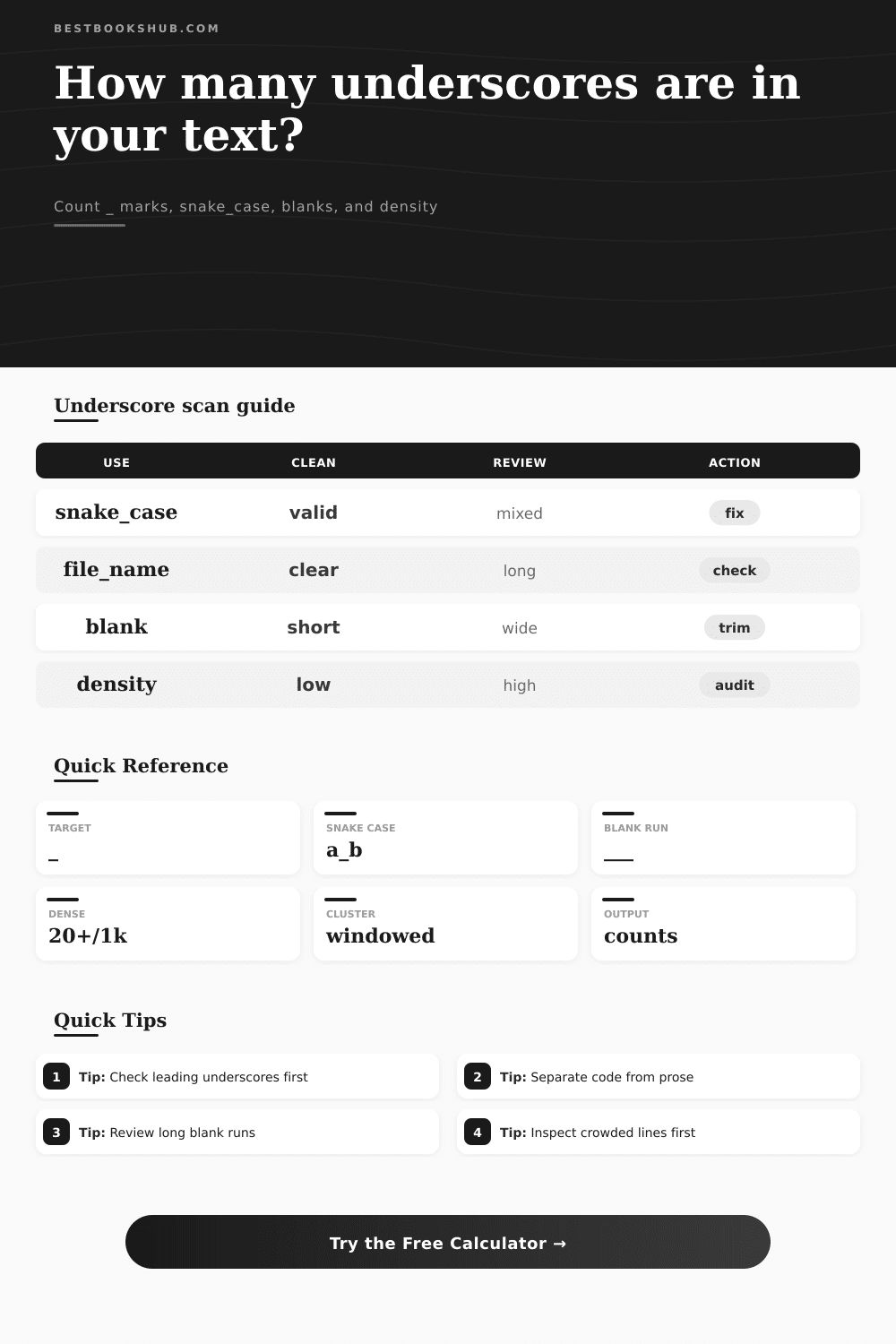
The calculator counts literal underscore marks, then separates snake_case tokens, filenames, blank lines, repeated runs, edge underscores, markdown-style emphasis, and loose symbols.
| Band | Typical mark count | Density signal | Common source | Review action |
|---|---|---|---|---|
| Clean | 0 | No underscore signal | Plain prose | Keep unless underscores are expected. |
| Light | 1-8 | Occasional symbol use | One filename or tag | Inspect the affected line. |
| Moderate | 9-24 | Visible technical text | Metadata, slugs, labels | Separate prose from identifiers. |
| Dense | 25-60 | Identifier-heavy copy | Exports or code notes | Review token classes first. |
| Very dense | 61+ | Technical or blank-heavy | Worksheets, code, data | Audit line by line before publishing. |
| Context type | Common pattern | What the calculator counts | Risk in prose | Best mode |
|---|---|---|---|---|
| Snake case | chapter_title | Underscores inside word-like tokens | Looks technical in reading copy | Snake_case words only |
| Filename | book_notes_01.txt | Name separators before extensions | Long names may wrap badly | Filenames and slugs only |
| Blank field | _____ | Repeated runs of three or more | Can dominate copied worksheets | Blank runs only |
| Edge marker | _draft | Leading or trailing underscores | May signal hidden or private names | Leading or trailing underscores |
| Markdown | __word__ | Paired emphasis-style marks | Formatting may display literally | All underscore contexts |
| Mixed export | tag_name,status_id | Identifiers across rows | High density skews copy checks | Count tokens containing _ |
| Sample type | Expected volume | Line spread | Main cleanup question | First check |
|---|---|---|---|---|
| Book metadata export | Moderate | Many short lines | Are keys readable outside the system? | Token count |
| Manuscript note | Usually zero | Isolated | Did a filename get pasted into prose? | Detail list |
| Worksheet blank | High runs | Few lines | Should blanks become form fields? | Longest run |
| Code appendix | Moderate to high | Several lines | Are identifiers clearly separated? | Code span mode |
| Search tags | Low to moderate | Clustered | Are tags consistent with house style? | Snake tokens |
| Clean paragraph | Zero | None | Should any mark remain? | Total count |
DISCLOSURE: This post may contain affiliate links, meaning when you click the links and make a purchase, I receive a commission. As an Amazon Associate I earn from qualifying purchases.
Copy-pasting a chunk of dialogue from your manuscript to your plain text editor? You’ll probably spot a few rogue characters. Whether you’re drafting in markdown, exporting files or tinkering with bits of code, this is par for the course. The underscore is a common little symbol. Depending on the context, it’s a way to show emphasis in certain types of mark-up. It is also a form placeholder and a way to separate words in programming code. But it can also be eye pollution if left unchecked because; well, it make things look messy. There is nothing wrong with character itself, only the context. A series of underscores could be a perfectly legitimate variable within a Python script, but in the middle of a novel they reads like typos.
Most people try to eyeball these problems by scanning for jagged lines or weird spacing, but that approach fails because the human eye skims over repetitive patterns. Unfortunatly, the human eye scans in a pattern looking for repetition, but that approach do not work here. You need a more rigorous process to determine if this is an identifier or garbage, and it requires a systematic methodology. Once you feed in your text, the calculator will crunch the numbers, no need to think through coefficient conversions.
How to Clean Up Underscores in Your Writing
How is mark used? That’s where it draws the line, separating the signal from the noise. A blank line (i.e., `______`) is syntactically different than a snake_case variable name (e.g., `user_profile_id`). If you don’t treat them differently, you’ll make bad edits. So think of it as a measure of density. Yes, that’s right: it isn’t about the total count; its how concentrated they are. One filename doesn’t matter if it happens inside a 10-page document, but two dozen name bunched up on three lines? That is a structural issue.
The tool will calculate the density based off a hundred words or a thousand characters and provide you with a number against which you can compare readability. When density shoots upward, it mean you probably have a chunk of data or code leaking through your story. That’s what everyone misses, looking for the symbol when all along they should of been looking for the pattern. A high-density area suggests that someone pasted something in, perhaps a technical section, but failed to separate or format it properly.
Blank runs, then. Blank runs happen when writers want to underline something or leave a placeholder in their draft. Long stretches of underscore characters appears, which is fine in a draft but doesn’t translate very well to published form. It messes up line breaks and confuses screen readers. It is also a visual artifact. Finding these early saves a ton of manual clean-up down the line. The page provides a reference table that categorizes these blank runs into high-risk for audit. This way you know what needs to get looked at immediately versus what is a harmless technical tag.
The meat of the matter are the scan profiles. The tool will count differently when set to identify vs. One example is editorial cleanup. For identifiers, snake_case tokens is validated; in editorial mode, long runs and leading underscores is flagged as errors. The ability to do this is important because an underscore has more than one function. It’s not so much about symbol-counting as it is diagnosing the nature of the text. A single character can change everything, from knowing if you have a formatting error vs. It is a valid identifier.
First pass: don’t go crazy about all those little settings. Use the default editorial cleanup and look at big picture. How do the underscores cluster? Are they all in one paragraph or spread out across the page? Clustering usually indicates a single place where that happens, such as when you exported some metadata or copied a code block. The scattering mean there’s something more consistent going on with your treatment of technical terms. Fixing the source is always easier than fixing the symptoms.
In the end, clean text is all about trust. It is the trust that an author and reader have to read without being distracted by how words look on the page. Technical conventions like underscored words are simply not part of literary reading. A regular check of your text eliminates the potential for your technical requirements undermining your clarity of narrative. The code can have its underscores as long as they stays put. You leave your prose exactly as it was, clear and ready for those eyes who matter.
Let the story live in the text. Leave the technical where it belongs: in the code.